
Secure Privacy's cookie banner supports custom links — allowing you to add hyperlinks to the Privacy Center text, Accept button, Reject button, or any other editable banner text. This guide explains how to insert a custom link using the banner text editor.
Who Is This For?
Website administrators adding custom hyperlinks to their Secure Privacy cookie consent banner
Compliance teams linking to a privacy policy, cookie declaration, or other relevant pages from within the banner
Developers customizing cookie banner text with specific URLs for Accept, Reject, or Privacy Center actions
How to Add a Custom Link to Your Cookie Banner
Log in to your Secure Privacy account and navigate to your Cookie Banner page.
Click on the text section you want to edit to open it in the text editor.
Click the Add Custom Link button in the editor toolbar.
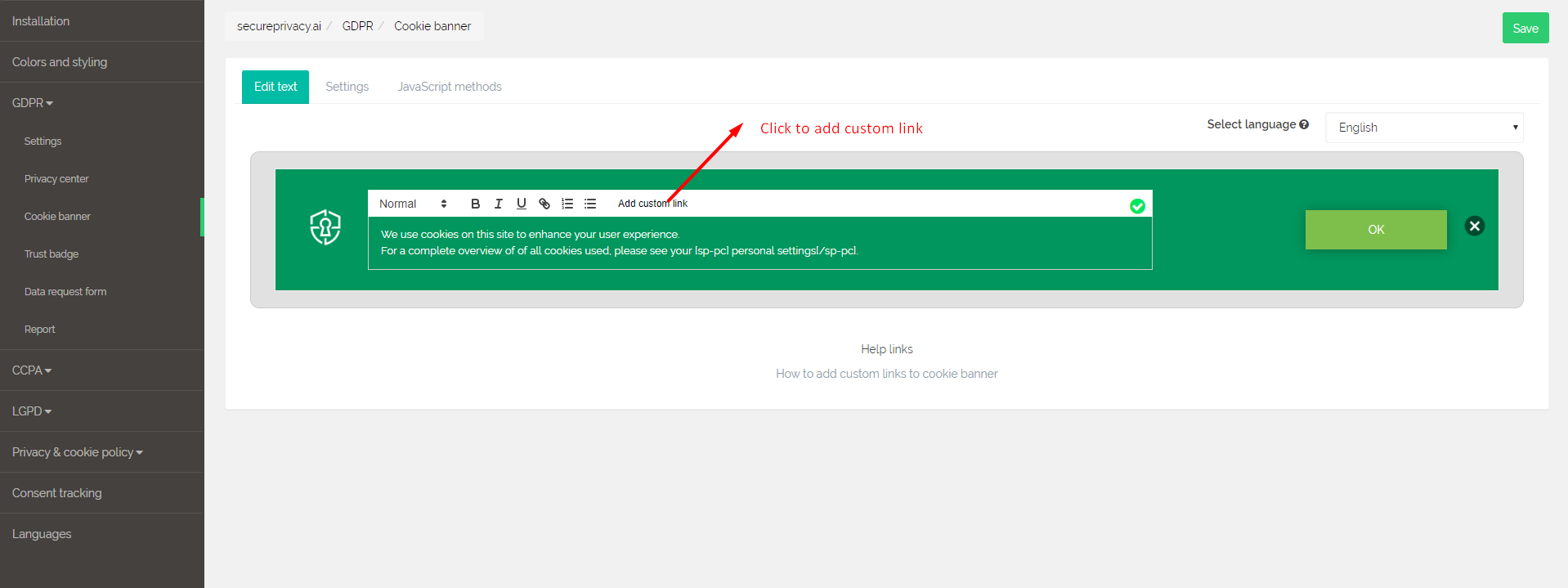
In the popup that appears, enter the following details:
Link text: The visible text that will be displayed as the hyperlink
URL: The destination address the link should point to
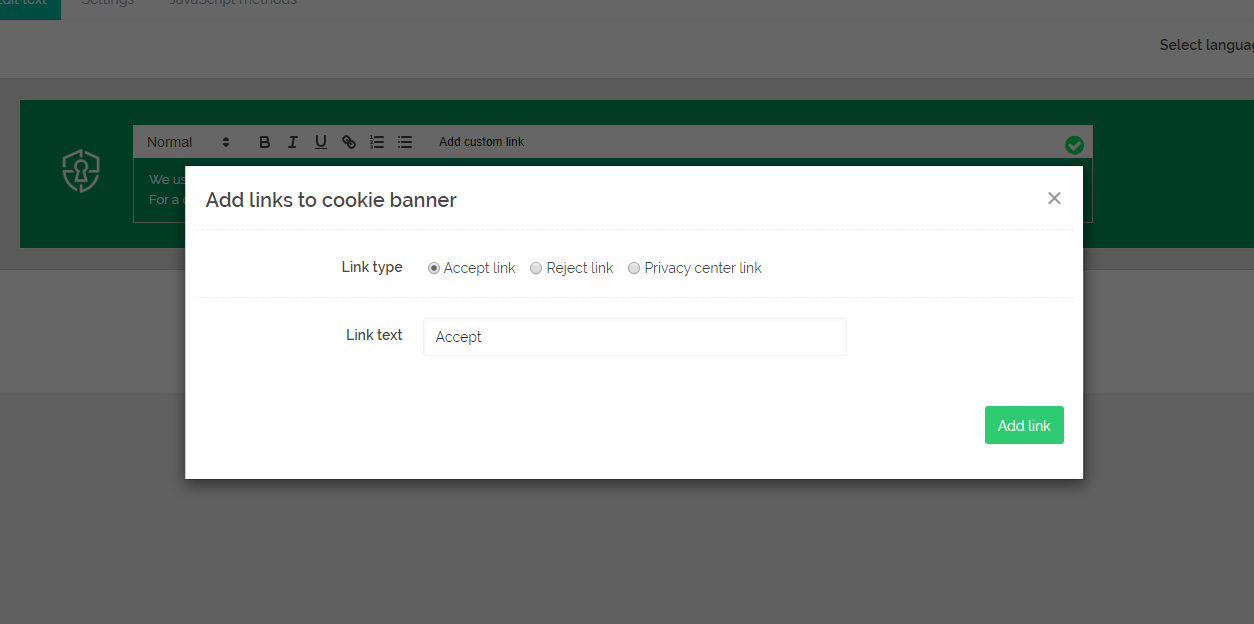
Click Add Link to insert the link into the banner text.
Click Save. Secure Privacy will automatically convert the shortcode into a live hyperlink on your cookie banner.
Frequently Asked Questions
What types of links can I add to the cookie banner?
You can add any standard URL — including links to your privacy policy page, cookie declaration, external regulatory resources, or internal website pages. Custom links can be added to any editable section of the cookie banner, including the Privacy Center text and button labels.
Will the link open in a new tab or the same tab?
Link behavior depends on how the shortcode is generated. If you need links to open in a new tab, check the link settings in the Add Custom Link popup — some versions of the editor include a target option for this. If not, you can apply this via custom CSS or by contacting Secure Privacy support.
Can I add multiple custom links to the same banner section?
Yes. Repeat the process for each link you want to add within the same text section — click the text to edit, use the Add Custom Link button for each link, and save when all links have been inserted.