
Secure Privacy's Cookie Classification feature lets you review, edit, and recategorize the cookies and services detected on your website — including their category, service name, privacy policy link, and description. Changes to cookie classification are applied to your cookie declaration after a domain rescan.
Note: Any changes made to cookie classification will only be reflected in your cookie declaration after you trigger a website rescan from the Report section.
Who Is This For?
Website administrators reviewing and correcting cookie categories assigned by the Secure Privacy scanner
Compliance teams ensuring cookies are accurately classified as Essential, Analytics, Marketing, or other categories
Developers updating service names, privacy policy links, and cookie descriptions in the classification register
How to Access Cookie Classification
Log in to your Secure Privacy account and select the domain you want to work with by clicking the domain name selector and choosing the correct domain.
Click Classification in the left sidebar.
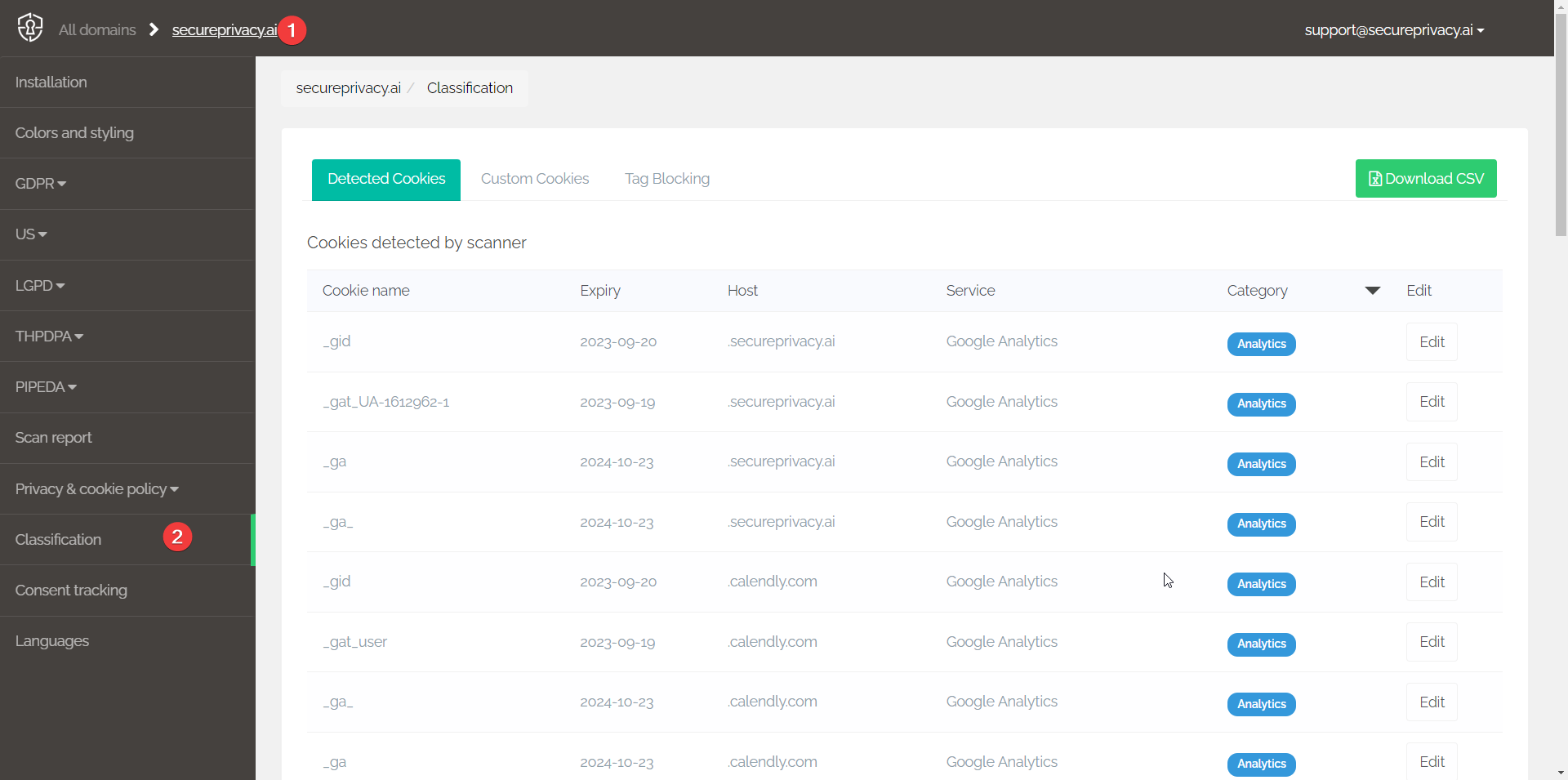
How to Edit the Category of a Cookie or Service
Locate the cookie or service you want to edit and click its Edit button.
Select the required Category from the dropdown list to match your compliance requirements and business logic.
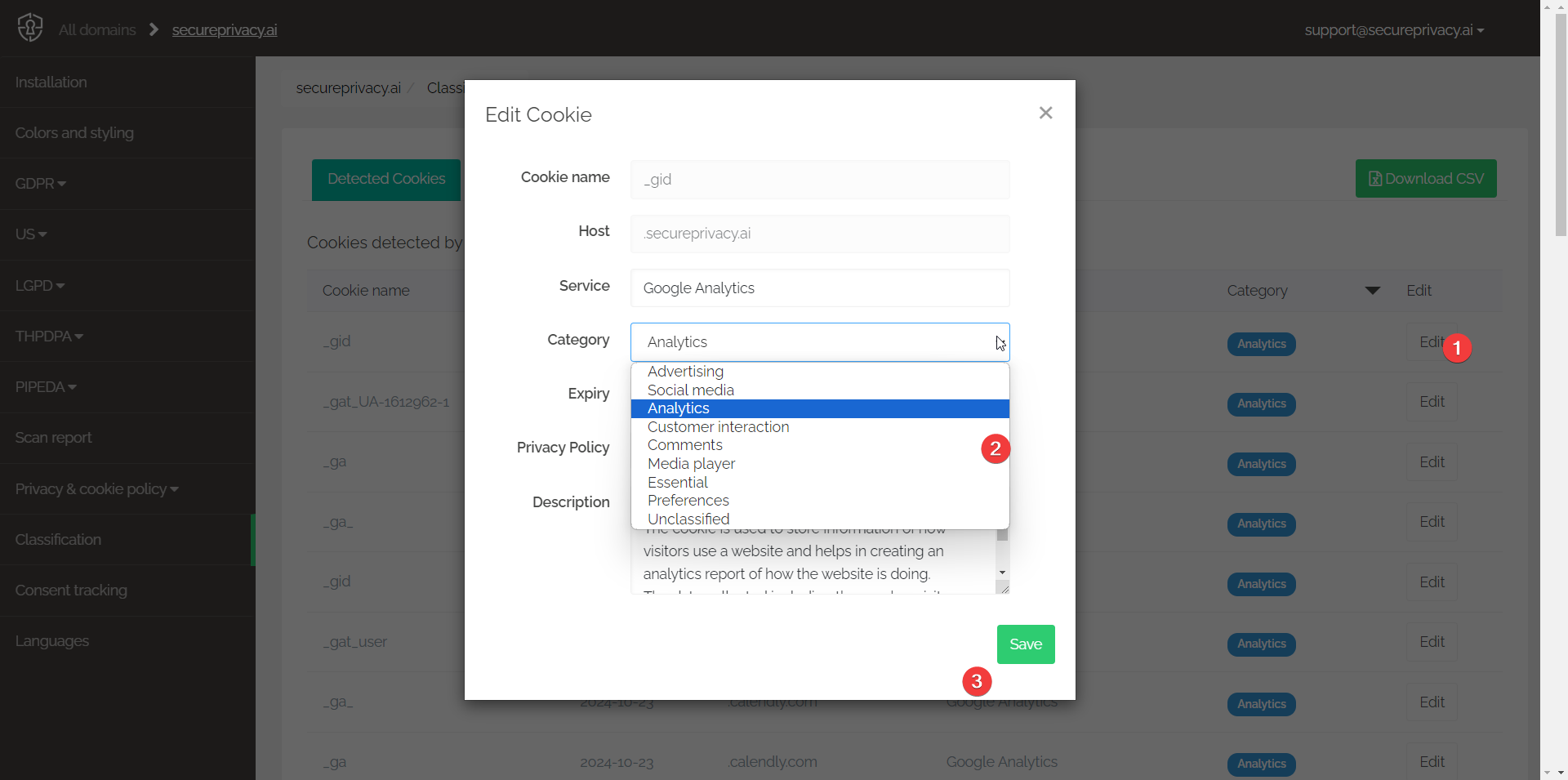
Note on terminology: Host refers to the domain name of the website that places the specific cookie. Service is the widely recognized name or tag associated with that cookie — for example, "Google Analytics" or "Facebook Pixel."
In addition to the Category, you can also edit the Service name or tag, the Privacy Policy link, and the Description for the cookie. Click Save to apply your changes.
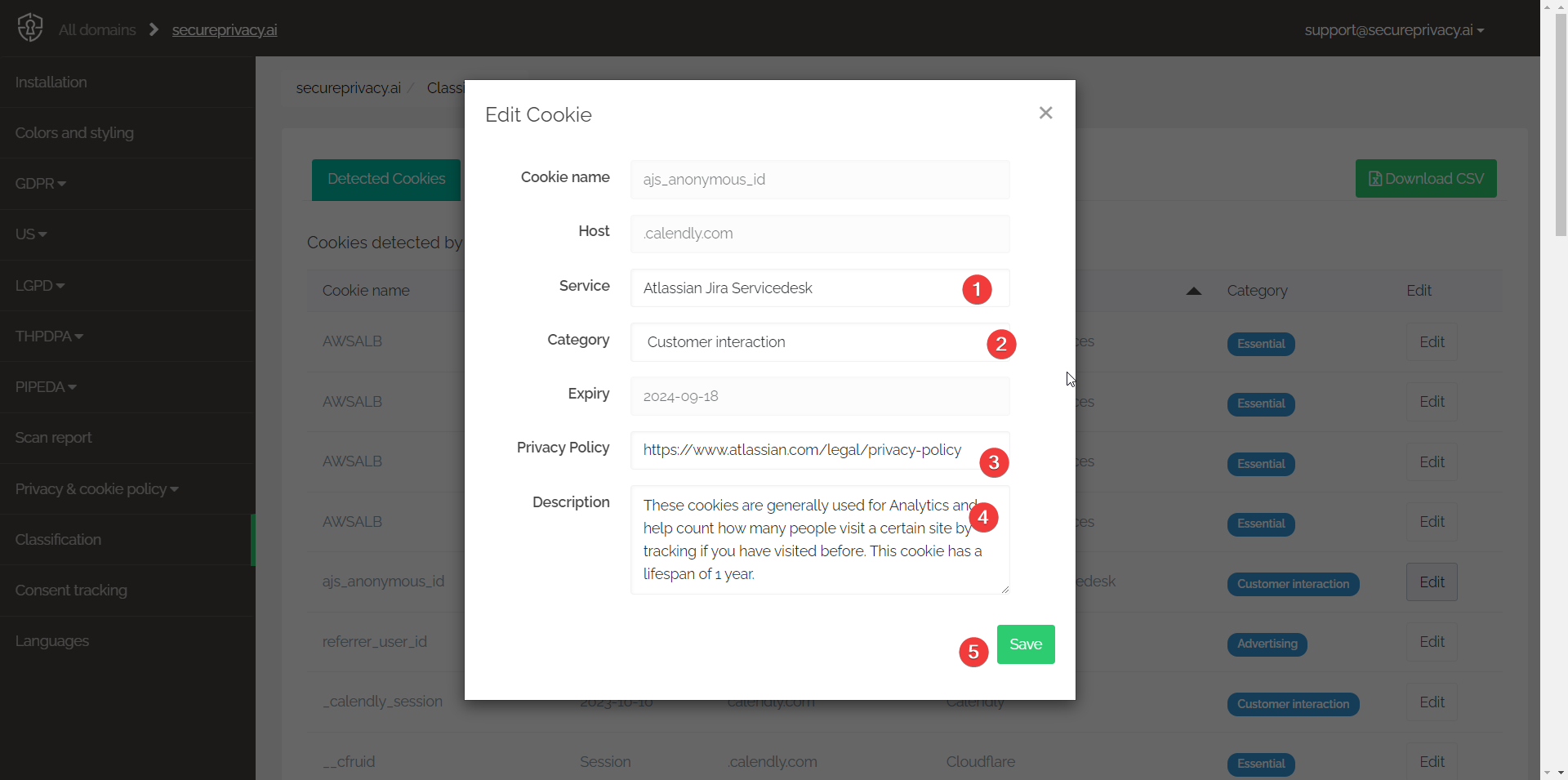
Important — Multiple categories: If a service shows a Multiple categories value, it means the individual cookies from that service provider have been assigned to different categories. This can cause unexpected behavior in your Consent tracker: if a visitor blocks one category but allows another from the same service provider, all cookies from that provider will be blocked — because the block action takes precedence over the allow action. Review and align the categories for all cookies from the same service provider to avoid this.
Frequently Asked Questions
Do I need to rescan after editing cookie classifications?
Yes. Changes to cookie classification are not reflected in your live cookie declaration until you trigger a website rescan from the Report section. Run a rescan after completing your classification edits to apply the updates.
What is the difference between Host and Service in the classification view?
The Host is the domain name of the website that sets the cookie — for example, analytics.google.com. The Service is the human-readable name associated with the cookie — for example, "Google Analytics." Editing the Service name updates how it appears in your cookie declaration to visitors.
What should I do if a cookie is assigned to the wrong category?
Click Edit next to the cookie or service and select the correct category from the Category dropdown. Common categories include Essential, Analytics, Marketing, Functional, and Unclassified. Save the change and rescan your domain to update your cookie declaration.