
Get started with Secure Privacy by quickly creating your account, activating your email, and installing our privacy tools on your website. This guide walks you through each step to ensure a smooth onboarding experience.
Who is This For?
This guide is for new Secure Privacy users, including website admins, developers, and compliance managers who need a straightforward setup.
Step 1: Enter Your Domain and Account Information
- Proceed to the next step to submit your details.
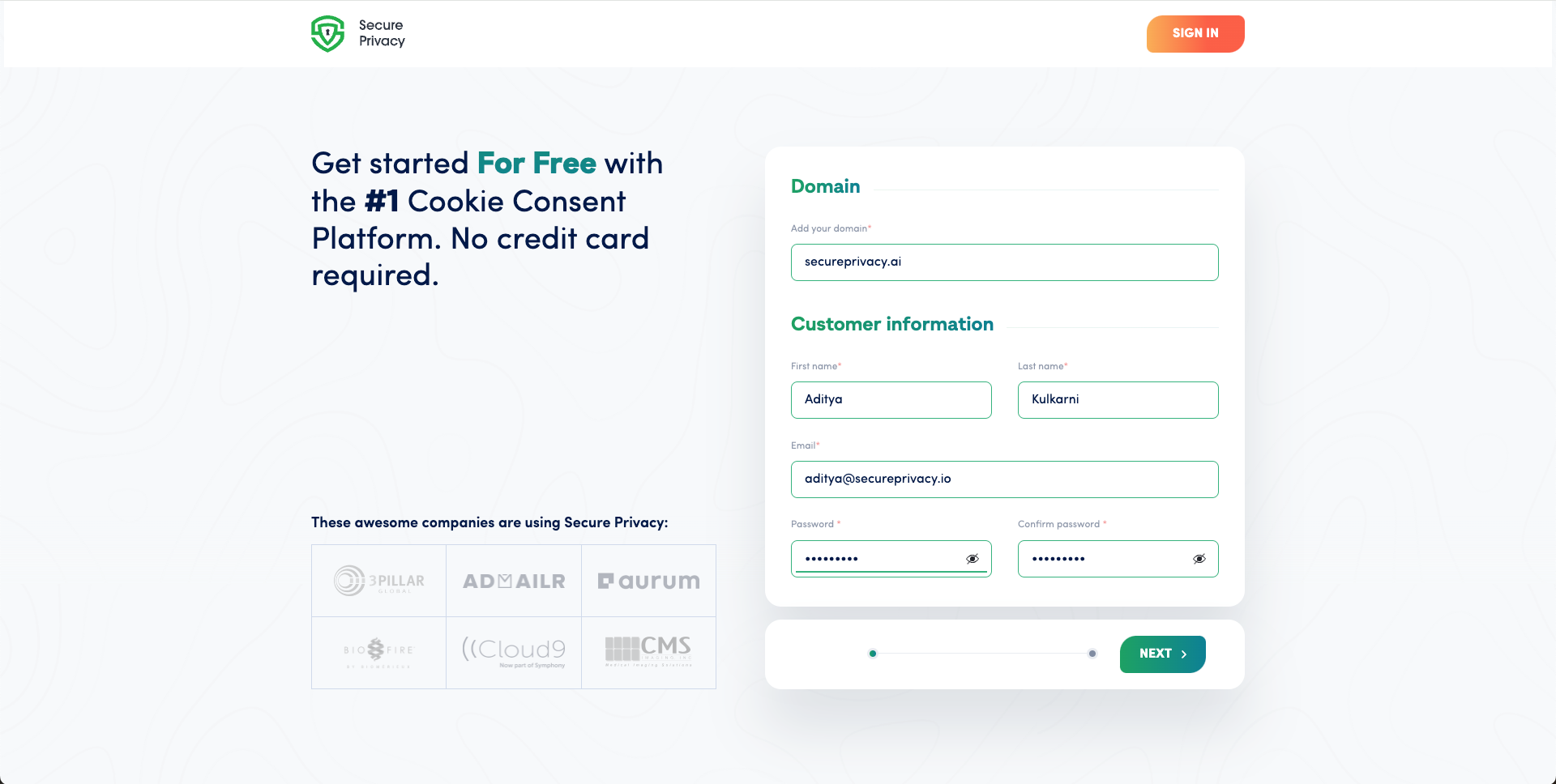
- Proceed to the next step to submit your details.
- Proceed to the next step to submit your details.
Step 2: Activate Your Email
- Once activated, you can log in and continue setup.
Step 3: Choose Your Installation Method and Setup
- During setup processing, a loading screen will appear before redirecting you to your Secure Privacy Dashboard.
- During setup processing, a loading screen will appear before redirecting you to your Secure Privacy Dashboard.
- During setup processing, a loading screen will appear before redirecting you to your Secure Privacy Dashboard.
- During setup processing, a loading screen will appear before redirecting you to your Secure Privacy Dashboard.
- During setup processing, a loading screen will appear before redirecting you to your Secure Privacy Dashboard.
Common Issues & Fixes
- Activation Email Not Received: Check spam folder or request a new link from activation page.
- Installation Fails Verification: Verify script is added correctly to your site header or via your chosen integration.
- Unsure Which Integration to Use: Contact your website developer or Secure Privacy support for guidance.
Conclusion
This streamlined onboarding process gets you up and running with Secure Privacy quickly, unlocking powerful privacy compliance tools for your website.
See Also
- [How to Onboard with Secure Privacy Directly from Your CMS Plugins
](https://support.secureprivacy.ai/articles/237014-how-to-onboard-with-secure-privacy-directly-from-your-cms-plugins)