
Google Consent Mode helps websites control how Google tags behave based on user consent. Among two approaches — Basic and Advanced — this guide focuses on implementing Google Consent Mode in Basic Mode using SecurePrivacy. It explains the simple setup steps and how this mode blocks Google ads and analytics for users who have not consented.
Introduction to Google Consent Mode - Basic
Google Consent Mode offers two main approaches: Basic and Advanced. This guide helps you choose and implement the Basic Mode. If you want to understand the differences between Basic and Advanced modes, please see our support guide with a detailed explanation. The focus here is on enabling the Basic Mode quickly and effectively.
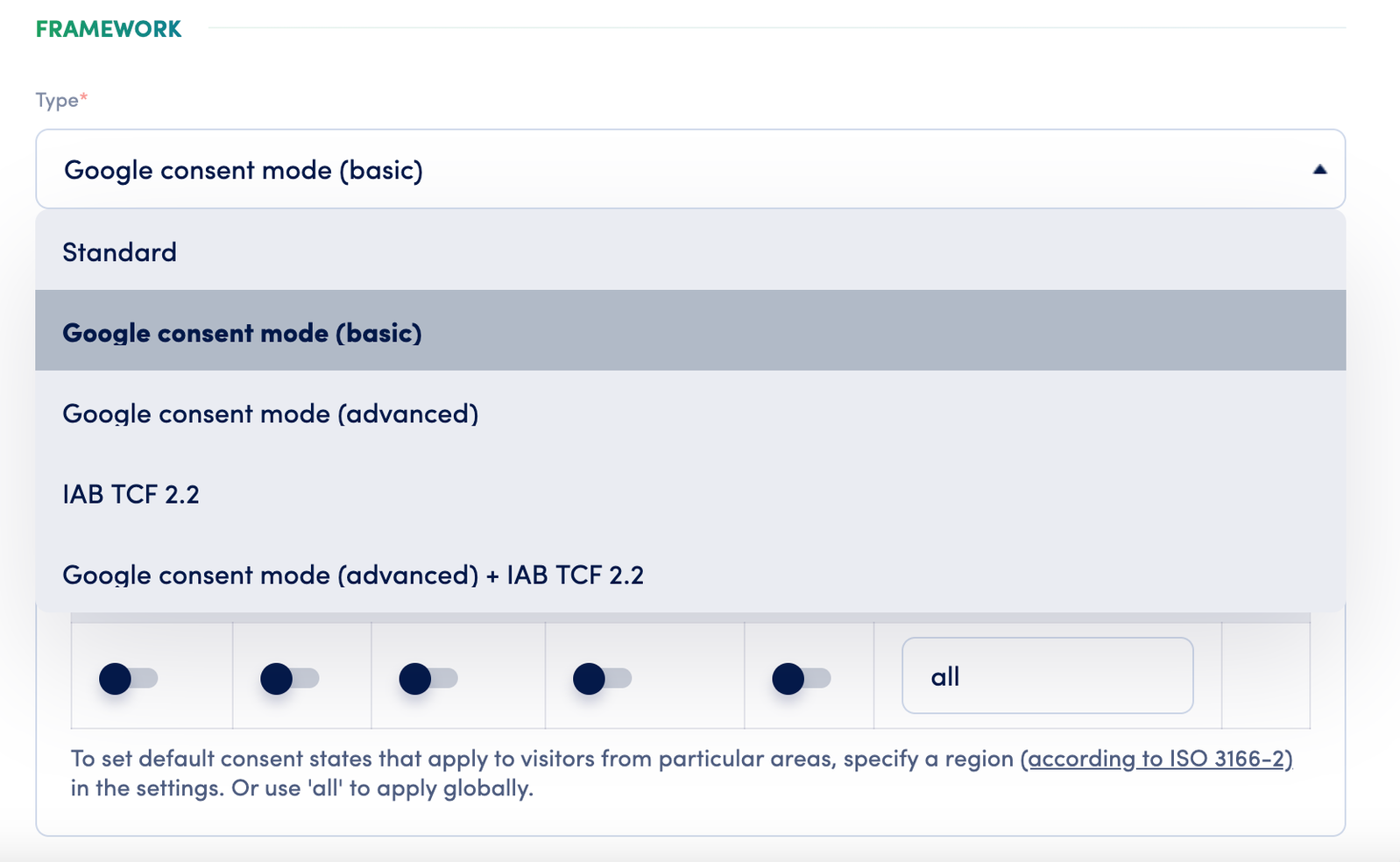
How to Enable Google Consent Mode - Basic in SecurePrivacy
- SecurePrivacy provides a domain framework category named Google consent mode (basic) to simplify implementing this mode and differentiate it from other options.
- This framework restores the standard SecurePrivacy method to block Google products such as advertising and analytics.
- When enabled, it prevents Google plugins from loading and collecting data from users who have not given consent, fulfilling an essential Google Consent Mode requirement.
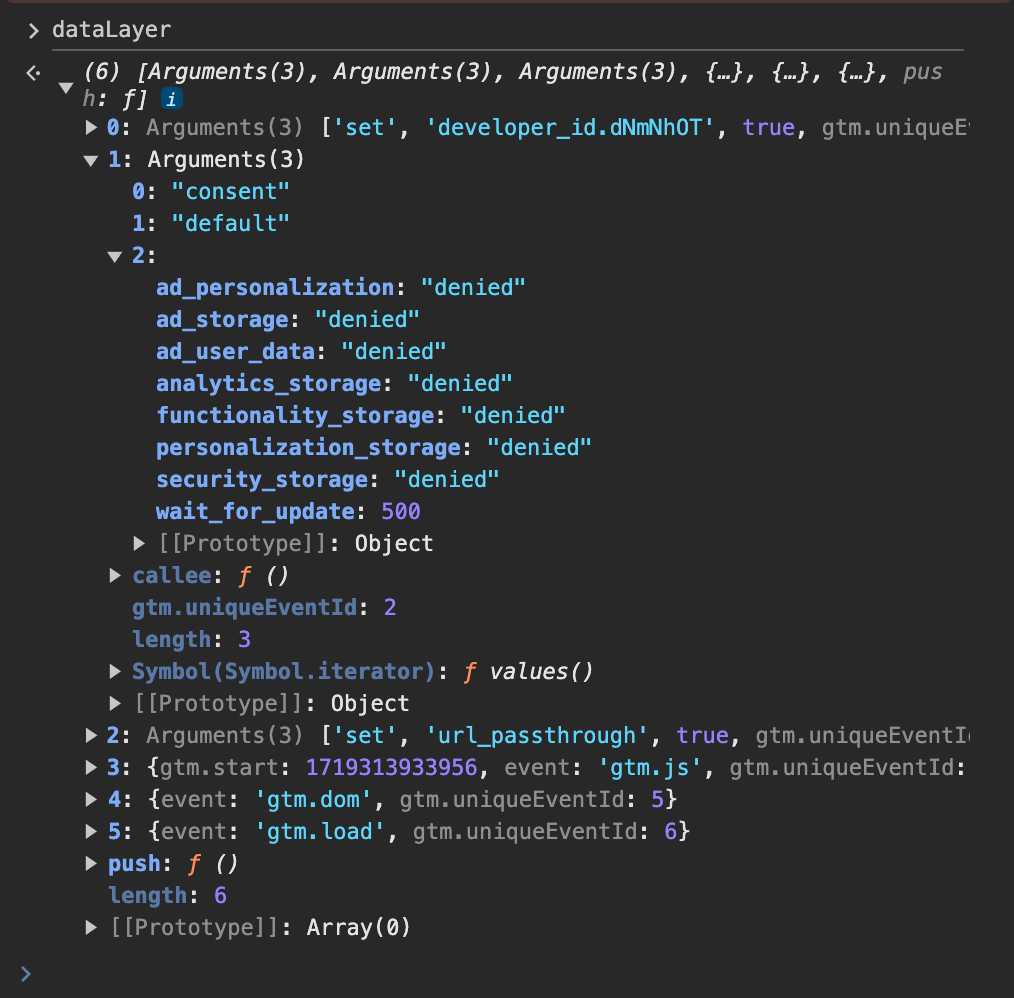
Default Consent Status and Configuration
- The default consent status you configure within your domain settings will be applied and respected.
- This status is pushed to the
dataLayerwindow object along with the developer ID and other necessary configuration details.
Need Further Assistance?
- For help, contact our support team at [email protected].
- For urgent or systemic Google Consent Mode issues, reach our dedicated contact person Andrew Sidorkin.
- We aim to respond to escalations within one business day.
Who Is This Guide For?
- Website administrators implementing consent management
- Developers setting up Google Consent Mode
- Compliance officers ensuring GDPR/CCPA requirements
Common Issues & Fixes
Q: What if I am unsure about which consent mode to use?
A: Review our comprehensive comparison guide between Basic and Advanced modes.
Q: Does Basic mode block all Google data collection automatically?
A: Yes, it blocks Google Ads and Analytics plugins from loading without consent.
See Also
- Basic vs. Advanced Google Consent Mode
- Checking the Google Consent Mode implementation
- [[Google] Consent Status Defaults for Advanced Mode](https://developers.google.com/tag-platform/security/guides/consent?consentmode=advanced)