
Secure Privacy has integrated Google Consent Mode, which is enabled if the client is using supported Google Products.
Below you will find details on differences in behavior with and without Google consent mode and how to test if Google consent mode is working properly.
Difference and testing
Below, you will find examples of Google Analytics differences in API calls and the behavior of the service before and after consent. So that it helps everyone to identify changes with and without consent.
Google consent mode by default will block the services from creating any cookies and reading any existing cookies. While testing, clear all cookies, and on reload and you will see no cookies are being created. Like the way how it looks without Google consent mode, where we block the entire script itself.
There is a slight difference after implementing Google consent mode in terms of API calls under the network section. Earlier, no calls of Google Analytics were being sent as we used to block the whole script, but now you will see a call named “collect” under the network tab, which is sent by Google Analytics as shown in below screenshot:

Or you can check all parameters in detail like below:
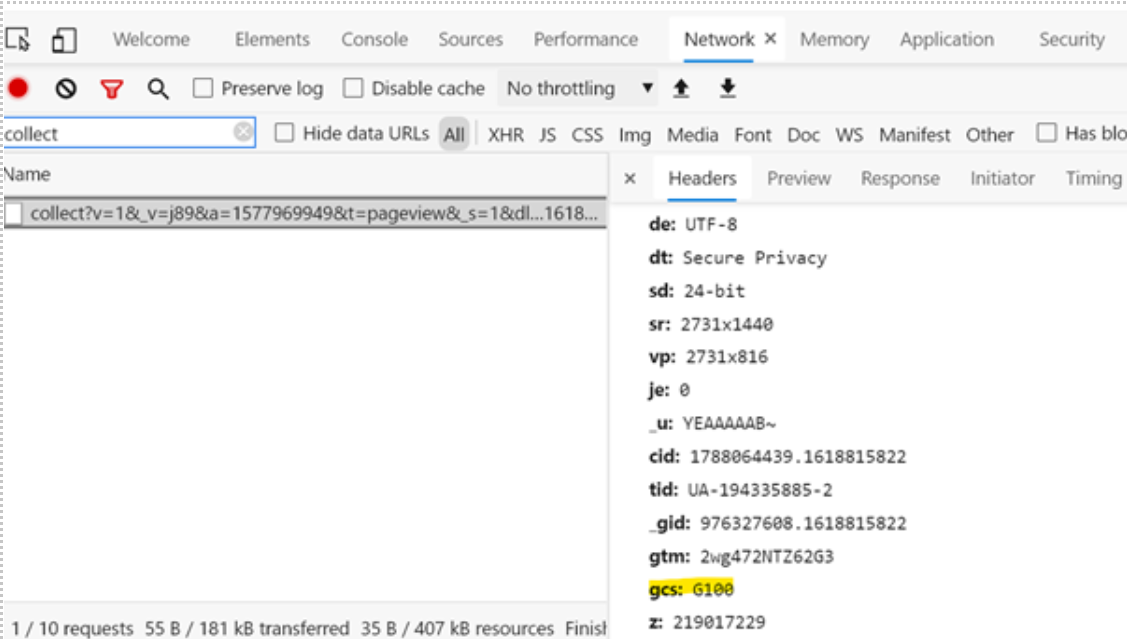
In the above screenshot you can see the highlighted parameter “gcs” which is added by Google consent mode with value of G100, meaning “Denied” by default.
When user will provide consent via our banner, then the Google consent mode status will be set to granted, and it will also have the following effects:
a. Cookies will be created
b. API call will have “gcs” parameter with value G101 (or G111) like below, which means "Granted".
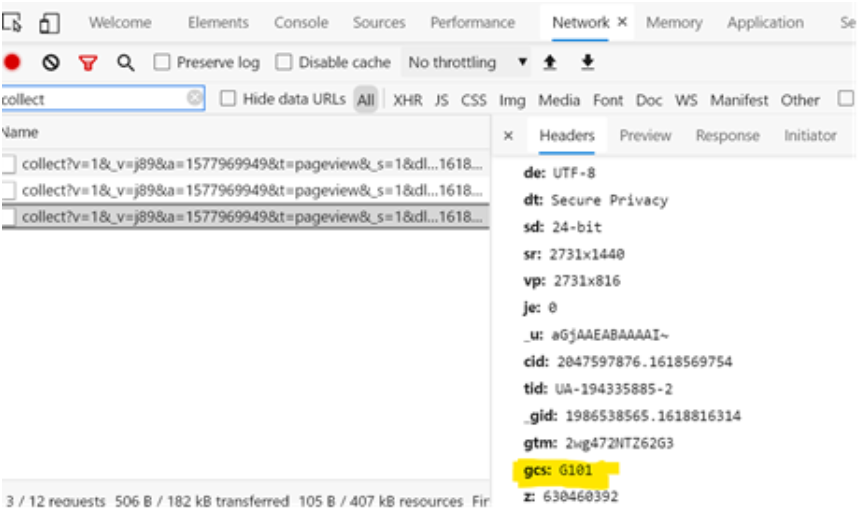
If you check the site without Google consent mode implementation, you will see collect API only when user has provided consent i.e., when we load the script, but it does not contain any parameter as “gcs” in it which indicates the call is being made without using Google consent mode.
This way, one can verify if google consent mode is present and working properly.
Need Further Assistance?
For additional assistance, please reach out to our support team at [email protected].
For any urgent or systemic escalations related to Google Consent Mode, please contact our designated point of contact: Andrew Sidorkin. We aim to address these escalations within one business day.