
Introduction to Installing Secure Privacy on WordPress
WordPress is a leading web publishing platform powering over 35% of websites worldwide, including business portals, e-commerce stores, blogs, and portfolios. This guide helps you install the Secure Privacy plugin, ensuring GDPR-compliant consent management on your site. Whether you are new to Secure Privacy or already a user, this guide provides clear steps for installation and activation.
Who Is This Guide For?
- WordPress site administrators and webmasters
- Website owners implementing privacy compliance
- Developers integrating the Secure Privacy plugin
- Marketing and compliance teams managing cookies and consent
Installing Secure Privacy Plugin on WordPress
Scenario 1: During the Onboarding Process (New Users)
- Look for a toast notification at the bottom-left confirming the successful installation.
Scenario 2: Manual Installation for Existing Users
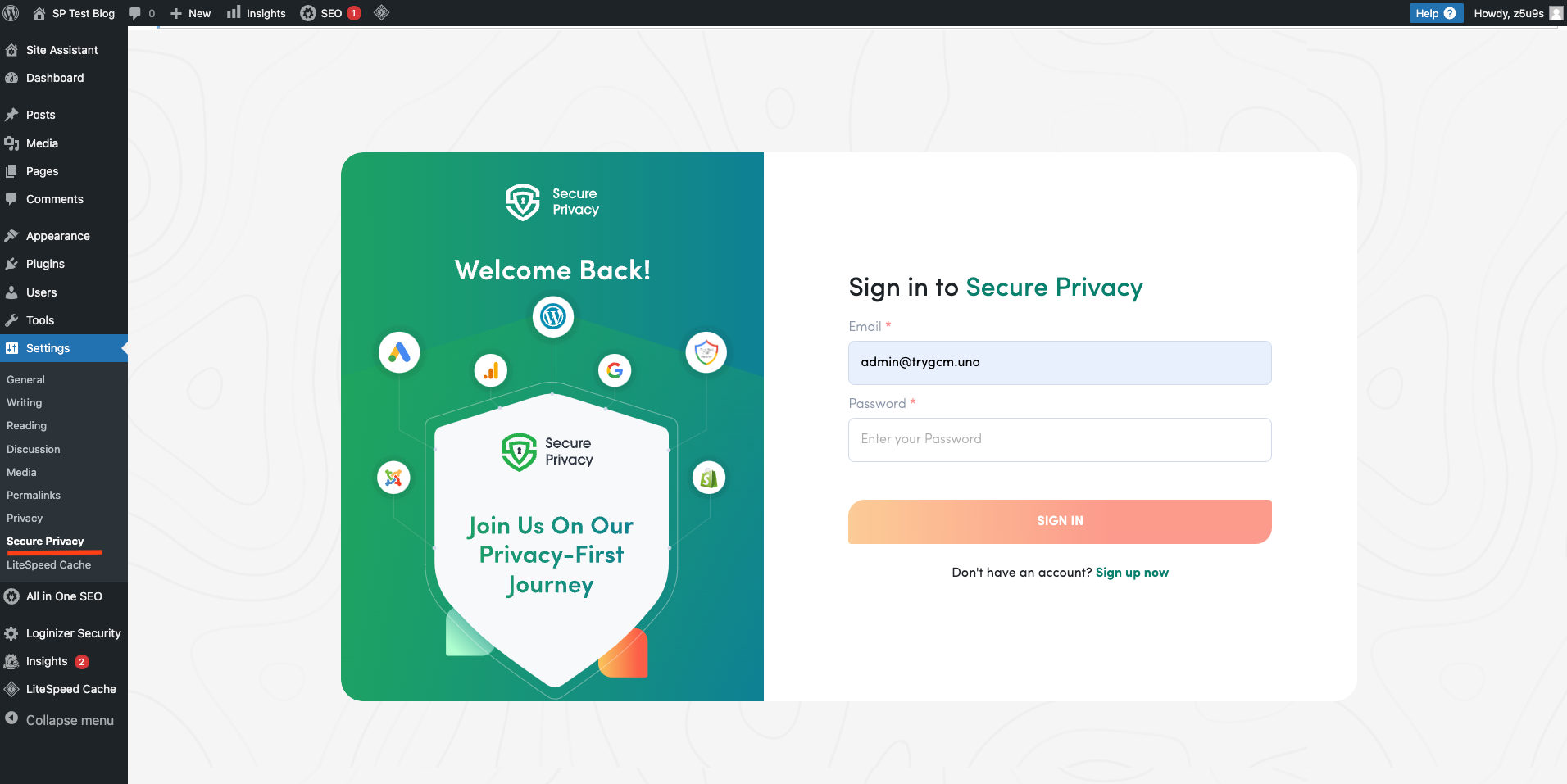
- Access Secure Privacy under Settings in the WordPress sidebar.
Additional Resources
For detailed walkthroughs and troubleshooting, visit our support article for WordPress/Shopify..
Common Issues & Fixes
- I don’t see the Secure Privacy option in WordPress Settings: Ensure your user role has admin privileges and the plugin is activated.
- Test Installation fails? Verify that the plugin is installed correctly and your WordPress site meets system requirements.
See Also
- [How to Onboard with Secure Privacy Directly from Your CMS (WordPress/Shopify) Plugins
](https://support.secureprivacy.ai/articles/237014)