
Secure Privacy offers two types of cookie and tracker blocking — automated blocking and manual blocking. This article explains how to set up manual blocking for scripts and iframes, including how to rewrite script attributes and implement prior consent blocking for embedded third-party content such as YouTube and Vimeo.
Who Is This For?
Website administrators implementing manual cookie and tracker blocking with Secure Privacy
Developers rewriting script and iframe attributes to hold cookies until visitor consent is given
Compliance teams ensuring third-party embeds do not set cookies before prior consent is obtained
Manual Script and Cookie Blocking
To block cookies and trackers from loading until a visitor provides consent, you need to modify the attributes of script tags on your website. Follow these steps:
For pixel or image trackers: Rename the
srcattribute todata-srcon the image tag. This prevents the tracker from firing until consent is given.For script tags: Use script type rewriting. Change the
typeattribute of the script tag so that the browser does not execute it automatically.A normal Google Analytics script tag looks like this:
<!-- Insert your original script tag here -->After applying script type rewriting, it should look like this:
<!-- Insert your rewritten script tag with updated type attribute here -->
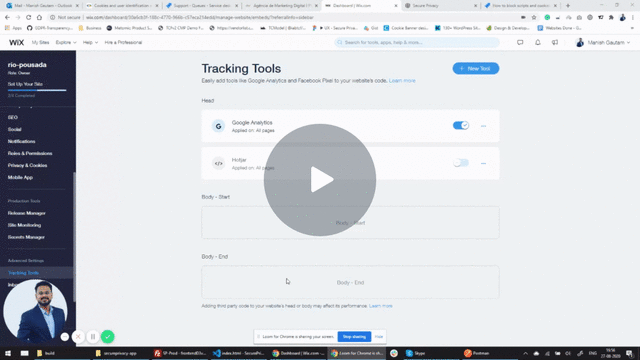
For a step-by-step walkthrough using Wix.com as an example, watch the video tutorial on manual script blocking.
Manual iframe Blocking Setup
This section covers the scenario where iframes embedded on your website — such as YouTube or Vimeo videos — set cookies or trackers that require the visitor's prior consent before loading.
Secure Privacy will block the iframe from loading until the visitor has provided consent for the relevant plugin. Once consent is given, the content loads automatically.
How to implement prior consent for iframes
Using YouTube as an example, follow these steps to apply prior consent blocking to an embedded iframe:
Apply the attribute
sp-consent="PLUGIN NAME"to the iframe tag on your website. The plugin name must exactly match the name shown in your Secure Privacy Scan Report.Change the
srcattribute todata-srcto prevent the iframe from loading until consent is received.
For example, the original YouTube iframe:
<!-- Insert your original iframe tag with src attribute here -->
Changes to the following (with src renamed to data-src and the sp-consent attribute applied):
<!-- Insert your updated iframe tag with data-src and sp-consent="Youtube" here -->
In this example, the plugin name is Youtube — verify the exact name in your Secure Privacy Scan Report before applying.
Note 1: YouTube offers an alternative domain — www.youtube-nocookie.com — that does not set HTTP cookies. However, this domain sets persistent "super cookies" in the browser's HTML localStorage, which also require prior consent. Manual blocking is still required.
Note 2: Manual iframe blocking is required even if you are using Secure Privacy's auto-blocking feature. Auto-blocking currently only applies to iframes created dynamically by JavaScript — such as advertising iframes injected by a script. For iframes embedded directly in your page HTML — such as YouTube video embeds — you must follow the manual blocking steps described in this article.
Frequently Asked Questions
What is the difference between automated and manual blocking in Secure Privacy?
Automated blocking detects and blocks scripts and dynamically injected iframes without requiring changes to your page code. Manual blocking requires you to modify the attributes of script and iframe tags directly in your HTML — renaming src to data-src and adding the sp-consent attribute. Manual blocking is required for iframes embedded directly in page HTML, including most YouTube and Vimeo embeds.
Where do I find the plugin name to use in the sp-consent attribute?
The plugin name is listed in your Secure Privacy Scan Report. Navigate to your Secure Privacy dashboard and open the Scan Report for your domain — the exact plugin name to use in sp-consent="PLUGIN NAME" is shown against each detected tracker or third-party embed.
Does using youtube-nocookie.com mean I don't need to block the YouTube iframe?
No. While youtube-nocookie.com does not set HTTP cookies, it stores persistent data in the browser's HTML localStorage — which also constitutes tracking and requires prior consent under the ePrivacy Directive and GDPR. Manual blocking must still be applied even when using the nocookie domain.