
This guide explains how to embed your Secure Privacy Privacy Policy directly on a WordPress page — using either the WordPress text editor or an HTML widget in a page builder. The embed code loads your policy content dynamically, so it stays up to date automatically as your scan results change.
This guide assumes the Secure Privacy script is already installed on your website. If not, complete the installation before proceeding.
Who Is This For?
WordPress website owners adding a dedicated privacy policy page using Secure Privacy
Website administrators embedding privacy policy text via the WordPress editor or a page builder
Compliance teams ensuring a GDPR-compliant privacy policy is visible on their WordPress site
How to Embed Your Privacy Policy on a WordPress Page
-
Log in to your Secure Privacy account and navigate to Privacy Policy > Use on Website > Direct Text Embedding.
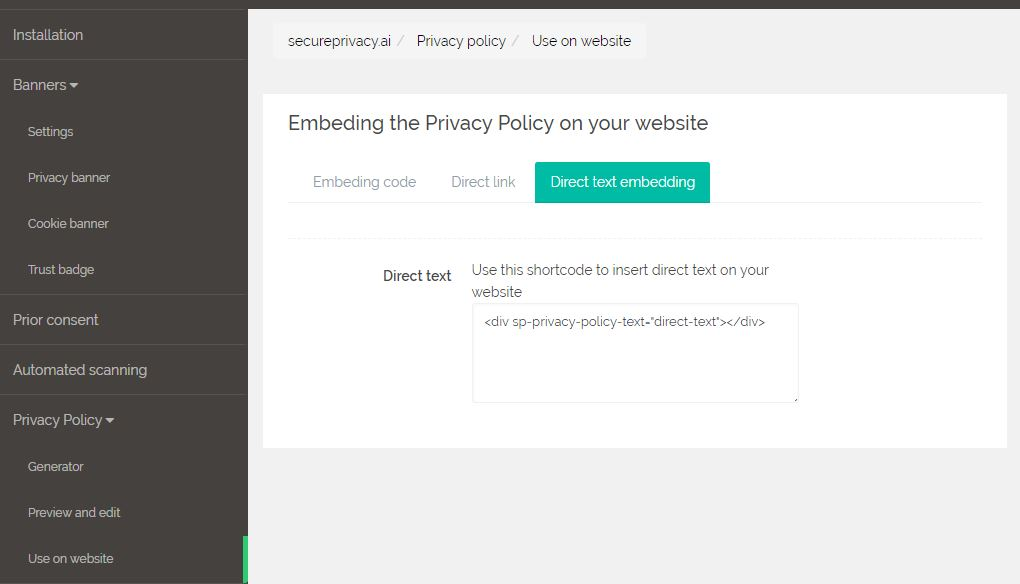
Copy the embed code shown on the screen.
Log in to your WordPress admin panel and open the page where you want the Privacy Policy to appear.
Open the page in edit mode.
Switch to the Text tab (or Code Editor in the block editor) to insert HTML directly.
Paste the embed code in the position where you want the Privacy Policy text to display.
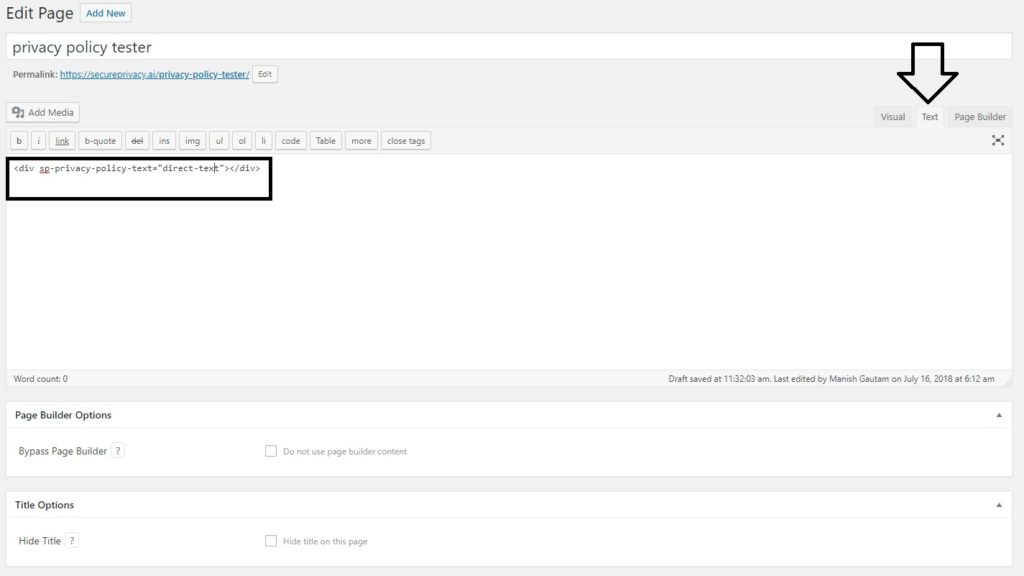
Click Save (or Update). Your Privacy Policy text will now appear on the page.
Embedding with a WordPress Page Builder
If you are using a custom page builder such as Elementor, Divi, or WPBakery, you can use an HTML widget or Custom HTML block to add the embed code to any section of your page — without switching to the Text tab.
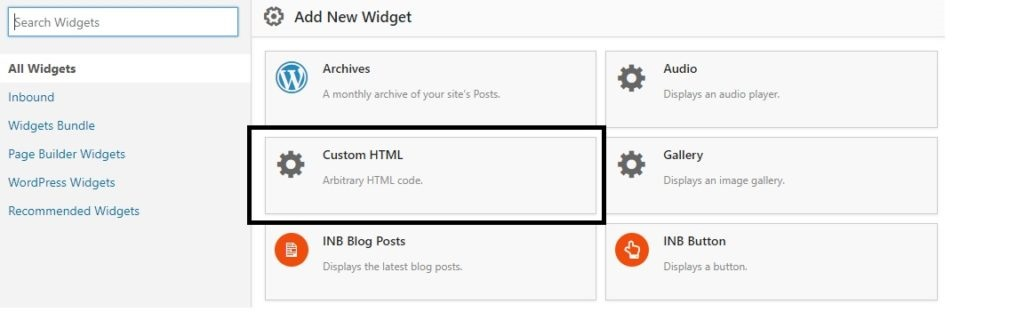
Add a Custom HTML widget to the page, paste the Secure Privacy embed code into the widget content area, and save the page. Your Privacy Policy will appear in that section of your layout.
Frequently Asked Questions
Does the embedded privacy policy update automatically when my cookies change?
Yes. The embed code loads your policy content dynamically from Secure Privacy. Auto-generated sections — such as cookie and plugin data — update automatically whenever you rescan your domain. You do not need to update the embed code on your WordPress page after a rescan.
Can I use this embed method with the WordPress block editor (Gutenberg)?
Yes. In the WordPress block editor, add a Custom HTML block to your page and paste the Secure Privacy embed code inside it. Save the page and the privacy policy text will appear in that block's position on the page.
What if my page builder does not have an HTML widget?
Most major WordPress page builders — including Elementor, Divi, WPBakery, and Beaver Builder — include a Custom HTML or HTML widget option. If yours does not, switch to the WordPress Text or Code Editor view to paste the embed code directly into the page's HTML source.