
This guide explains how to add a privacy policy hyperlink to any page on your website using Secure Privacy's link embed code — giving visitors a clickable text link that opens your privacy policy directly.
Note: This guide assumes the Secure Privacy script is already installed on your website. If not, complete the installation before proceeding.
Who Is This For?
Website owners and administrators adding a privacy policy link to their site using Secure Privacy
Developers embedding a privacy policy hyperlink in page footers, forms, or content areas
Compliance teams ensuring a GDPR-compliant privacy policy link is accessible to visitors across the website
How to Add a Privacy Policy Hyperlink to Your Website
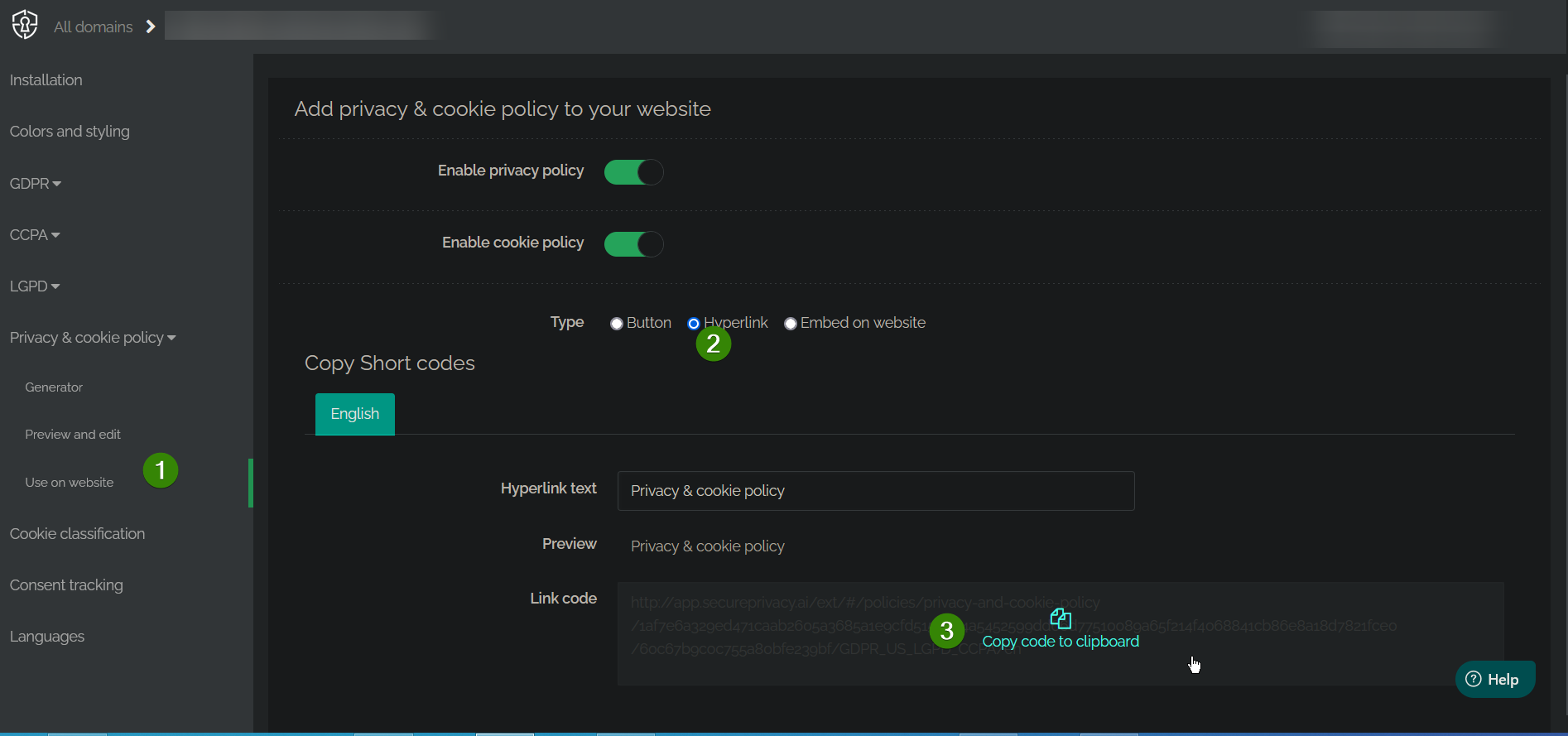
Log in to your Secure Privacy account and navigate to Privacy & Cookie Policy > Use on Website.
Switch the embed type to Hyperlink.
Copy the Link code shown.
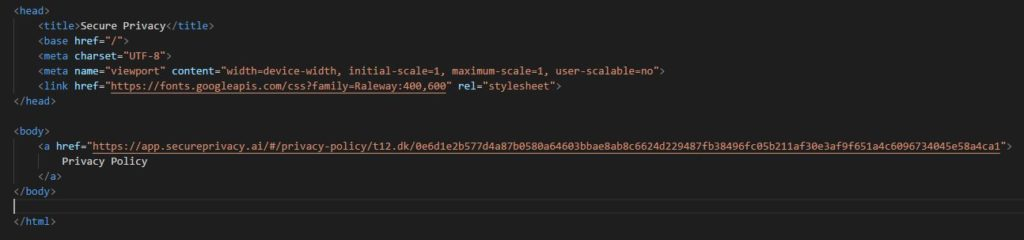
Open the web page where you want the privacy policy link to appear — in your HTML editor, CMS, or page builder.
Paste the HTML code anywhere inside the
<body>section of your page where you want the link to display — for example, in the footer or below a contact form.Save your page. Your privacy policy link will now appear and be clickable for visitors.
Frequently Asked Questions
Can I customize the link text displayed to visitors?
Yes. Before copying the Link code, update the Hyperlink text field in the Secure Privacy embed settings to display the text you want visitors to see — such as "Privacy Policy" or "View our Privacy Policy."
Where is the best place to add the privacy policy link on my website?
The most common locations are the page footer — where it is visible on every page — and alongside consent forms, checkout pages, and sign-up flows where visitors are providing personal data. Adding it in these locations helps meet GDPR transparency requirements at the point of data collection.
Does the link need to be updated when my privacy policy changes?
No. The hyperlink embed code loads your policy content dynamically from Secure Privacy, so the link always points to your current, up-to-date policy. You do not need to update the embed code on your page after making changes to your policy.