
You do not need to purchase additional licenses to use Secure Privacy across development, staging, and production environments. By editing your domain name in the dashboard, you can move the same configuration — including your API key and all settings — between environments without any extra cost.
Who Is This For?
Developers testing Secure Privacy on a staging or development environment before going live
Website administrators switching a configured Secure Privacy domain from a dev or QA URL to production
Compliance teams managing Secure Privacy across multiple domain environments without buying additional licenses
How to Change Your Domain Environment in Secure Privacy
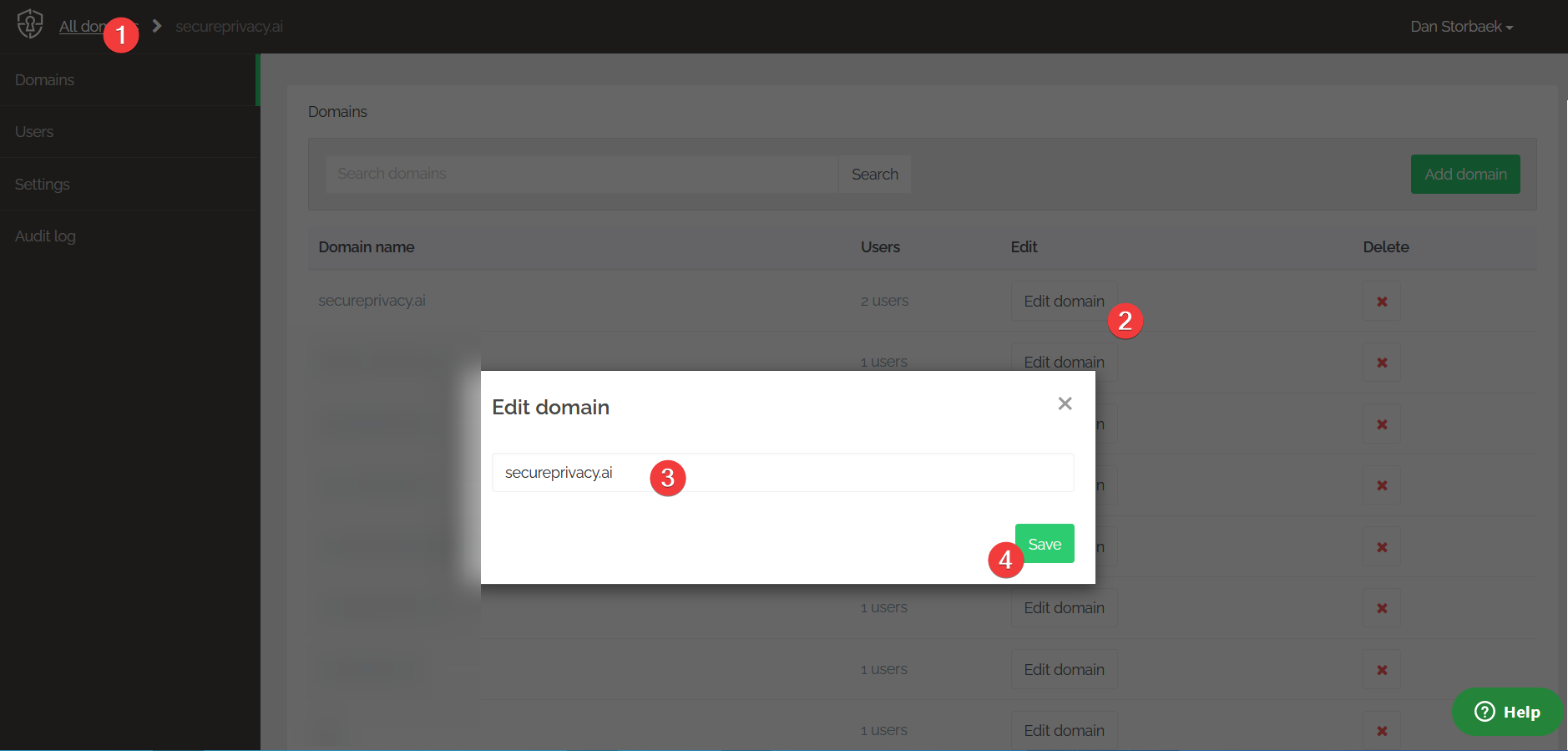
Log in to your Secure Privacy account. In the upper-left corner, click All Domains.
Find the domain you want to edit and click the Edit domain button in that row.
A modal window will appear allowing you to change the domain URL.
Enter your staging, testing, or development server URL — for example,
dev.mydomain.com— and click Save.
You can now use Secure Privacy on the new domain with the same API key and installation configuration.
Note: After changing the domain URL, trigger a website rescan from the Report section to update the detected cookies and services to those on your staging or development environment — particularly if you have been adding or removing scripts there.
Once you have finished testing, edit the domain URL back from dev.mydomain.com to your production URL — for example, mydomain.com — to go live with your configured settings. Run another rescan after switching to production if your environments differ in any tracked services or scripts.
Frequently Asked Questions
Do I need a separate Secure Privacy license for my staging environment?
No. You can use the same license and API key across your development, staging, and production environments by simply editing the domain URL in the dashboard. Only one URL can be active per domain slot at a time.
Will my configuration be lost when I change the domain URL?
No. All your Secure Privacy settings — including banner configuration, classification, blocking rules, and language settings — are tied to the domain record, not the URL itself. Editing the domain URL retains all existing configuration.
Why should I rescan after changing the domain URL?
Your staging and production environments may have different cookies and third-party services active. A rescan after switching URLs ensures your scan report, blocking configuration, and cookie declaration accurately reflect what is running on the current environment rather than the previous one.