
By default, Secure Privacy's cookie consent banner uses the Raleway font loaded from Google's CDN. You can change the font source to use browser default fonts instead — useful if your Content Security Policy blocks external CDN requests or if you prefer not to load fonts from Google's servers.
Who Is This For?
Website administrators customizing the font source for their Secure Privacy cookie consent banner
Developers resolving Content Security Policy (CSP) issues caused by Google CDN font loading
Privacy-conscious website owners who prefer not to load third-party fonts from Google's infrastructure
How to Change the Cookie Banner Font Source
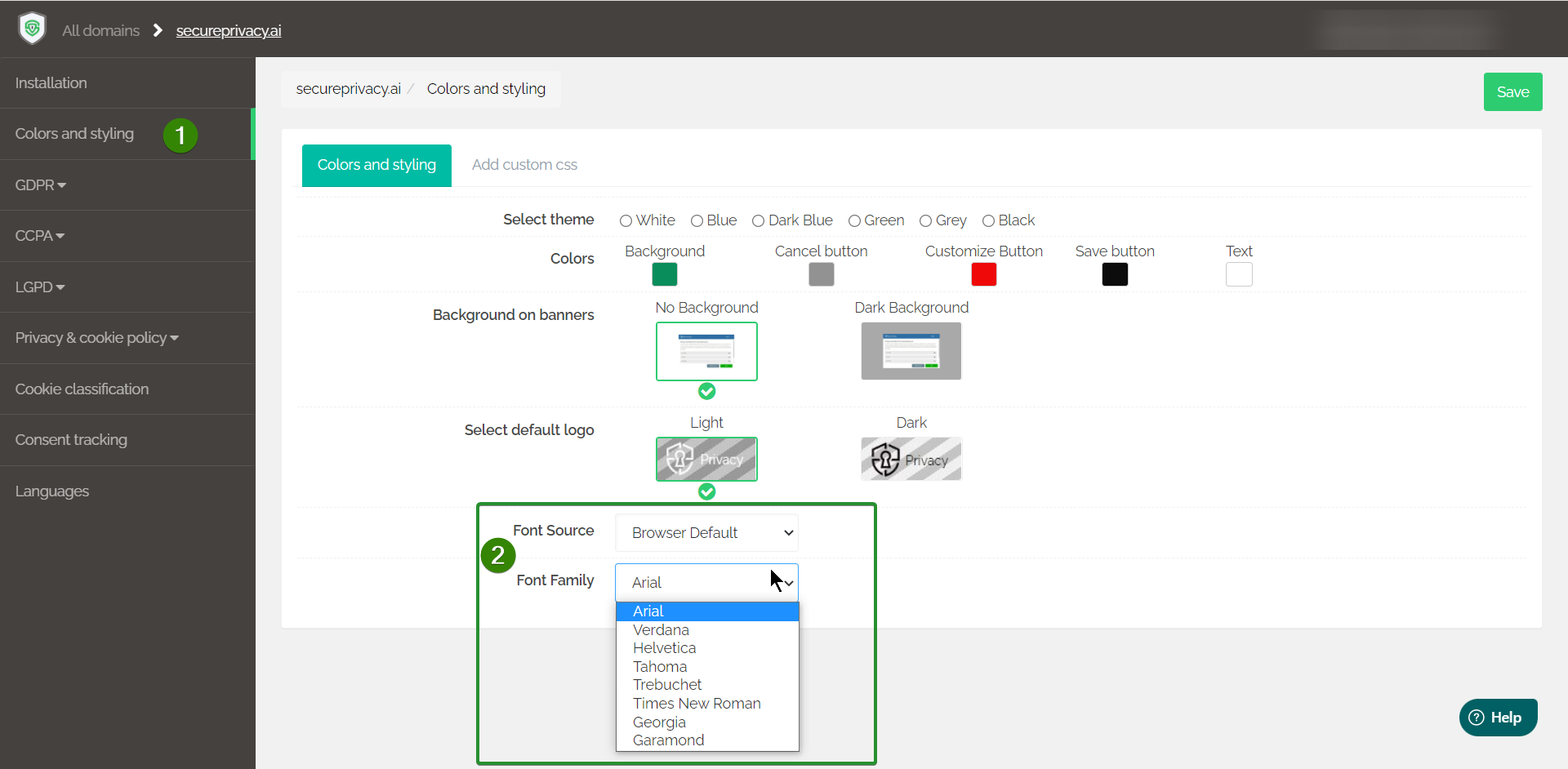
The Font Source setting offers two options:
Google — loads the Raleway font from Google's CDN (default)
Browser Default — uses the visitor's browser default font, with no external CDN request
To change the font source:
Log in to your Secure Privacy dashboard and navigate to your cookie banner settings.
Open the Colors and Styling sidebar menu.
Locate the Font Source option and select either Google or Browser Default.
Click the green Save button to apply the change.
Frequently Asked Questions
Why would I switch from Google CDN to Browser Default for the font source?
The most common reason is a Content Security Policy (CSP) that blocks external font requests from Google's CDN — which can cause the banner to display incorrectly or trigger console errors. Switching to Browser Default eliminates the external CDN dependency. It also avoids making a network request to Google's servers on page load, which can be relevant for visitors in regions with stricter privacy expectations around Google services.
Will switching to Browser Default change how my cookie banner looks?
Yes, slightly. The Raleway font used by default has a specific appearance. Switching to Browser Default means the banner will use the visitor's browser system font instead — which varies by browser and operating system. If visual consistency is important, test the banner appearance after making the change.
Do I need to rescan or make any other changes after updating the font source?
No. Changing the font source only affects how the banner's font is loaded in the visitor's browser. It does not affect your cookie scan results, blocking configuration, or compliance score. The change takes effect as soon as you click Save.