
Secure Privacy's cookie and service blocking relies on your most recent scan results. Whenever you add new third-party services, update your website, or change your tracking configuration, triggering a website rescan ensures your blocking rules and cookie declaration stay accurate and current.
Who Is This For?
Website administrators keeping their Secure Privacy scan report and cookie declaration up to date
Compliance teams verifying that cookie blocking reflects the latest services deployed on their site
Developers monitoring cookie and tracker detection after making changes to website scripts or tag configurations
How to Rescan Your Website in Secure Privacy
Log in to your Secure Privacy account and select the domain you want to rescan.
Click the Scan Report tab in the left sidebar.
Click the Rescan Website button to initiate a new scan.
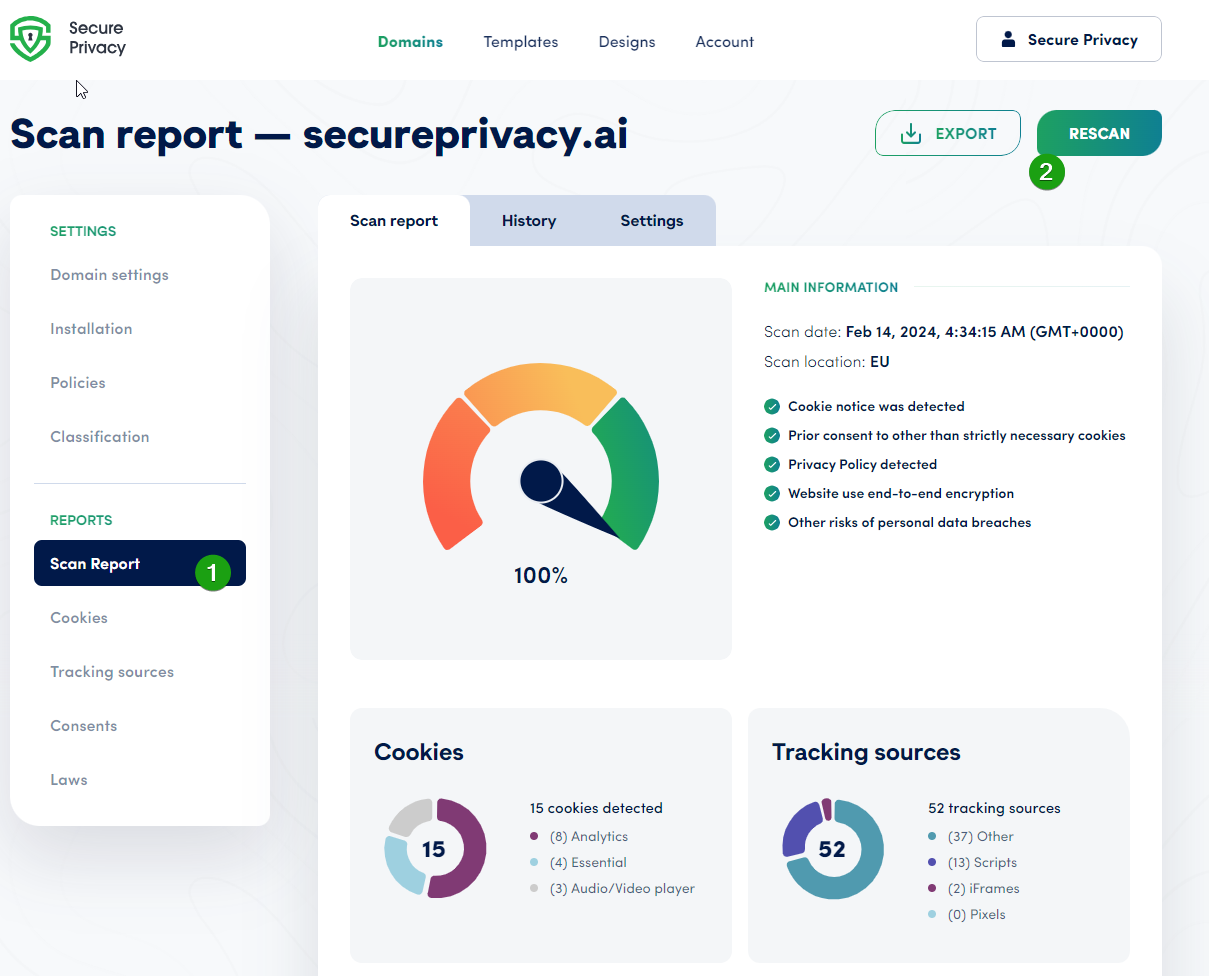
Once the scan completes, your scan report, compliance score, cookie declaration, and blocking configuration will be updated to reflect the latest detected cookies and services on your domain.
Frequently Asked Questions
How often should I rescan my website?
Trigger a rescan whenever you make changes that could affect cookie or service detection — such as adding or removing third-party scripts, updating your tag manager configuration, installing new plugins, or changing marketing tools. A routine rescan at least quarterly is also recommended as part of ongoing compliance management.
How long does a website rescan take?
Most rescans complete within a few minutes. The exact time depends on the size and complexity of your website — larger sites with many pages or third-party scripts may take slightly longer. You can check the Scan Report tab for the updated results once the scan is finished.
Will the rescan update my cookie declaration automatically?
Yes. Once the rescan is complete, your cookie declaration is automatically updated to reflect the newly detected cookies and services — ensuring your published declaration stays accurate without needing to make manual edits.