
As your website evolves — adding new services, marketing tools, and tracking scripts — your Secure Privacy configuration needs periodic review to stay accurate and maintain a high compliance score. This guide outlines the key areas to check during regular ongoing compliance checkups, ensuring correct cookie detection, classification, consent mode settings, and policy documentation remain current.
Who Is This For?
Website administrators and compliance teams performing routine GDPR compliance reviews
Privacy officers maintaining accurate cookie classifications and DSAR notification settings
Marketing and legal teams verifying cookie banner language, Google Consent Mode configuration, and privacy policy currency
Ongoing Compliance Checkup — To-Do List
Website scan report review
Classification tab review
Google Consent Mode settings review
Cookie banner and preference center language review
DSAR email notification settings check
Privacy and cookie policy update
Key Areas to Check
1. Website Scan Report — Compliance Score and Recommended Actions
The Scan Report page is your primary starting point for every compliance review. Check your overall rating, review the recommended actions flagged with red X indicators, and work through any gaps with your team or Secure Privacy support.
Useful guides:
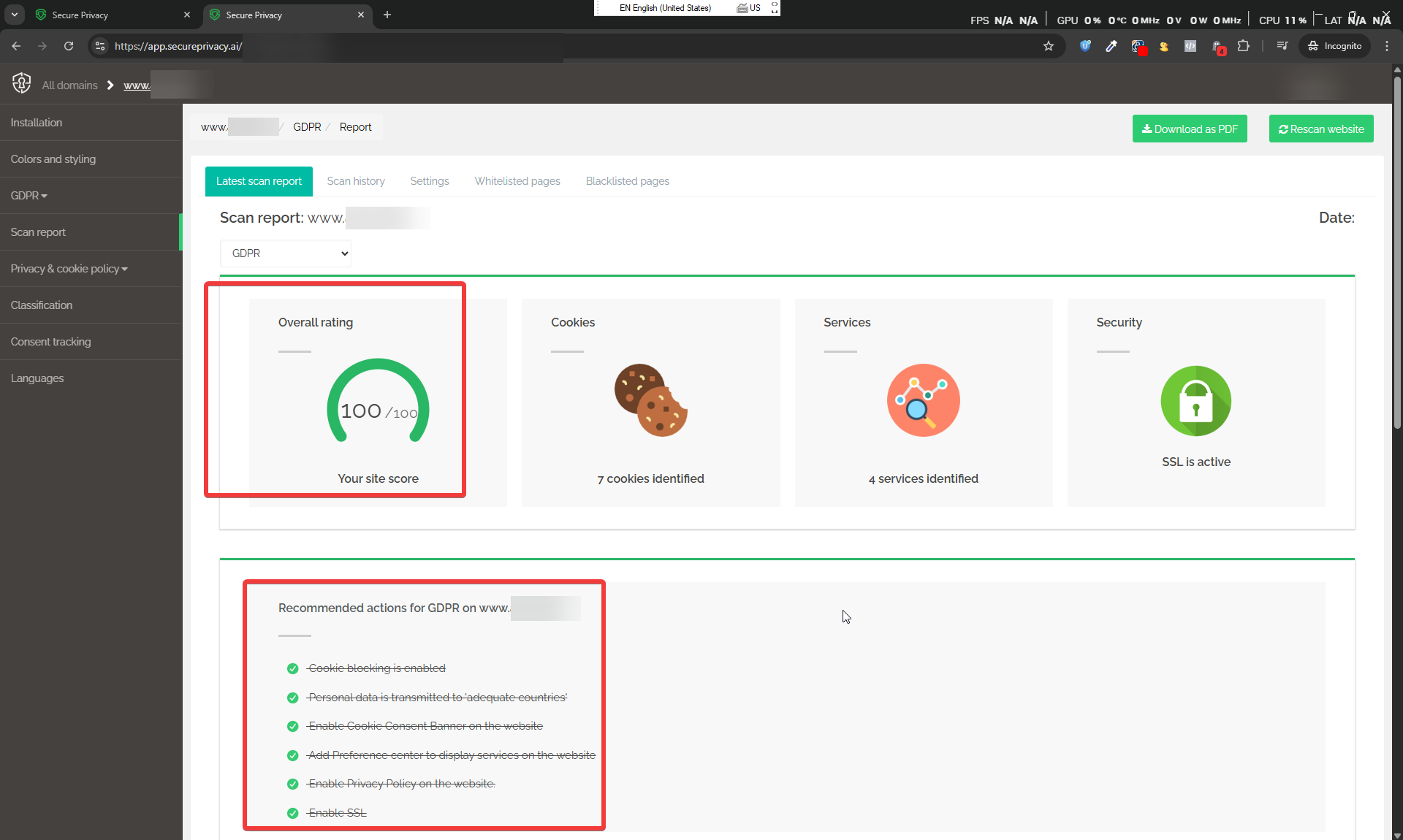
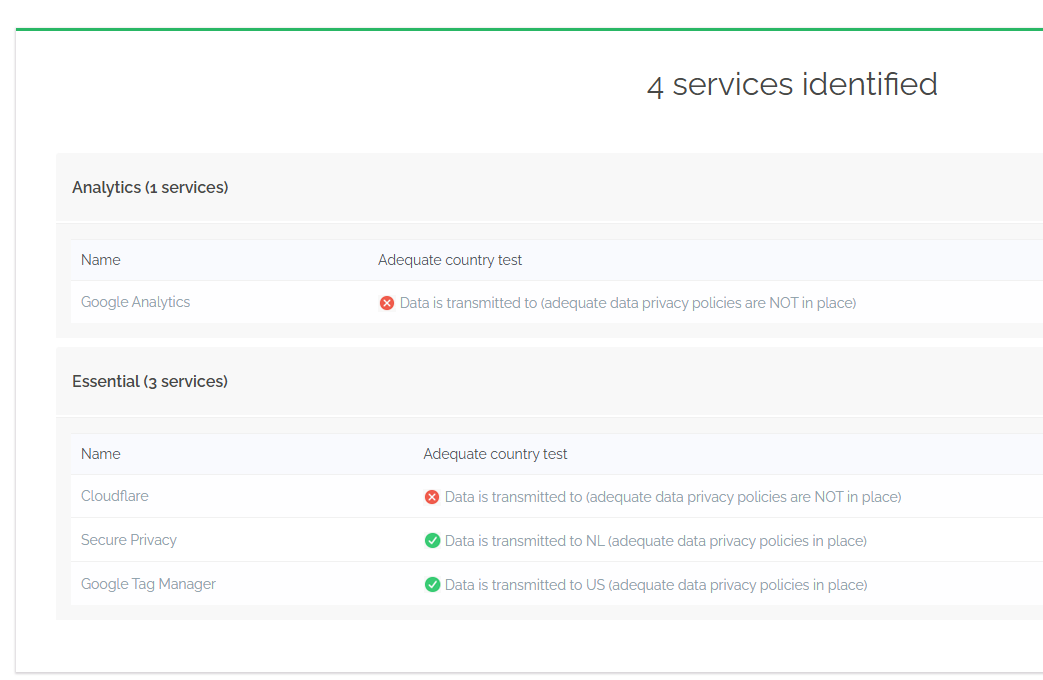
Review the list of detected services —
— and check for any gaps in the detected cookies list —
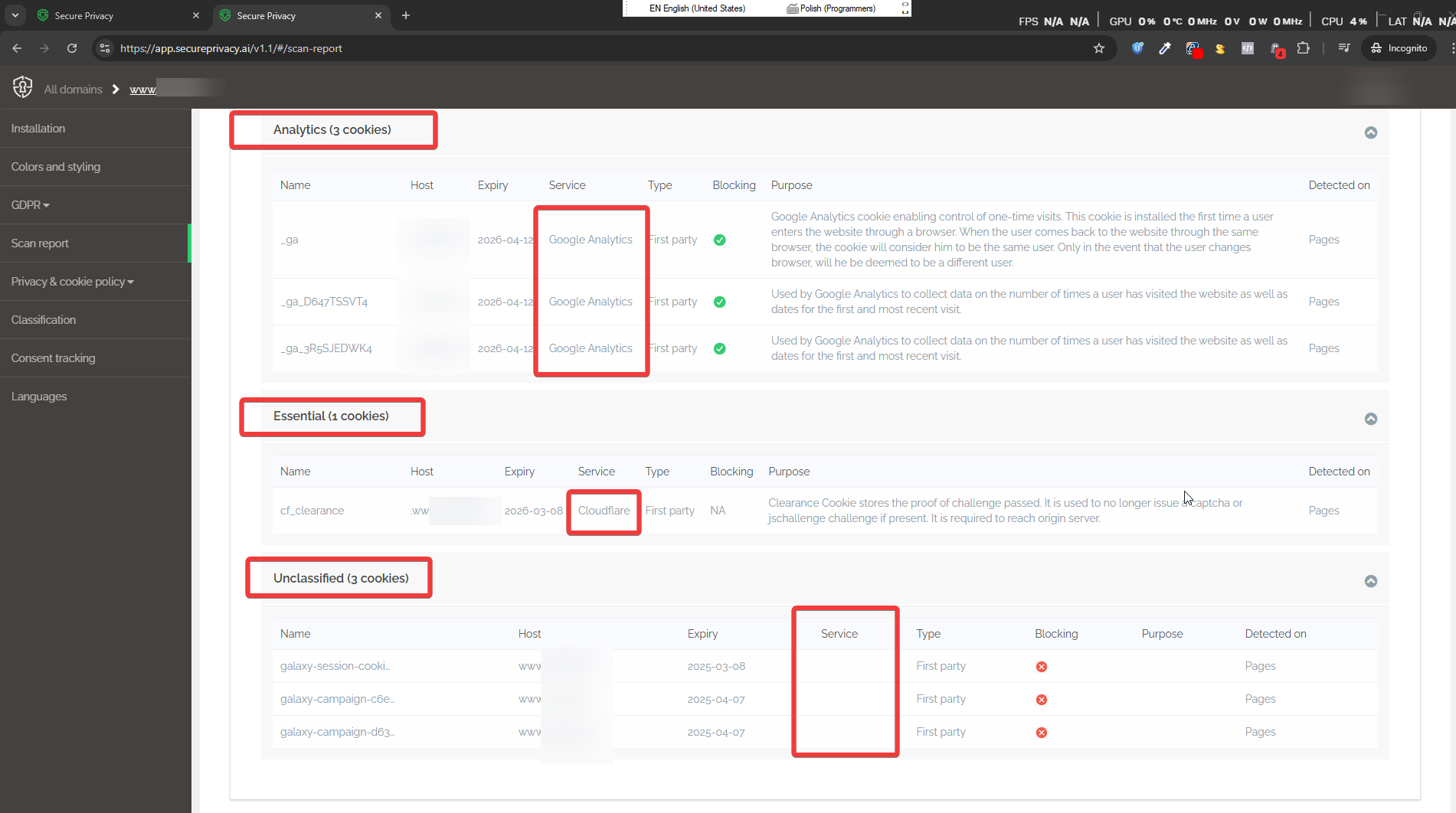
The services and cookies detected should correspond as closely as possible to the services known to be deployed on your website. Any significant gaps may indicate that new scripts have been added since the last scan or that manual classification is needed.
2. Classification Tab — Categories and Cookie-to-Service Mapping
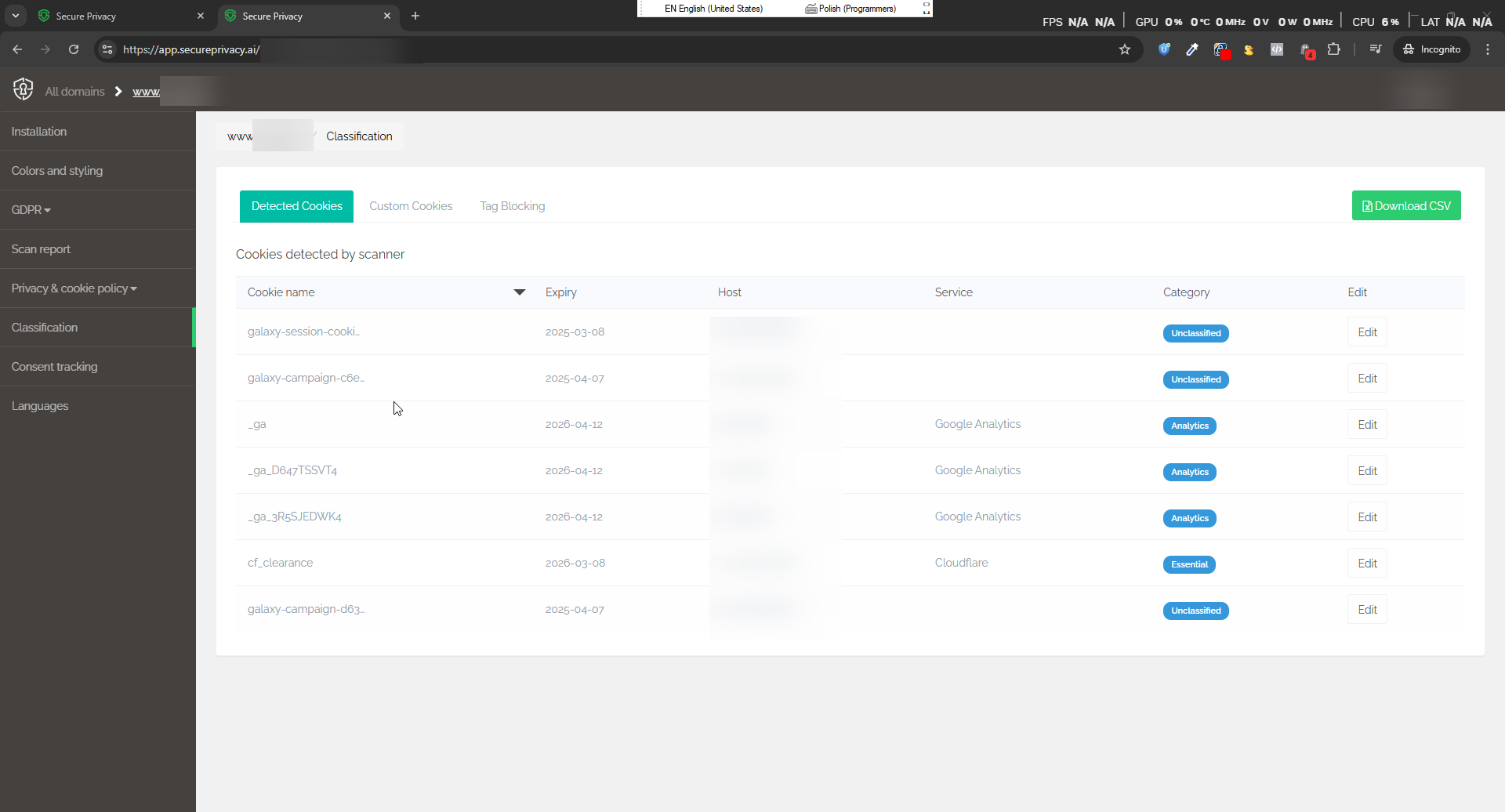
Review the Classification tab and identify:
Incorrect or missing categories — look for cookies marked as "Unclassified" and assign the correct category (Essential, Analytics, Marketing, Functional).
Services not mapped to cookies — ensure every detected cookie is correctly associated with the right service.
Full classification guide: How to Classify and Edit Your Cookies and Services
If services or cookies are missing from the scan results, add them manually via the Custom Cookies tab: How to Add a Custom Service or Cookie
3. Google Consent Mode (GCM) Settings
If your website uses Google Tag Manager, Google Analytics, or Google Ads, review your Google Consent Mode configuration to ensure it is correctly set up and aligned with your consent banner behavior.
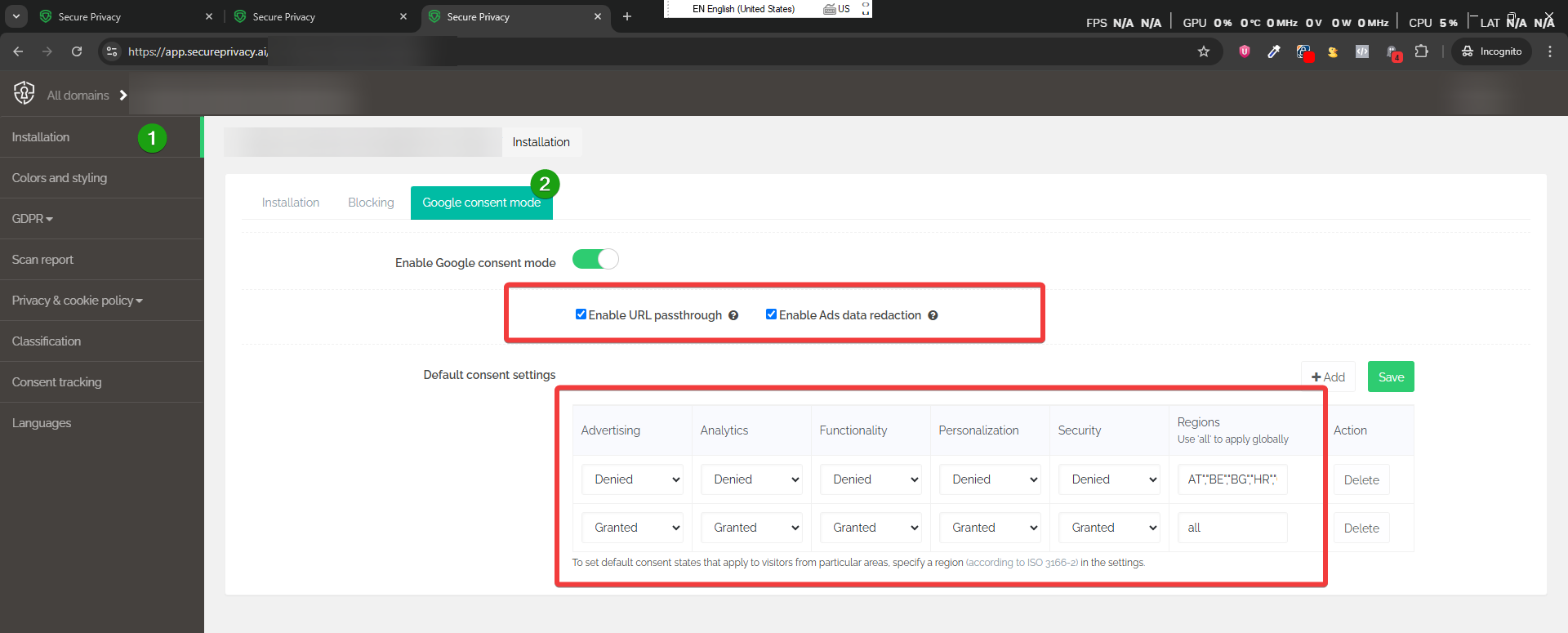
Important: Consult your Marketing and Legal teams before enabling GCM Advanced mode. See: Ensuring Compliance with Google's EU User Consent Policy
Official Google documentation:
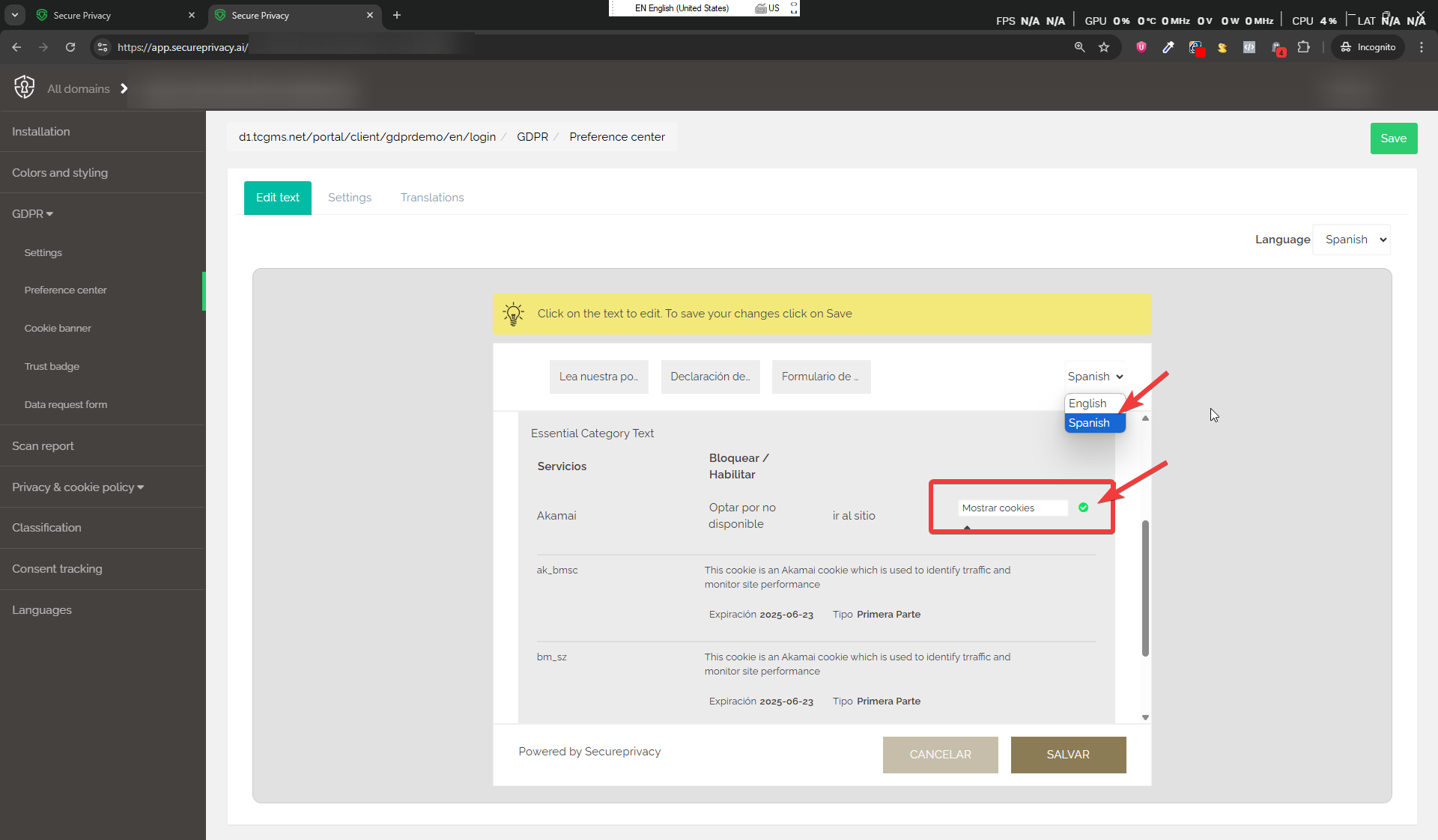
4. Cookie Banner and Preference Center Language
Review the text displayed in your cookie consent banner and privacy preference center to ensure it aligns with your Legal team's current standards. Update translations and wording from the banner Edit Text interface as needed.
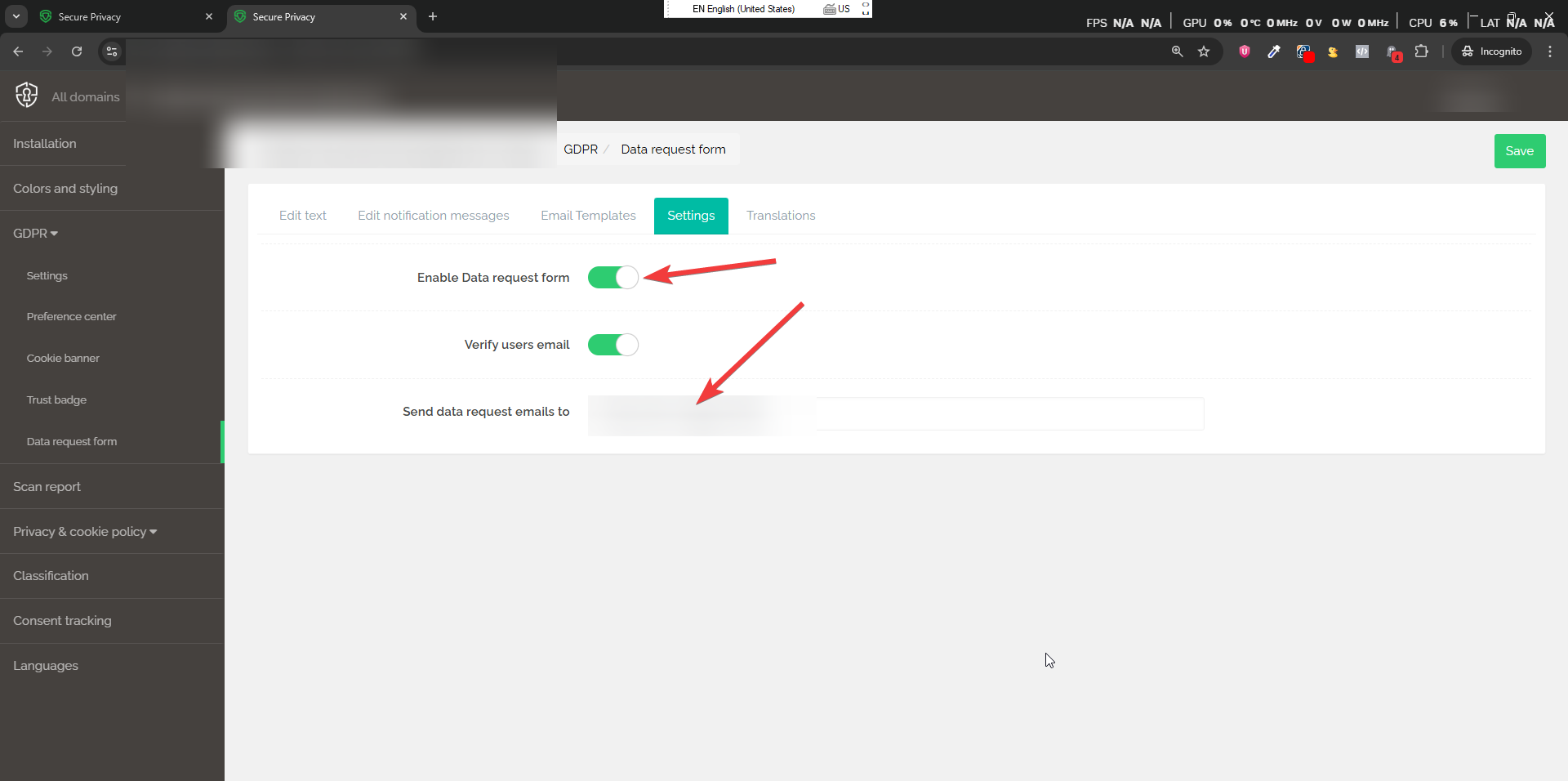
5. DSAR Email Notification Settings
Your Data Protection Officer or privacy team should be receiving email notifications whenever a visitor submits a data rights request via the DSAR form. Confirm that the correct email address is configured in the DSAR form settings under the Send data request emails to field.
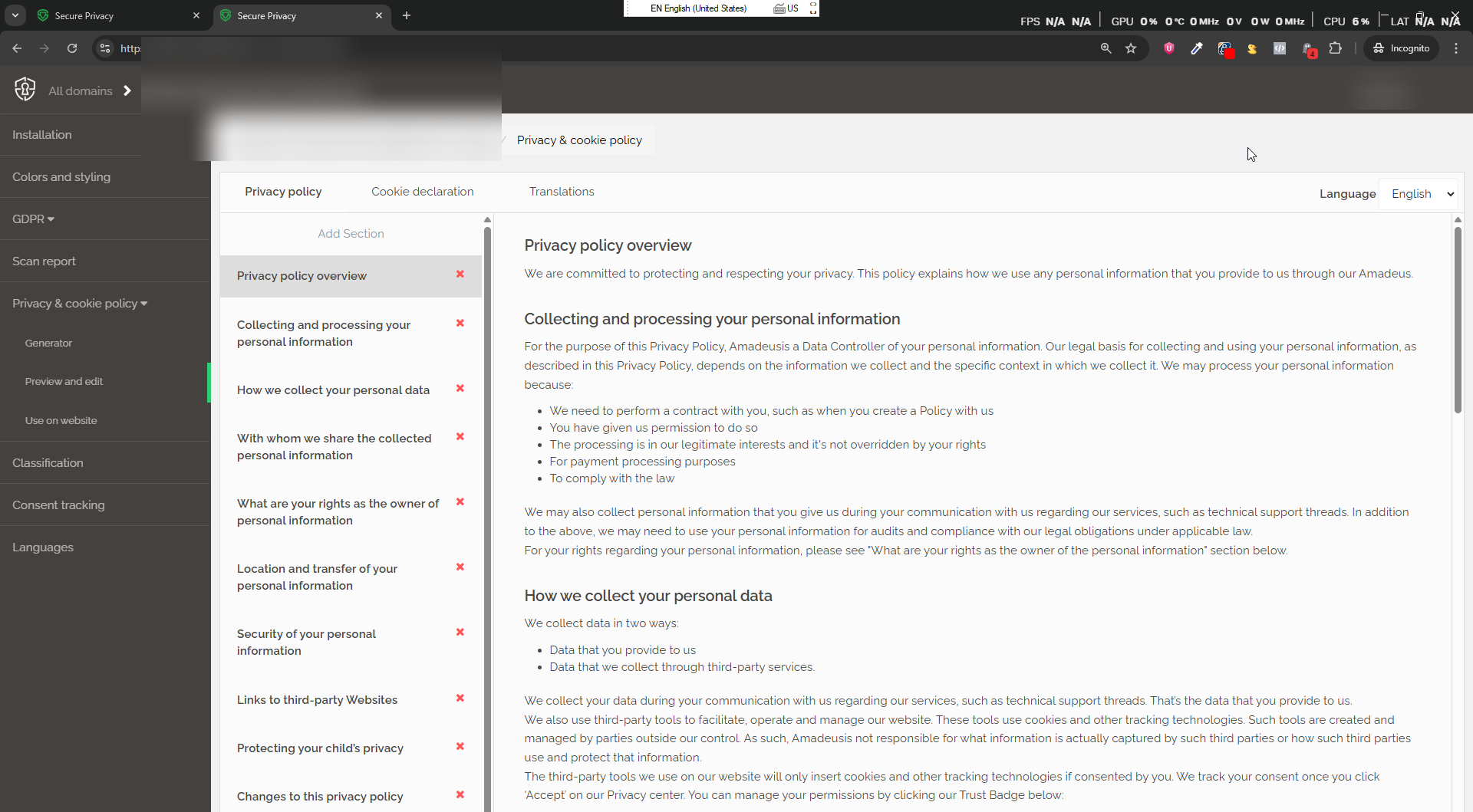
6. Privacy and Cookie Policy Updates
Collaborate with your Legal team to ensure your privacy policy and cookie declaration remain current as regulations change and new services are added to your website. Update both documents whenever there are material changes to your data processing activities.
Frequently Asked Questions
How often should I perform these compliance checkups?
At minimum, a full compliance review should be conducted quarterly. Additionally, trigger a rescan and review classification whenever you add or remove third-party services, update your tag manager configuration, or make significant changes to your website's marketing or analytics stack.
What should I do if new cookies appear in the scan that I don't recognize?
Consult your development or marketing team to identify the source script or service responsible for the new cookie. Once identified, classify it correctly in the Classification tab — or use the Custom Cookies tab to add it if it wasn't automatically detected. If the cookie is non-essential and should require consent, verify it is being blocked correctly before user approval.
Who should be involved in these checkups?
A complete compliance review typically involves input from three teams: Legal (for policy language and regulatory requirements), Marketing (for Google Consent Mode and tracking tool changes), and IT/Development (for script identification, classification gaps, and blocking verification). The Privacy or DPO team should coordinate the overall review.
See Also
Need Help?
Contact Secure Privacy support at [email protected] if you have questions or need assistance with any aspect of your compliance review.