
Managing Data Subject Access Requests (DSAR) in compliance with privacy laws can be straightforward with Secure Privacy. This guide walks you through enabling, customizing, and managing DSAR forms in your account to ensure a user-friendly and compliant process.
Step-by-Step Guide
1. Login into Your Secure Privacy Account
Visit the Secure Privacy login page, enter your credentials, and access your dashboard.

###
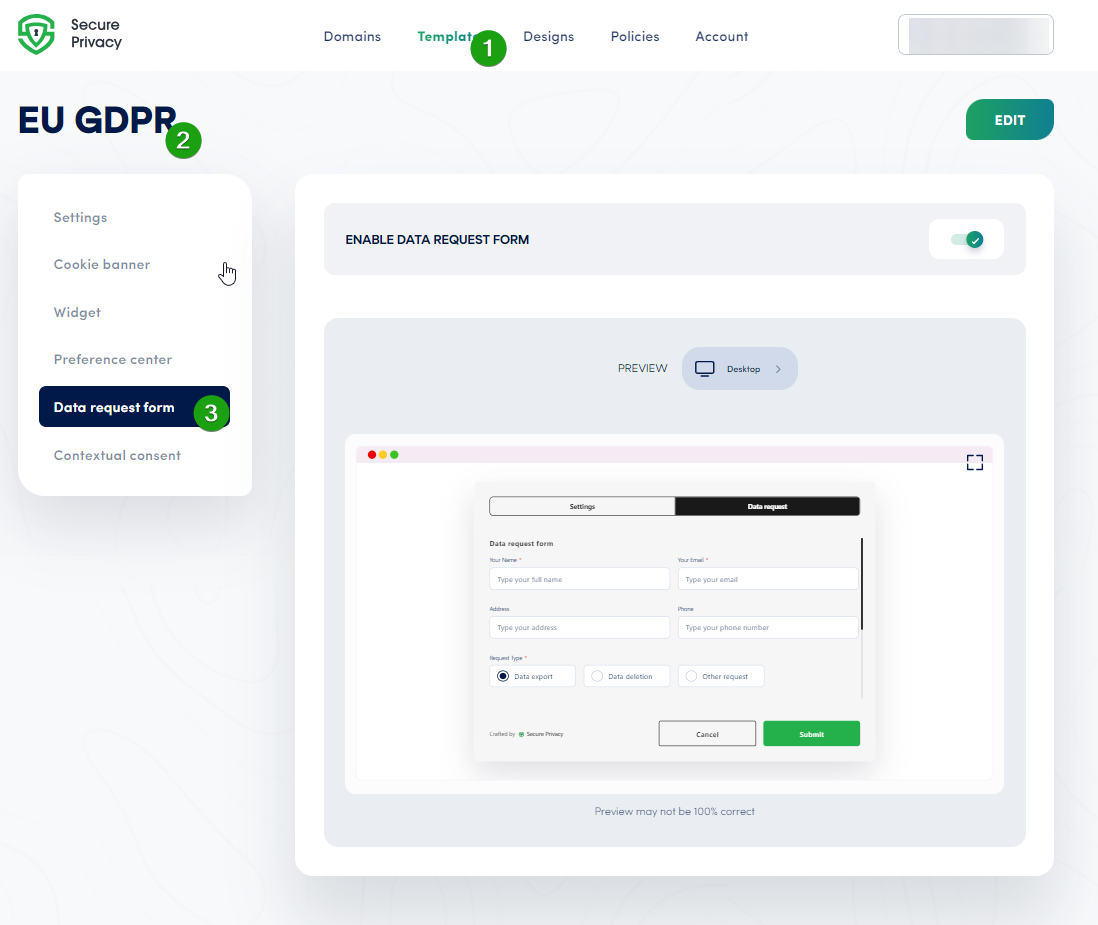
2. Locate the DSAR Feature Under Templates
In your dashboard, go to the Templates section and select a compliance template, such as EU GDPR.
###
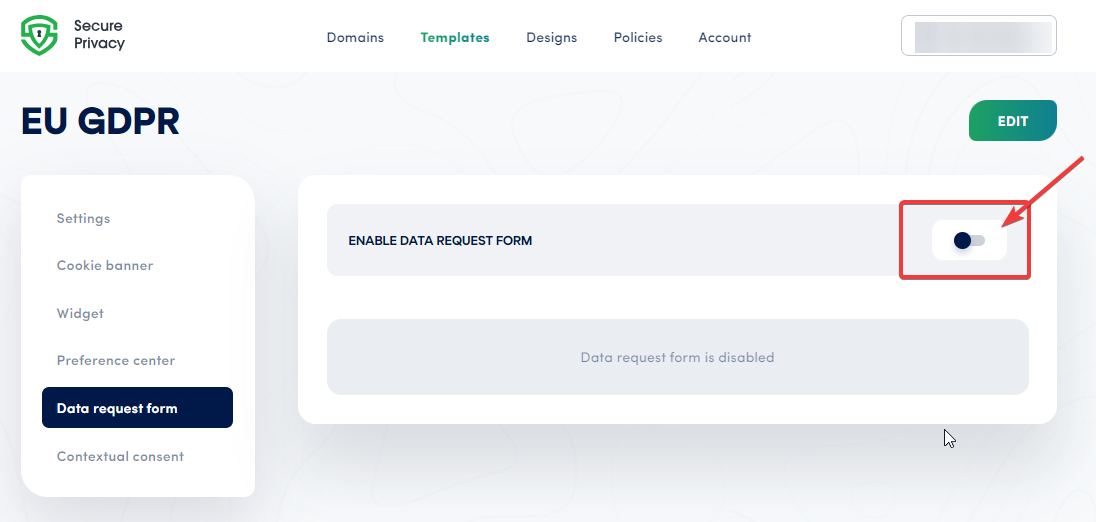
3. Enable the Data Request Form
Within the chosen template, find the Data Request Form option and toggle the ENABLE DATA REQUEST FORM switch to ON.
###
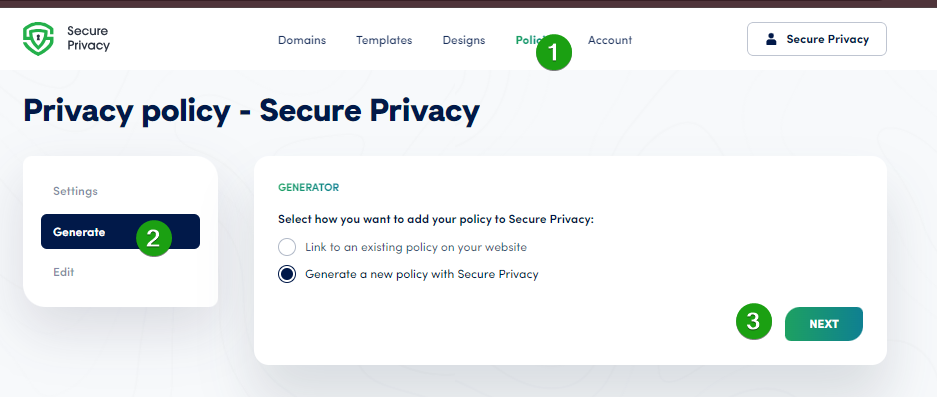
4. Configure DPO Email on the Policies Level
Navigate to the Policies screen, select the appropriate policy for your domain, click Generate or Next, then toggle the Data Protection Officer switch to enter the required name and email.
###
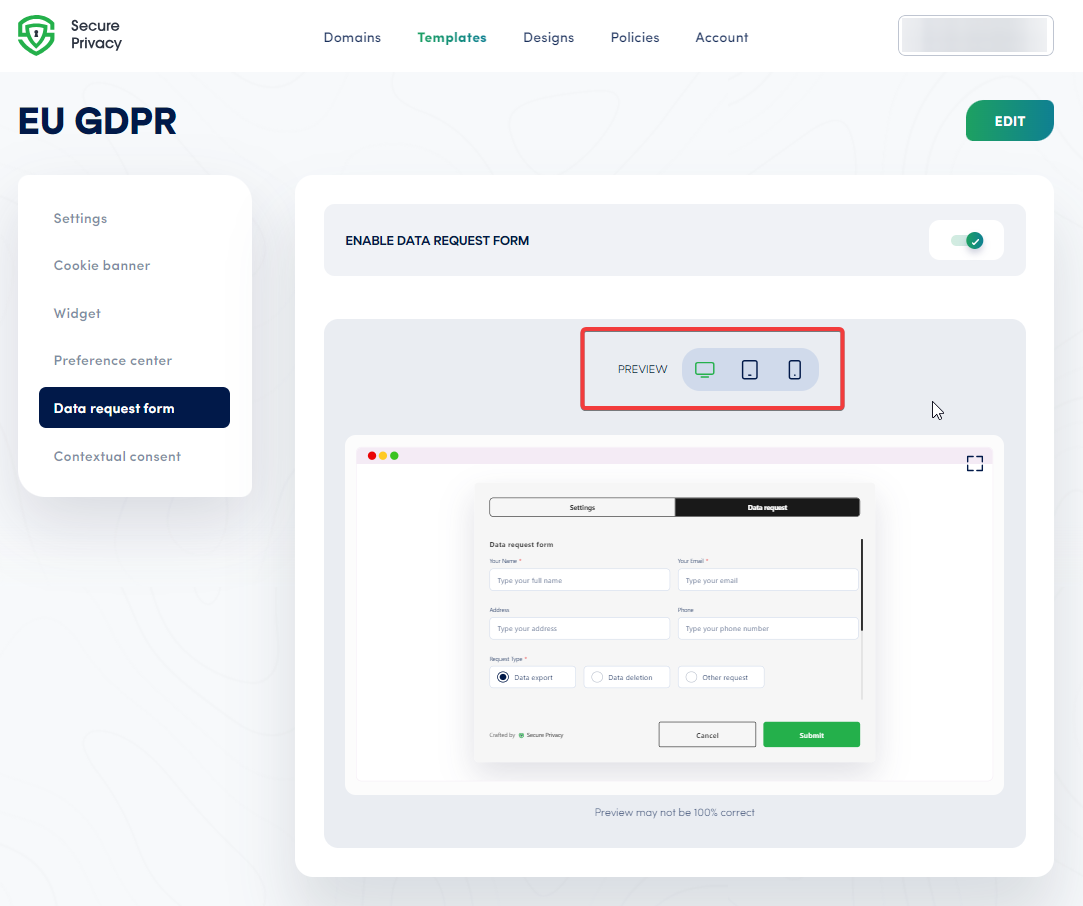
5. Preview Your Data Request Form
Use the Preview button to see how the form appears on different devices: Desktop, Tablet, and Mobile. Note that previews are approximate.
###
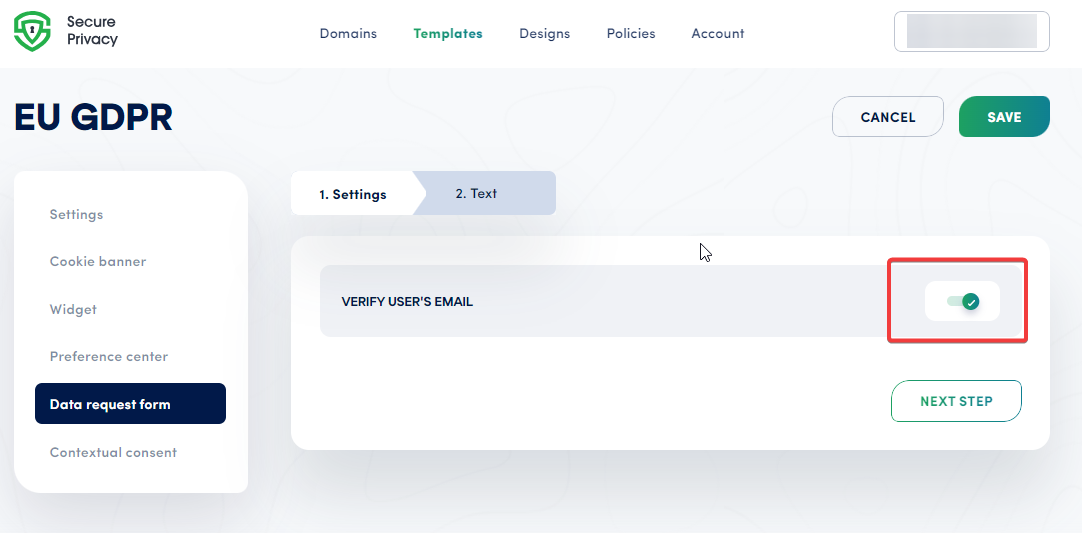
6. Edit Settings to Verify User’s Email
Enable email verification to enhance data integrity:
- Toggle VERIFY USER’S EMAIL to ON.
###
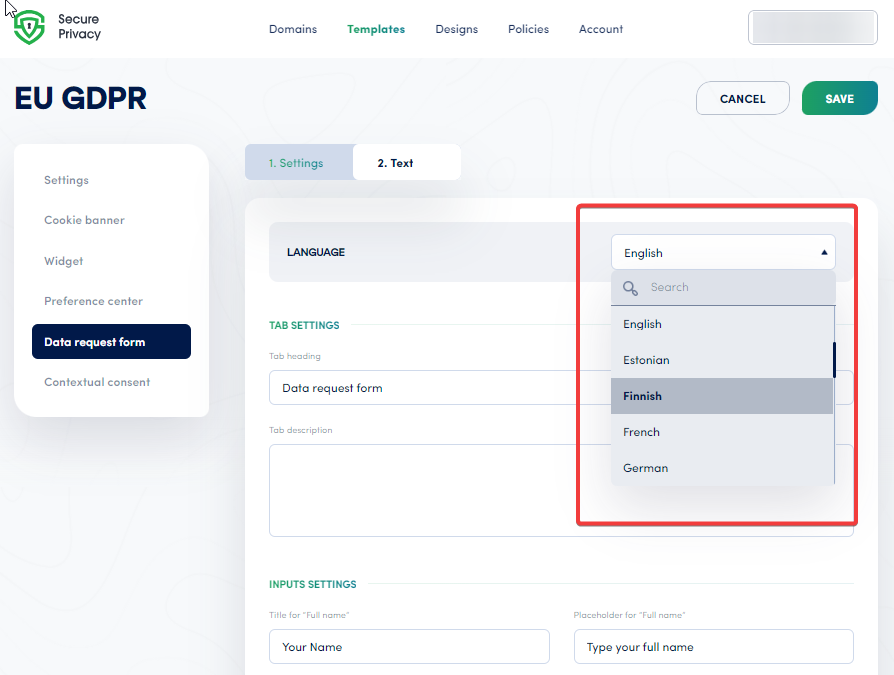
7. Edit Text for Customization
Customize form fields and UI texts to improve user experience:
- Select language
- Modify tab heading and description
- Set titles for full name, email, address, phone number, and message fields
- Customize labels for data export, deletion, and other request types
- Edit contact section titles and descriptive text
- Customize submit button label
Common Issues & Fixes
DSAR Form Not DisplayingConfirm that the data request form is enabled in your selected compliance template and saved.Users Not Receiving Email VerificationCheck SMTP settings and ensure the VERIFY USER’S EMAIL toggle is on.Customization Not ApplyingClear cache and verify that changes are saved properly in the preview and live settings.
See Also
- How to Handle Data Subject Access Requests (DSAR)
- Using DSAR Custom Controls in Secure Privacy
- How to Set Up and Customize DSAR in Secure Privacy
If you have questions or need further assistance, contact [email protected].