
The Impact Assessments module in Secure Privacy's Governance Solution is your comprehensive platform for conducting, managing, and documenting Data Protection Impact Assessments (DPIAs) in full compliance with GDPR Article 35. It guides organizations through systematic privacy impact evaluation — covering risk analysis, stakeholder consultation, mitigation planning, and multi-step approval — ensuring high-risk data processing activities are assessed and documented before processing begins.
Who Is This For?
Data Protection Officers responsible for conducting and signing off on DPIAs under GDPR Article 35
Compliance teams ensuring DPIA requirements are identified and fulfilled for high-risk processing activities
Project managers and product teams launching new systems or features that process personal data at scale
Legal and governance teams demonstrating GDPR compliance accountability to supervisory authorities
Purpose and Functionality
The Impact Assessments module provides a structured, template-driven environment for completing all elements required under GDPR Article 35(7) — from describing the processing activity and assessing necessity and proportionality through to documenting identified risks and the mitigation measures in place. Completed DPIAs are stored with full version history and can be exported in audit-ready format for regulatory submission or internal review.
How to Use the Impact Assessments Module
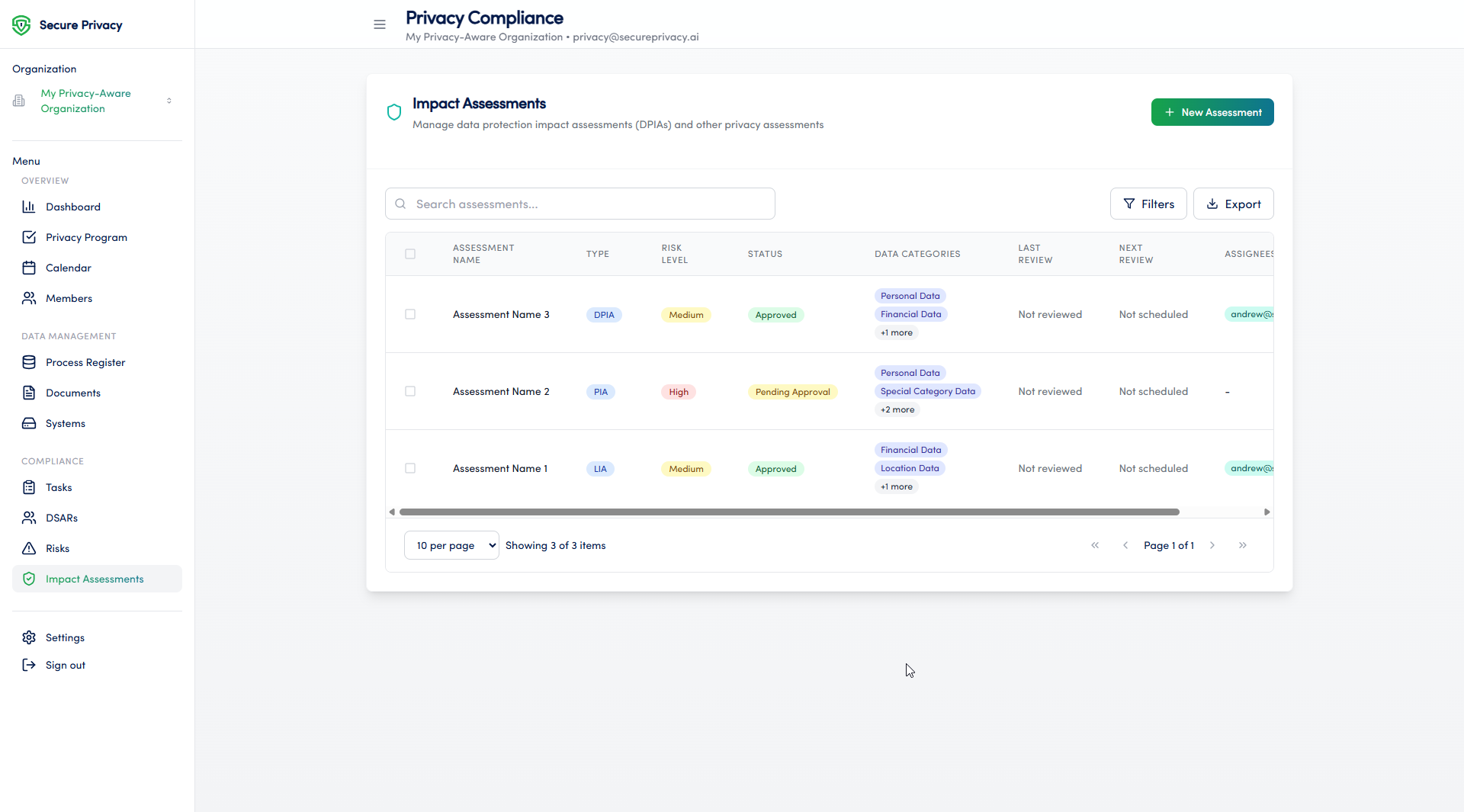
Navigate to Compliance > Impact Assessments from the left sidebar in the Governance Solution.
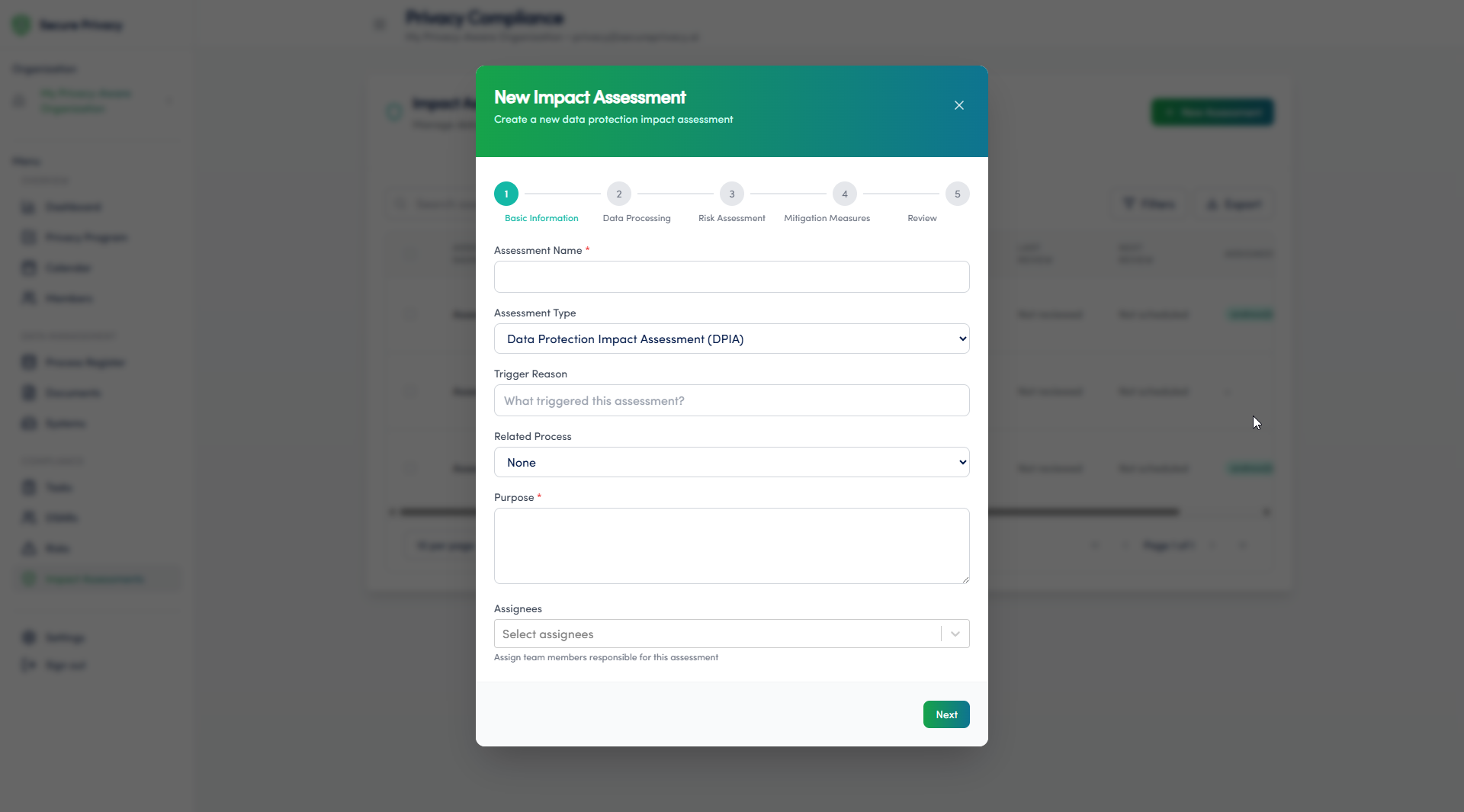
Click + New Assessment and select the assessment type — DPIA or another supported privacy assessment type.
Complete the structured DPIA form — including assessment name, data categories, processing purpose, necessity assessment, and risk level.
Review the automatically identified risk areas based on the data categories and processing activities you have described. Document mitigation measures for each flagged risk.
Document the assessment process and outcomes — ensuring all GDPR Article 35(7) required fields are completed before submission.
Submit the assessment for approval. If a workflow is configured, the DPIA routes automatically through the required approval chain.
Monitor the assessment status — Draft, Pending Approval, Approved, or Rejected — and action any reviewer feedback before final sign-off.
Available Features
DPIA template: A structured, GDPR Article 35(7)-compliant assessment form that guides users through all required elements — from processing description and necessity assessment through to risk identification and mitigation documentation.
Risk assessment integration: Automatic risk identification based on documented data categories and processing activities, with direct links to the Risk Management module for end-to-end traceability.
Approval workflow: Integration with the Workflow & Automation module to route completed DPIAs through a configurable multi-step approval chain — ensuring DPO and stakeholder sign-off is documented before processing begins.
Common Use Cases
Conducting DPIAs for new or changed high-risk processing activities before deployment — satisfying the mandatory pre-processing requirement of GDPR Article 35.
Documenting the full assessment process and outcomes in an audit-ready format for supervisory authority review and internal governance records.
Demonstrating GDPR compliance accountability through structured, versioned DPIA records linked to the associated processing activities in the Process Register.
Troubleshooting
Cannot create a new assessment
Verify that your account has the necessary permissions to create entries in the Impact Assessments module. Only users with the appropriate role can initiate new assessments. Contact your Secure Privacy account administrator to review and update your access rights.
Approval workflow is not triggering or sending notifications
Check that a workflow has been configured and activated for Impact Assessments in the Workflow & Automation module, and that the Applies To scope is set to Assessment. Also confirm that approvers have notification settings enabled in their user profiles. If the issue persists, contact Secure Privacy support.
Frequently Asked Questions
Does the module satisfy GDPR Article 35(7) documentation requirements?
Yes. The DPIA form captures all fields required under GDPR Article 35(7) — including a systematic description of the processing and its purposes, a necessity and proportionality assessment, an evaluation of risks to data subjects' rights and freedoms, and the measures envisaged to address those risks. Completed assessments can be exported for supervisory authority submission.
Can a DPIA be linked to a specific processing activity in the Process Register?
Yes. Impact assessments can be linked to the associated processing activity in the Process Register, creating end-to-end traceability from your ROPA through to the DPIA conducted for that activity — supporting comprehensive GDPR accountability documentation under Article 5(2).
What triggers a requirement to conduct a DPIA?
Under GDPR Article 35, a DPIA is mandatory when processing is likely to result in a high risk to individuals' rights and freedoms. This includes systematic profiling with significant effects, large-scale processing of special category data, systematic monitoring of publicly accessible areas, use of new technologies, and automated decision-making that produces legal effects. Your DPO can conduct a pre-screening assessment using the module to determine whether a full DPIA is required for a specific processing activity.