
The DSAR module in Secure Privacy's Governance Solution provides a comprehensive platform for managing and responding to Data Subject Access Requests in full compliance with GDPR requirements. It streamlines the entire DSAR lifecycle — from initial request receipt and identity verification through to final response delivery — ensuring timely compliance with GDPR's one-month response deadline while maintaining a complete audit trail and secure document handling throughout.
Who Is This For?
Data Protection Officers and privacy managers responsible for GDPR data subject rights compliance
Compliance and legal teams managing the full DSAR response workflow across departments
Operations and customer service teams receiving and processing incoming data subject requests
IT teams responsible for locating and extracting personal data in response to access requests
Purpose and Functionality
The DSAR module gives compliance teams a single, structured environment for tracking every data subject rights request from receipt to resolution — covering access requests, erasure requests, rectification, restriction, data portability, and objection. Automated deadline tracking, notification reminders, and secure document exchange ensure your organization consistently meets GDPR Article 12's one-month response requirement and maintains a documented, audit-ready record of all DSAR activity.
How to Use the DSAR Module
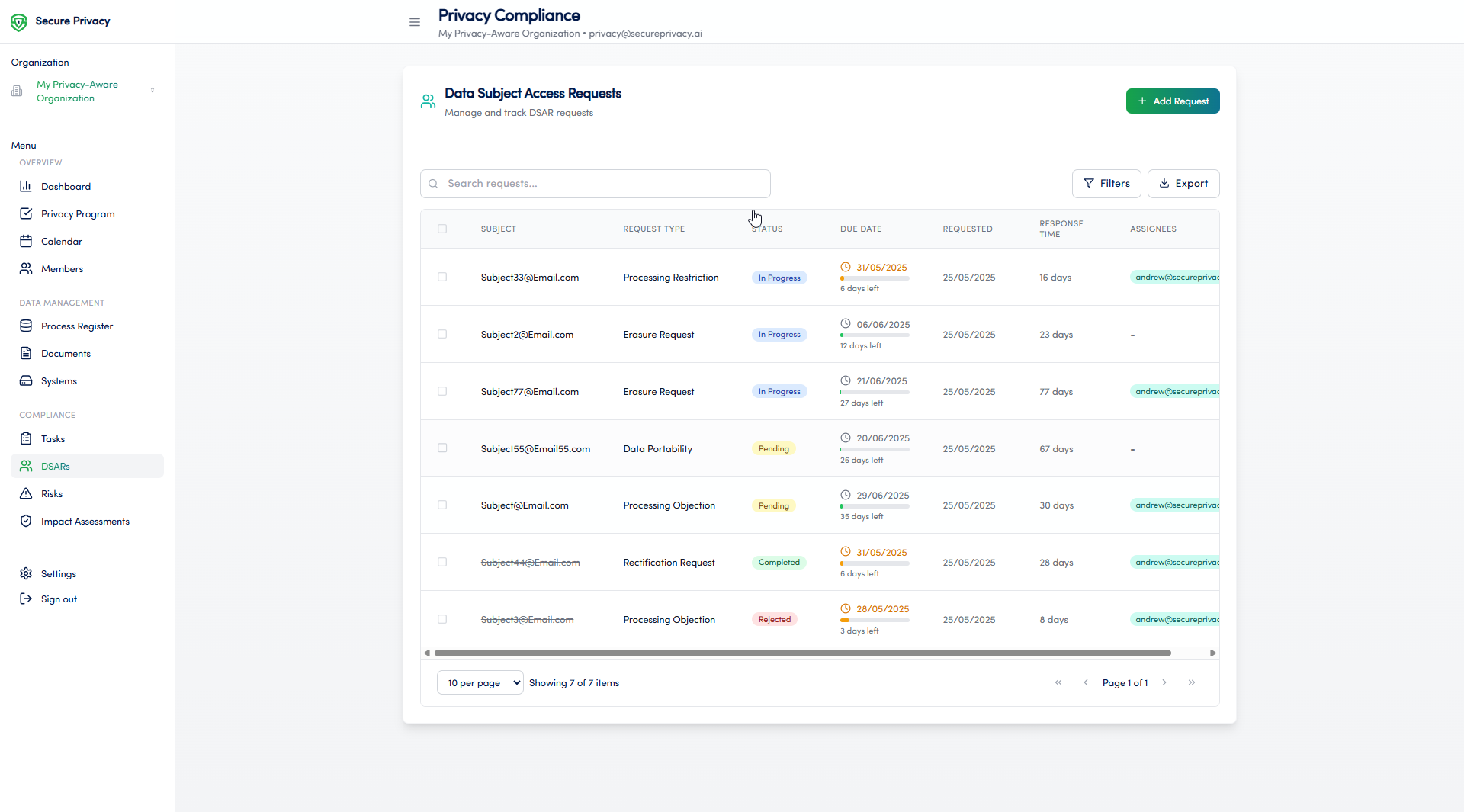
Navigate to Compliance > DSARs from the left sidebar in the Governance Solution.
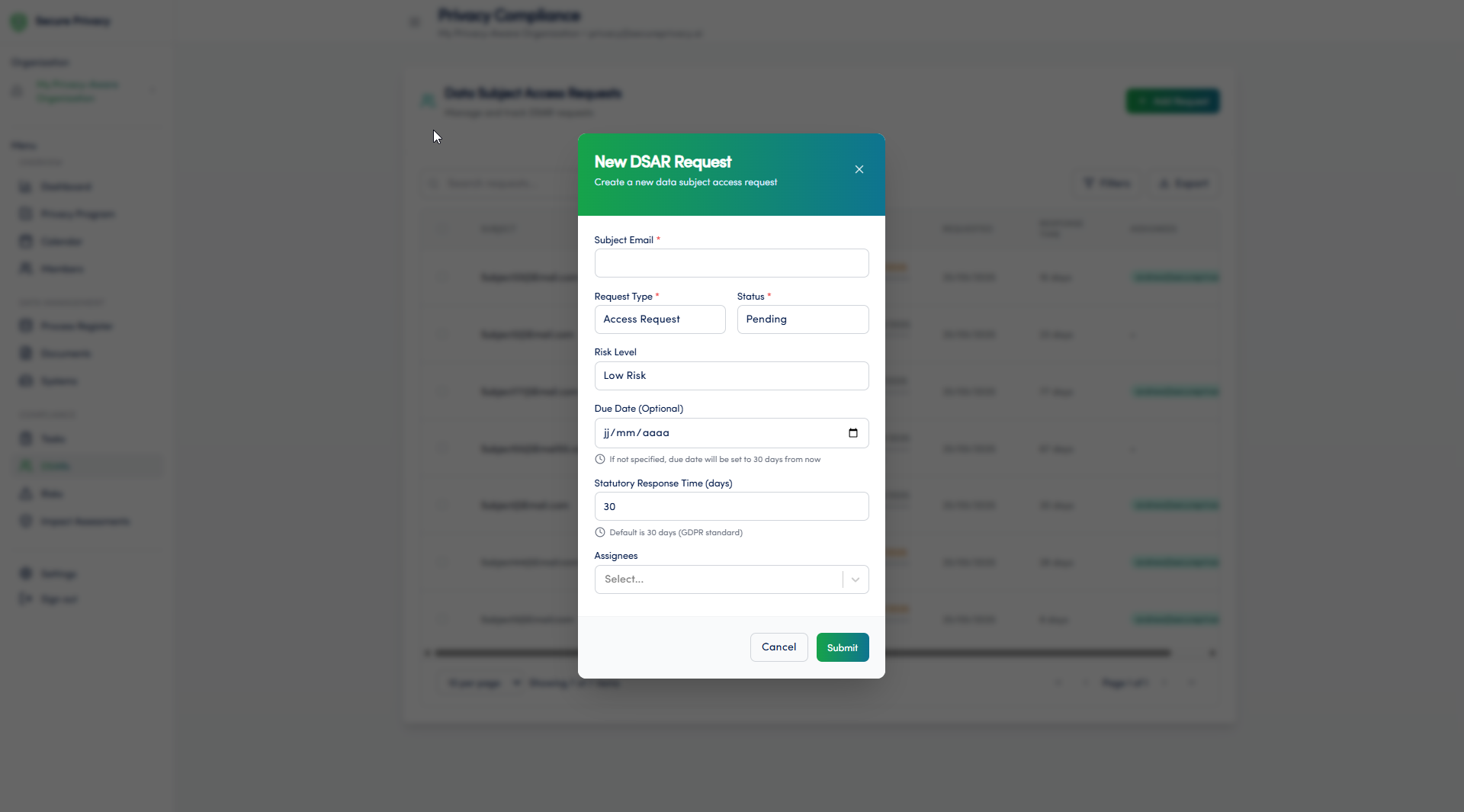
Click + New Request to log an incoming data subject rights request. Record the request type, the data subject's details, the date of receipt, and the applicable response deadline.
Verify the identity of the requester and document the verification method and outcome before proceeding.
Assign the request to the relevant team member or department responsible for locating and compiling the response data.
Track the progress of the request and document all actions taken — including data searches, internal consultations, and any decisions on applicable exemptions.
Prepare the response and use the secure document exchange feature to deliver the response to the data subject safely.
Mark the request as complete once the response has been sent. The module logs the completion timestamp and outcome for audit purposes.
Available Features
DSAR request tracking: A centralized register of all incoming data subject rights requests — with status, request type, assigned owner, receipt date, and GDPR deadline visible at a glance.
Automated notifications and deadline reminders: The platform sends automatic reminders to assignees as the one-month GDPR response deadline approaches — reducing the risk of missed deadlines and regulatory breaches.
Secure document exchange: Deliver response packages to data subjects through a secure, controlled channel — maintaining data security and creating a documented record of response delivery.
Common Use Cases
Managing and responding to data subject access requests within GDPR's one-month deadline — with automated reminders ensuring nothing is missed.
Documenting all actions taken throughout the DSAR response process — creating an audit-ready record for supervisory authority review and accountability demonstrations under GDPR Article 5(2).
Demonstrating consistent compliance with data subject rights obligations — including access, erasure, rectification, and objection — through a centralized, structured workflow.
Troubleshooting
Cannot create a new DSAR
Verify that your account has the necessary permissions to create entries in the DSAR module. Only users with the appropriate role can log new requests. Contact your Secure Privacy account administrator to review and update your access rights.
Notifications are not being sent
Check that notification settings are enabled in the user profile of the assigned team member. Also confirm that the request has a valid assignee and a response deadline set — the automated reminder system requires both to trigger notifications. If the issue persists, contact Secure Privacy support.
Frequently Asked Questions
Does the DSAR module track the GDPR one-month response deadline automatically?
Yes. When a new request is logged with a receipt date, the module automatically calculates the GDPR Article 12 one-month response deadline and displays it in the request record. Automated reminders notify the assigned team member as the deadline approaches — helping ensure your organization consistently meets its legal response obligations.
Can the DSAR module handle all types of data subject rights requests, not just access requests?
Yes. The module supports the full range of GDPR data subject rights requests — including access (Article 15), rectification (Article 16), erasure (Article 17), restriction (Article 18), data portability (Article 20), and objection (Article 21). Each request type can be logged, tracked, and documented within the same workflow.
How does the audit trail in the DSAR module support GDPR accountability?
Every action taken on a DSAR record — including receipt logging, assignment, status changes, exemption decisions, and response delivery — is recorded with a timestamp and the identity of the user who performed the action. This creates a complete, chronological compliance record that can be produced for supervisory authority review, demonstrating that each request was handled in line with GDPR Article 12 requirements.