
Introduction
When using Google Tag Manager (GTM), you may need to ensure a user’s consent before firing any tags or triggers to comply with privacy regulations. This guide explains how to block cookies in complex GTM triggers by incorporating user consent conditions, preventing tags from firing unless consent is given.
Who Is This Guide For?
- GTM administrators
- Web developers implementing tag management
- Digital marketers managing analytics and tracking
How to Block Cookies in GTM Triggers Based on User Consent
Step 1: Create a User-Defined Variable for Consent Check
- Save the variable.
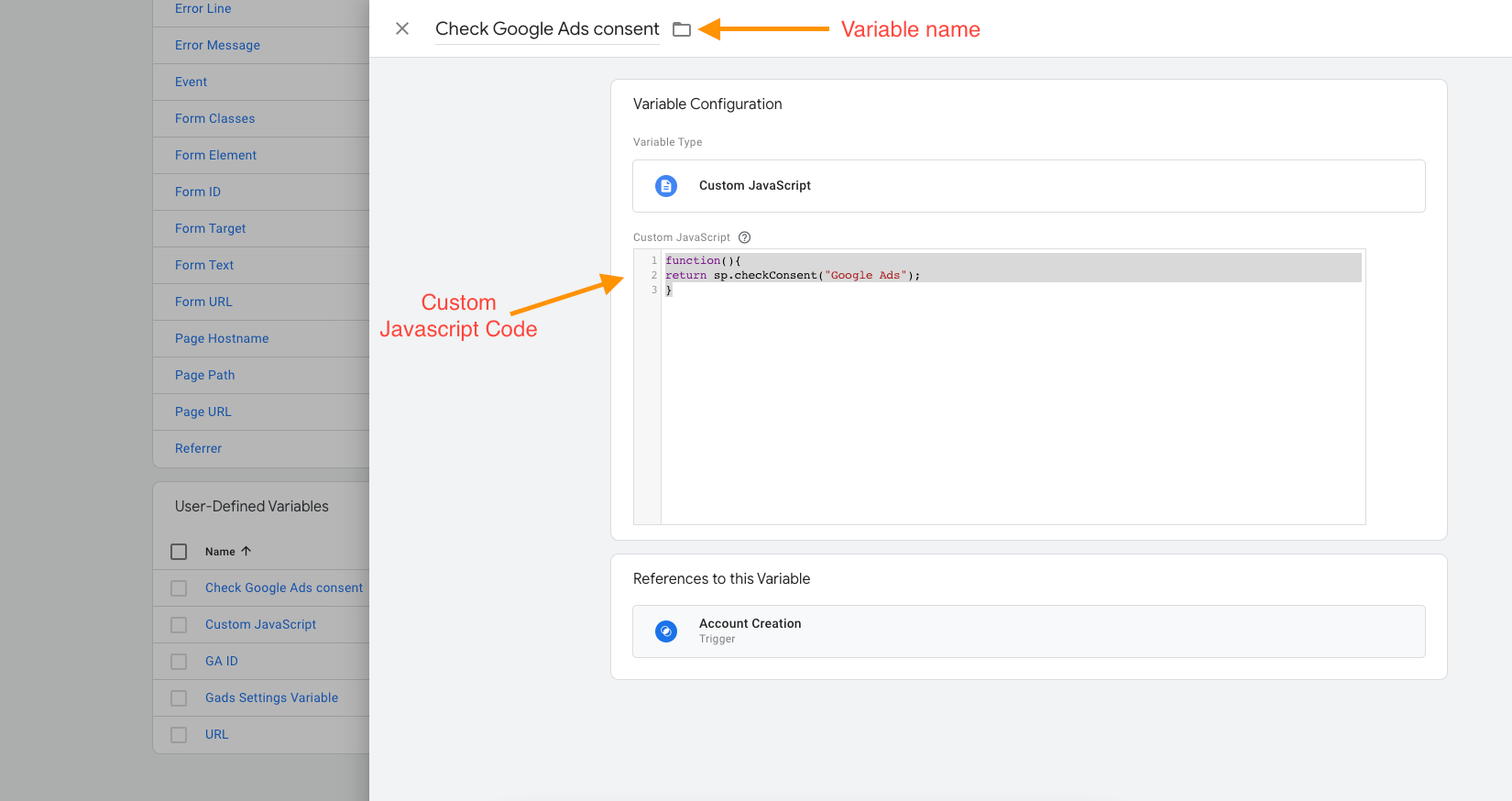
Step 2: Replace Plugin Name Accurately
- Use the exact service/plugin name from your scan or consent management platform report.
- Make sure spelling and case match exactly.
Step 3: Modify Your Trigger to Include Consent Condition
- Navigate to Triggers
- Edit your existing trigger (e.g., custom event or click trigger)
- Add a new condition based on the user-defined variable created, e.g.,
Check {{Plugin_name}} consent equals true - This ensures the trigger only fires if the user has given consent.
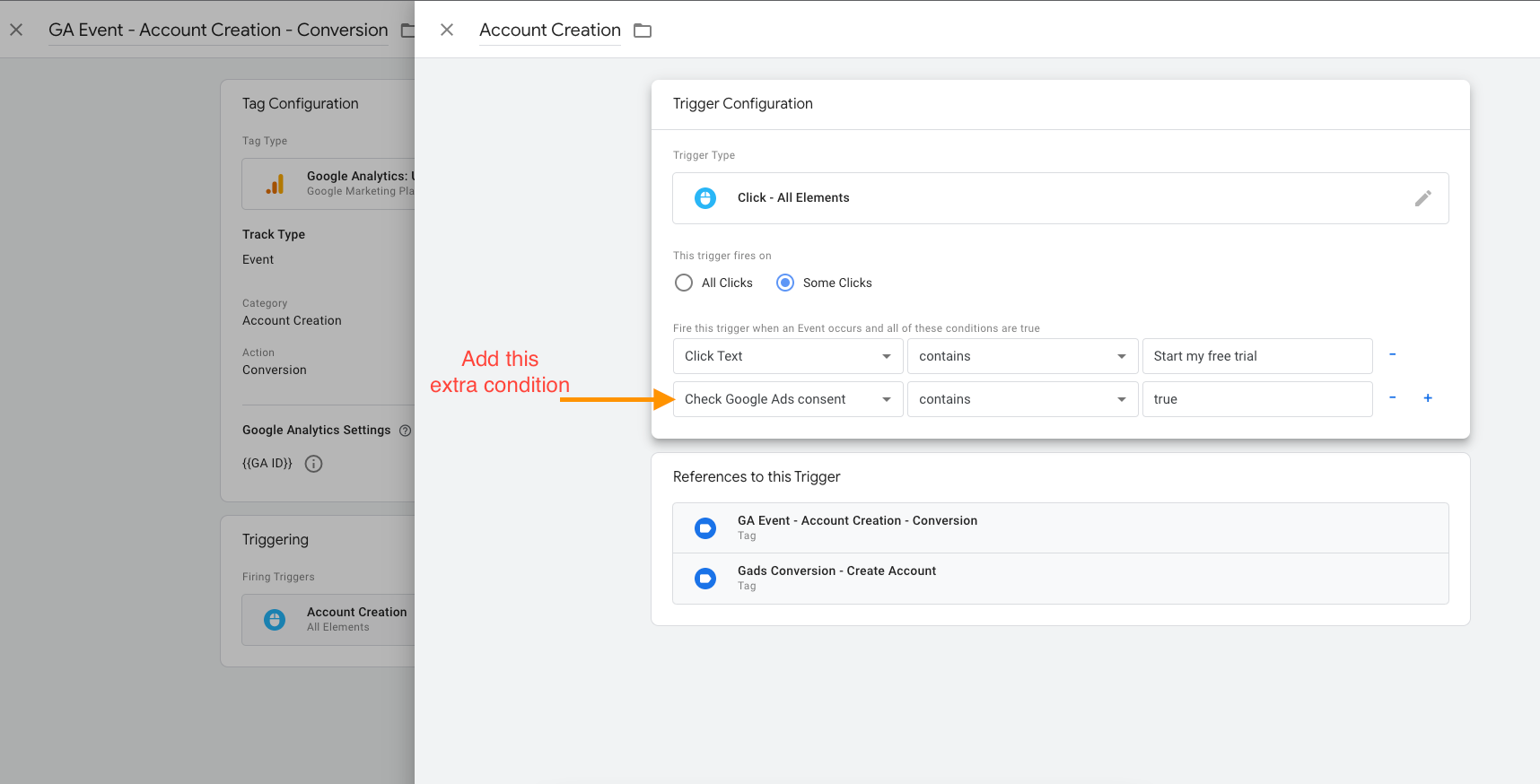
Step 4: Complete Setup
Save your trigger and publish your GTM container changes. Your tags will now respect user consent and block cookies when consent is not given.
Common Issues & Fixes
My tag still fires without consent. What could be wrong?
- Check that the plugin name in your variable matches exactly (including case).
- Confirm the custom JavaScript variable returns boolean values true/false.
- Verify trigger conditions all evaluate to true simultaneously.
How do I test if the consent condition works?
- Use GTM preview mode to debug triggers firing based on consent.
- Change the consent state and observe if the tag fires or blocks accordingly.