
Secure Privacy's Governance Solution is a comprehensive privacy compliance platform designed to help organizations manage GDPR compliance, data subject rights, privacy risk assessments, and documentation — all from a single centralized system. This guide provides an overview of the platform, system requirements, initial setup, and links to detailed guidance for each core module.
Who Is This For?
Privacy compliance officers and Data Protection Officers managing organizational GDPR programs
Legal and governance professionals building and maintaining a structured privacy compliance framework
Organizations seeking a centralized platform for privacy risk management, ROPA, DPIAs, and DSAR handling
What the Governance Solution Includes
The platform provides tools across the full privacy compliance lifecycle:
AI-Powered Onboarding: Set up your privacy program quickly with tailored AI-generated recommendations based on your organization's practices.
Process Register: Document and manage all data processing activities in line with GDPR Article 30 ROPA requirements.
Risk Assessments: Identify, score, and mitigate privacy risks across processing activities.
Compliance Tasks: Track and manage compliance actions, deadlines, and recurring obligations.
DSAR Management: Handle data subject access requests with automated tracking and workflow support.
Impact Assessments: Conduct and manage Data Protection Impact Assessments (DPIAs) under GDPR Article 35.
Systems Inventory: Maintain a complete inventory of all systems processing personal data and map data flows.
Document Management: Securely store, version-control, and manage access to compliance-critical documents.
Members Matrix: Visualize team member responsibilities and involvement across the privacy program.
Reporting and Analytics: Generate compliance reports to demonstrate accountability to regulators and stakeholders.
System Requirements
To use the Governance Solution, you will need:
A modern web browser — Chrome, Firefox, Safari, or Edge
A stable internet connection
A valid user account with appropriate permissions
Initial Setup and Configuration
Initial setup and configuration of the Governance Solution is performed by the Secure Privacy implementation team. To get started, contact [email protected] to initiate implementation and onboarding.
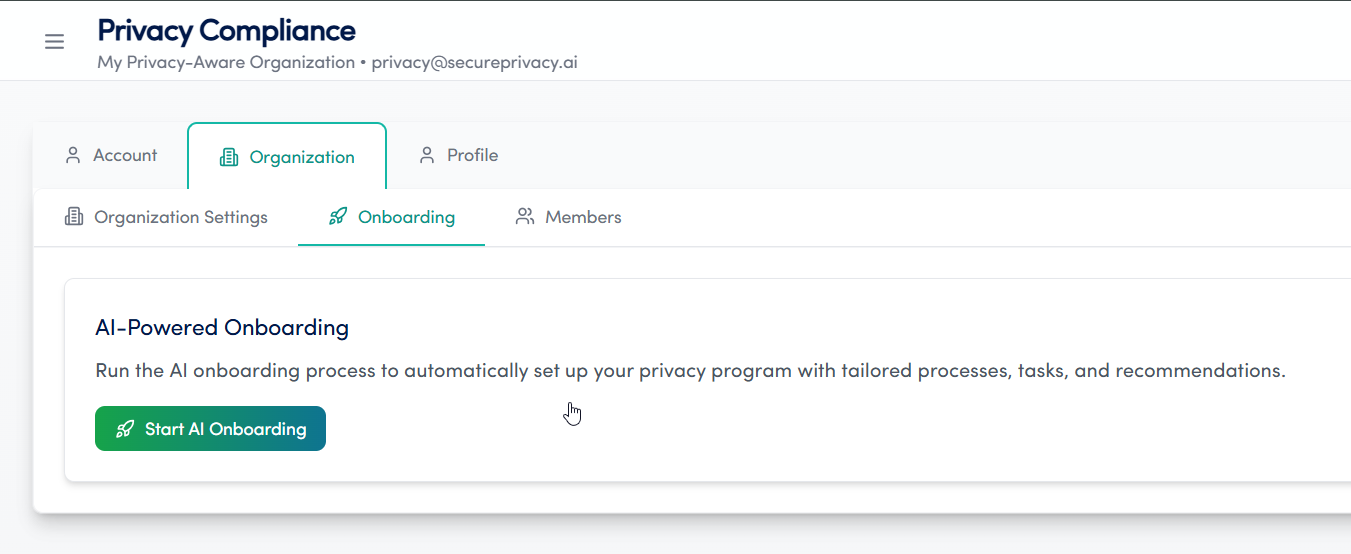
AI-Powered Onboarding (Recommended)
Once your account is provisioned, the recommended way to configure your privacy program is through the AI-Powered Setup:
Select the AI-Powered Setup option to allow the AI to analyze your organization and automatically configure your privacy program.
Complete the onboarding questionnaire to provide the AI with information about your data processing practices and compliance context.
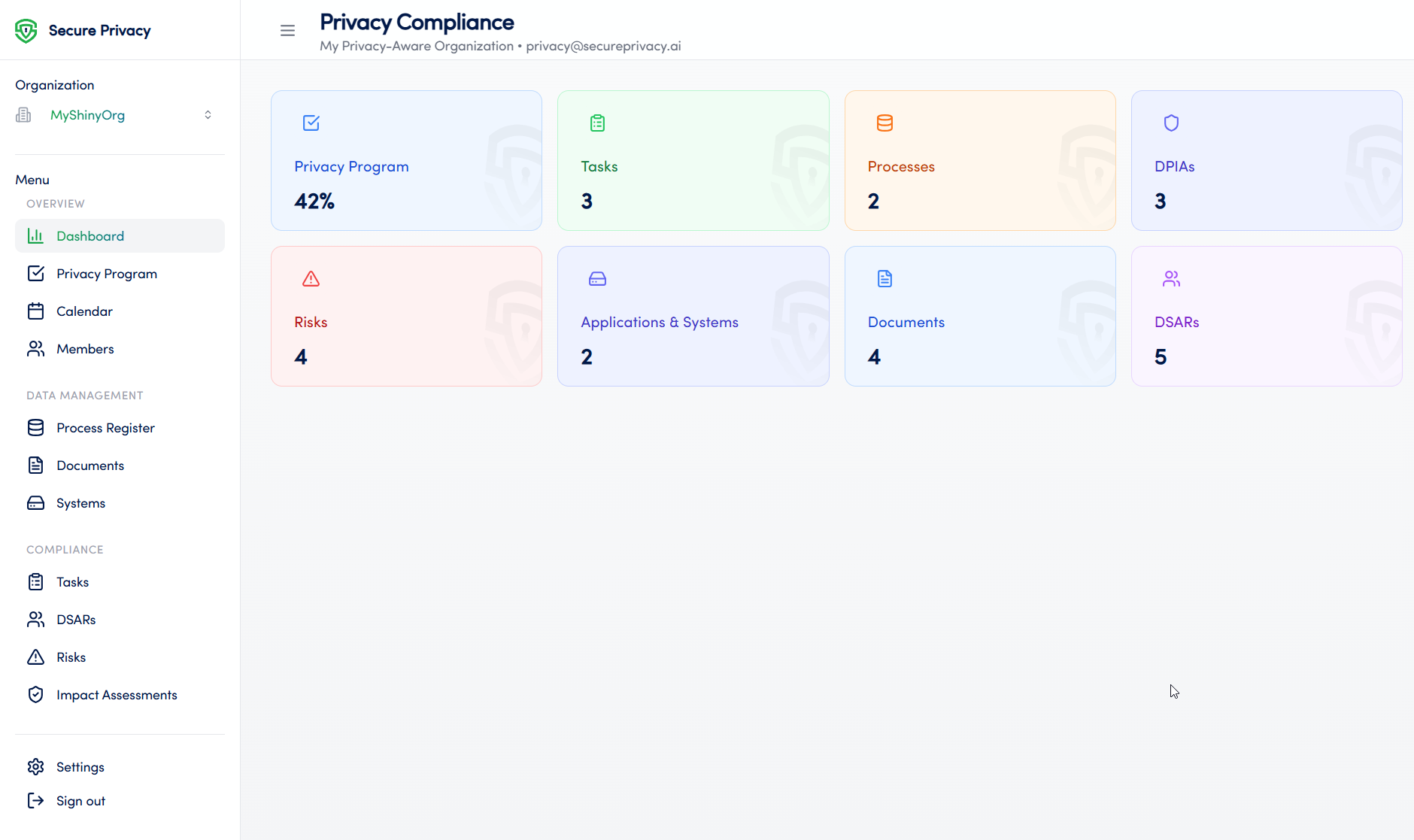
Once setup is complete, you will be directed to the dashboard where you can begin adding processes, tasks, risk assessments, and other compliance elements.
Core Modules
The Governance Solution is organized into nine core modules. Each has a dedicated support article with step-by-step guidance:
Calendar: Track compliance deadlines, schedule tasks, and monitor progress with an intuitive visual calendar. Learn more about the Calendar module.
Process Register: Document all data processing activities and maintain GDPR Article 30 ROPA compliance. Learn more about the Process Register module.
Documents: Centralize compliance documents with secure storage, version control, and access management. Learn more about the Documents module.
Privacy Program: Assess and track your organization's privacy compliance maturity against a structured checklist framework. Learn more about the Privacy Program module.
Risks: Identify, score, and mitigate privacy risks with integrated risk management tools. Learn more about the Risks module.
Impact Assessments: Conduct and manage GDPR DPIAs with streamlined assessment workflows. Learn more about the Impact Assessments module.
Applications & Systems: Inventory all systems processing personal data and track data flows across your organization. Learn more about the Applications & Systems module.
DSARs: Manage data subject access requests with automated tracking and deadline management. Learn more about the DSARs module.
Members: Manage privacy team members, roles, contact information, and responsibilities across your compliance program. Learn more about the Members module.
Frequently Asked Questions
How do I get started with the Governance Solution?
Initial setup is managed by the Secure Privacy implementation team. Contact [email protected] to initiate implementation and onboarding for your organization.
What are the system requirements for using the platform?
You need a modern web browser (Chrome, Firefox, Safari, or Edge), a stable internet connection, and a valid user account with the appropriate permissions for your role.
Where can I find detailed guidance for each module?
Each core module has a dedicated support article linked in the Core Modules section above. Each article includes step-by-step usage instructions, available features, common use cases, and troubleshooting guidance.