
Note: Only possible for Wix sites that are published and have a connected domain.
Adding Secure Privacy to your WIX site
To add Secure Privacy script as a Custom Code to your Wix website?
- During the onboarding screens
Copy Secure Privacy script and save it to your clipboard.
- During the onboarding screens
Copy Secure Privacy script and save it to your clipboard.
- During the onboarding screens
Copy Secure Privacy script and save it to your clipboard.
- During the onboarding screens
Copy Secure Privacy script and save it to your clipboard.
- During the onboarding screens
Copy Secure Privacy script and save it to your clipboard.
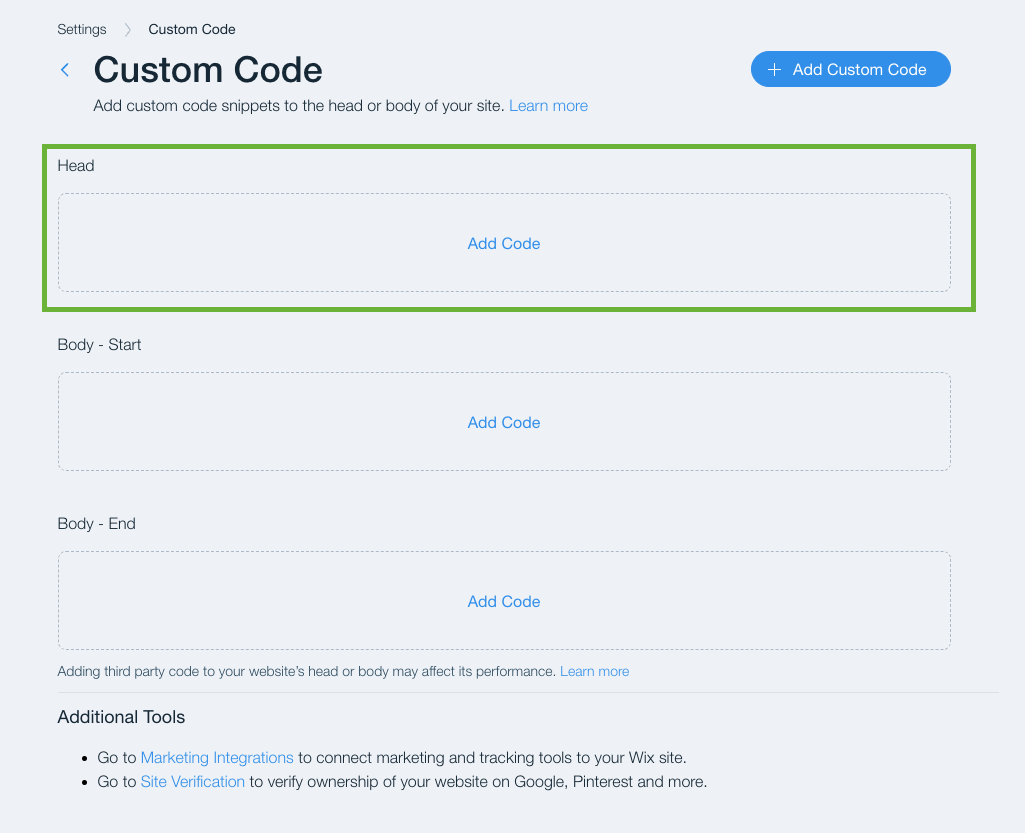
Return to the Wix tab, and click Add Code under the Headsection.
Paste the Secure Privacy script as indicated below. Also set the other options as shown in the screen below.
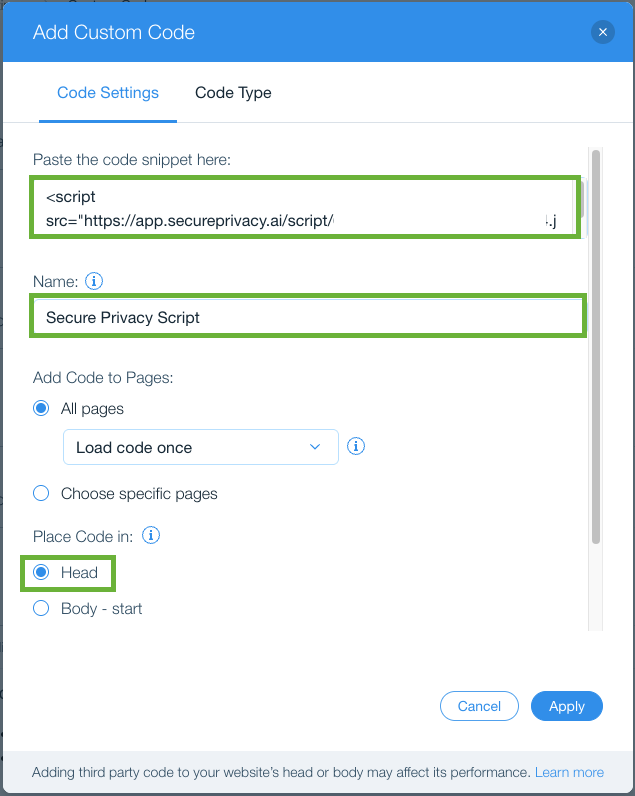
The Code Type (on the next tab) will be selected as Essential by default. Knowing that Secure Privacy script will help you block the other cookies as per your preference - manual/automatic - continue with Essential selection.
This concludes the Secure Privacy script configuration with your Wix website. Should you have any further queries, please feel free to reach out to [email protected]