
Issue Detected:
Your website is currently loading non-essential cookies (e.g., marketing, analytics) before obtaining explicit user consent, which violates GDPR and ePrivacy Directive requirements:
GDPR Recitals 30 & 32, Article 6
ePrivacy Directive Recital 25
This poses a risk of legal non-compliance, user mistrust, and potential penalties.
What’s the Problem?
The GDPR mandates that:
“Cookies or other tracking technologies that are not strictly necessary must not be set on a user’s device until the user has given informed, unambiguous, and explicit consent.”
Your current setup loads cookies used for marketing and tracking before consent, making your site non-compliant.
Section
How to Fix It
To ensure full GDPR compliance, follow these steps:
✅ 1. Implement a GDPR-Compliant Cookie Banner
Use a Consent Management Platform (CMP), like Secure Privacy that:
Blocks all non-essential cookies by default
Does not load marketing or analytics scripts until explicit consent is received
Allows users to opt out easily, just like opting in
Records and stores proof of consent (date, time, user decision)
✅ 2. Identify Cookies Loaded Before Consent
Most services are automatically detected and blocked using our engine, but manual configuration may be needed in some setups.
Follow this process to identify and resolve issues:
Step-by-Step:
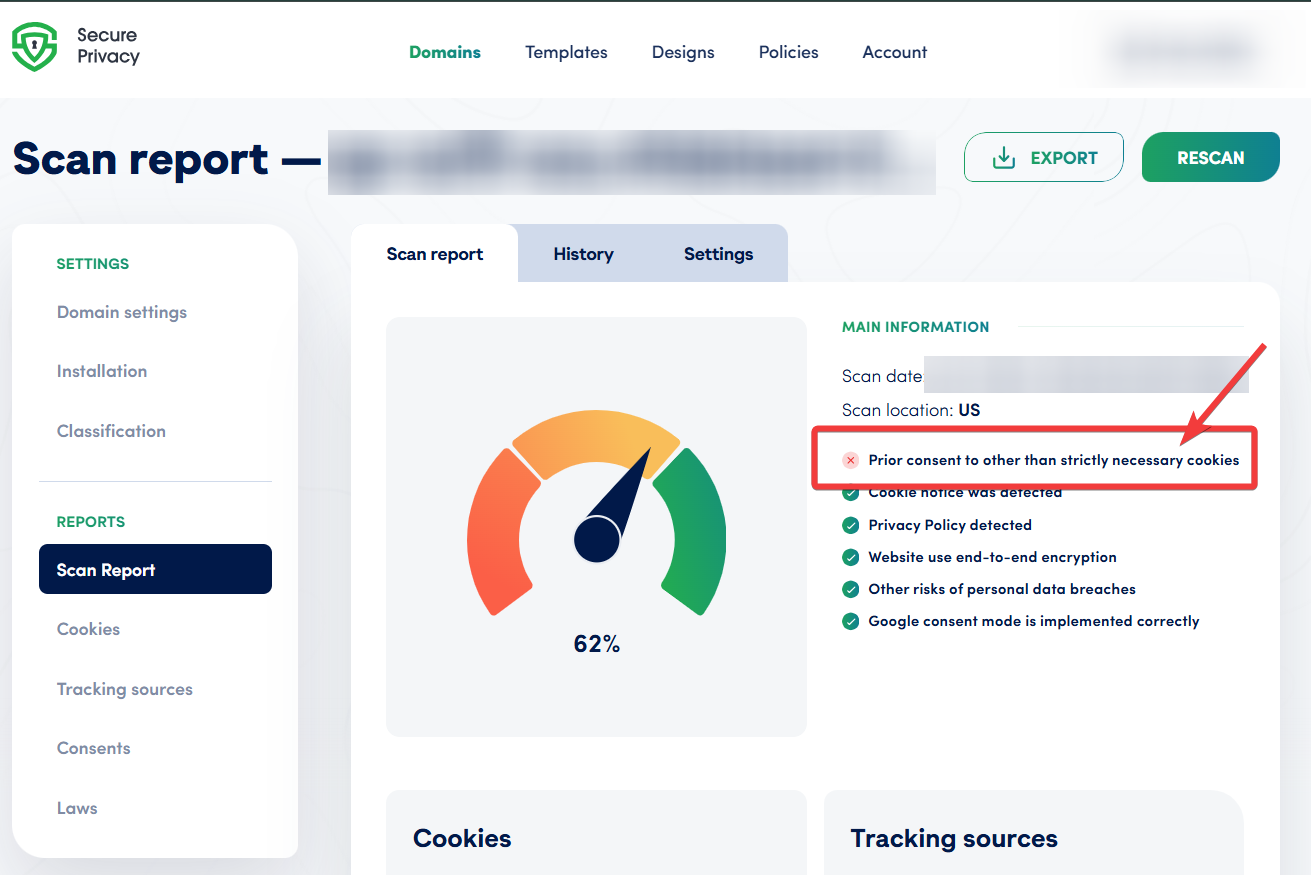
(1) Go to the Scan Report
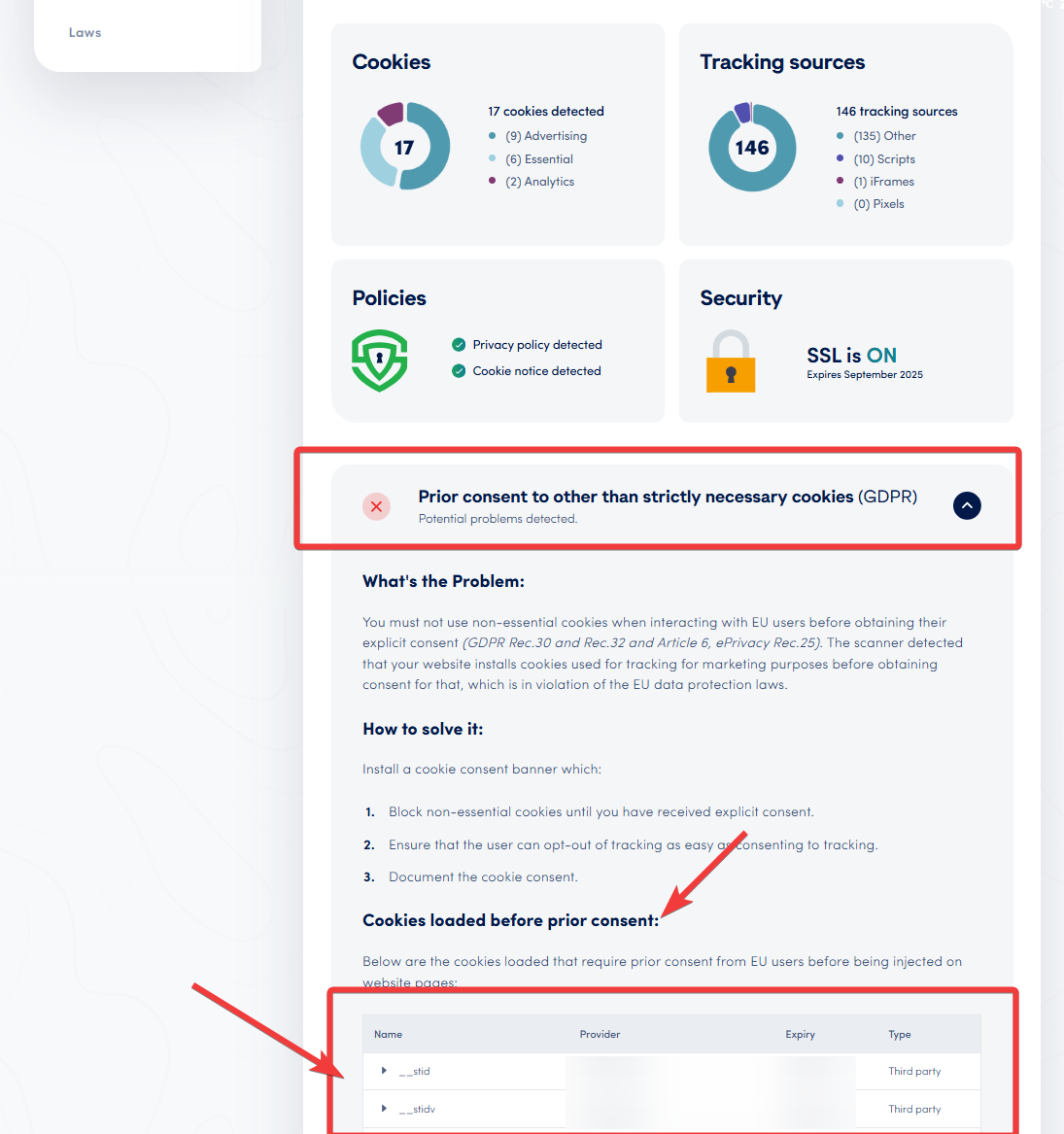
Click on "Prior consent to other than strictly necessary cookies (GDPR)"
Scroll to the "Cookies loaded before prior consent" section
Note the cookie name and related service for each flagged item
(2) Consult your implementation/development team
Determine how each service (e.g., Facebook Pixel, YouTube iframe, Google Analytics) is installed
Check for scripts, pixels, or iframe embeds related to the flagged services
Take a note if the installation script is running with "async" or "defer" attribute
(3) Apply correct manual blocking configuration
Navigate to the “Classification” → “Services” tab
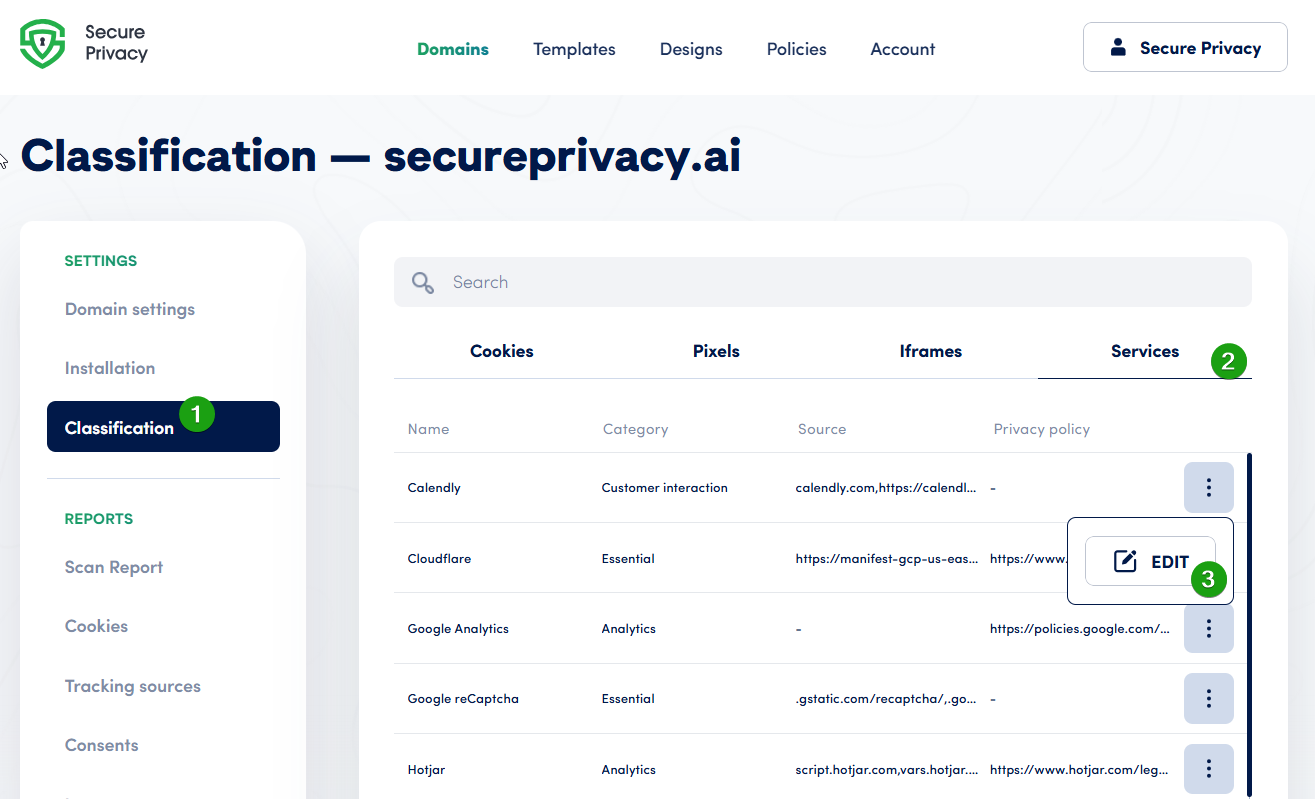
Locate the service in question, click "..." (three-dot menu) -> "Edit"
Add the correct script source URL reference
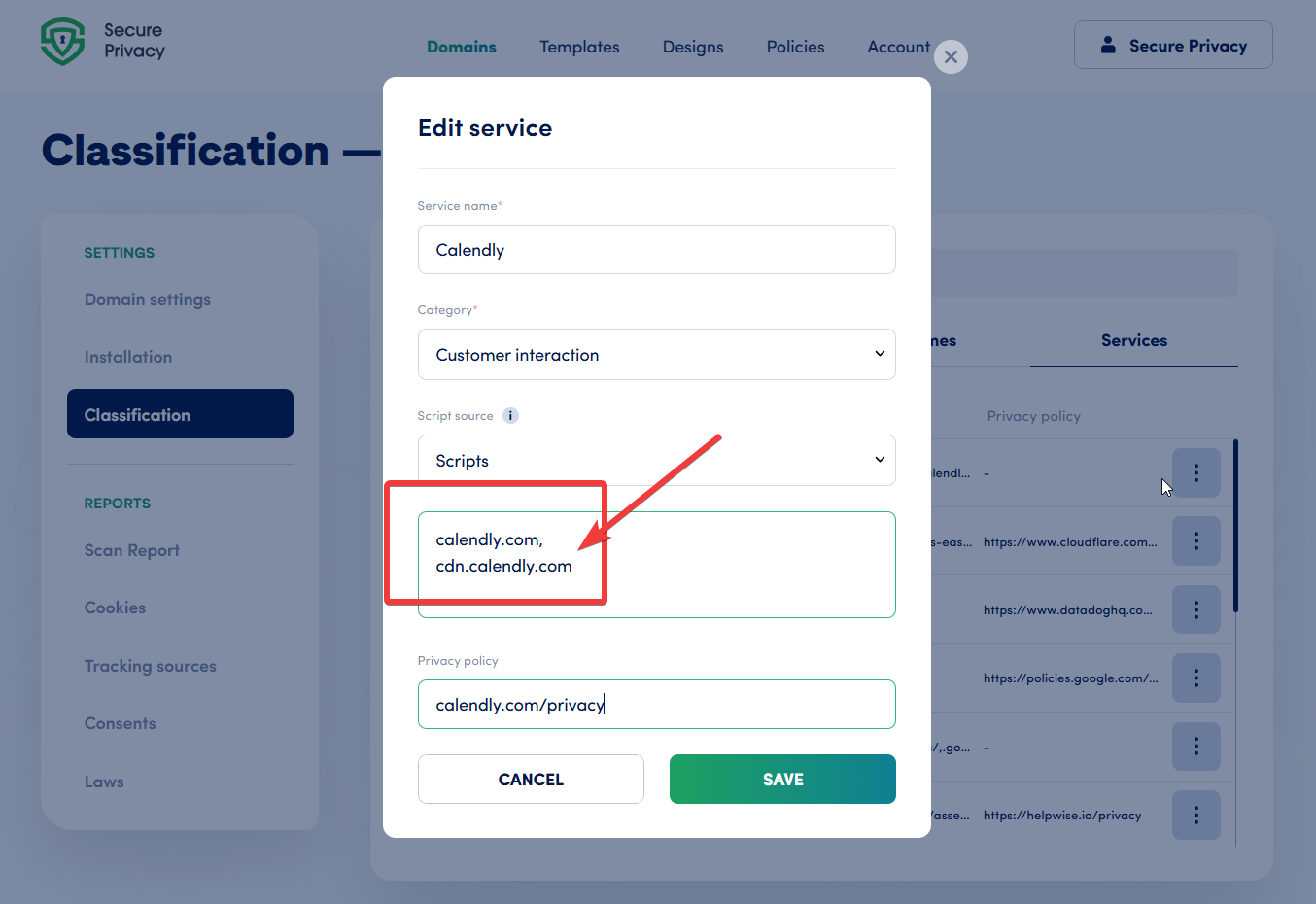
If the service is not listed here, you can manually create a new entry when associating a "cookies" with a "service"
(3a) If the service uses iframes or pixels, ensure these are also:
Listed in the appropriate tab
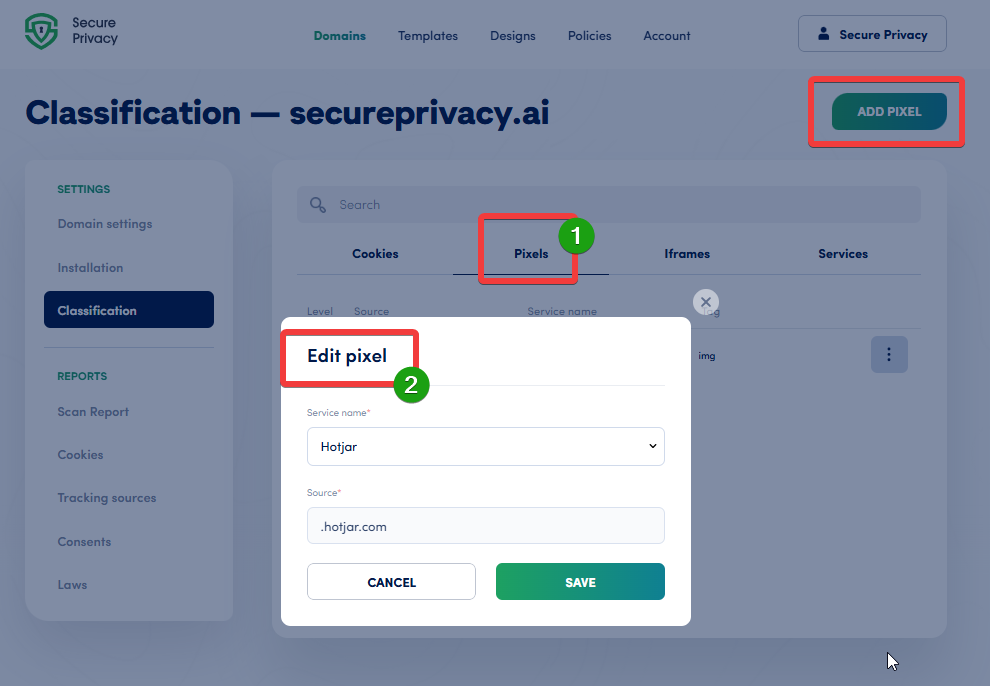
Accurately mapped to their source URLs for effective blocking
Add a new pixel / iframe on the same tab, if it was not automatically detected
(4) Once done - run a new website scan
Confirm that the cookies/services are now blocked prior to consent
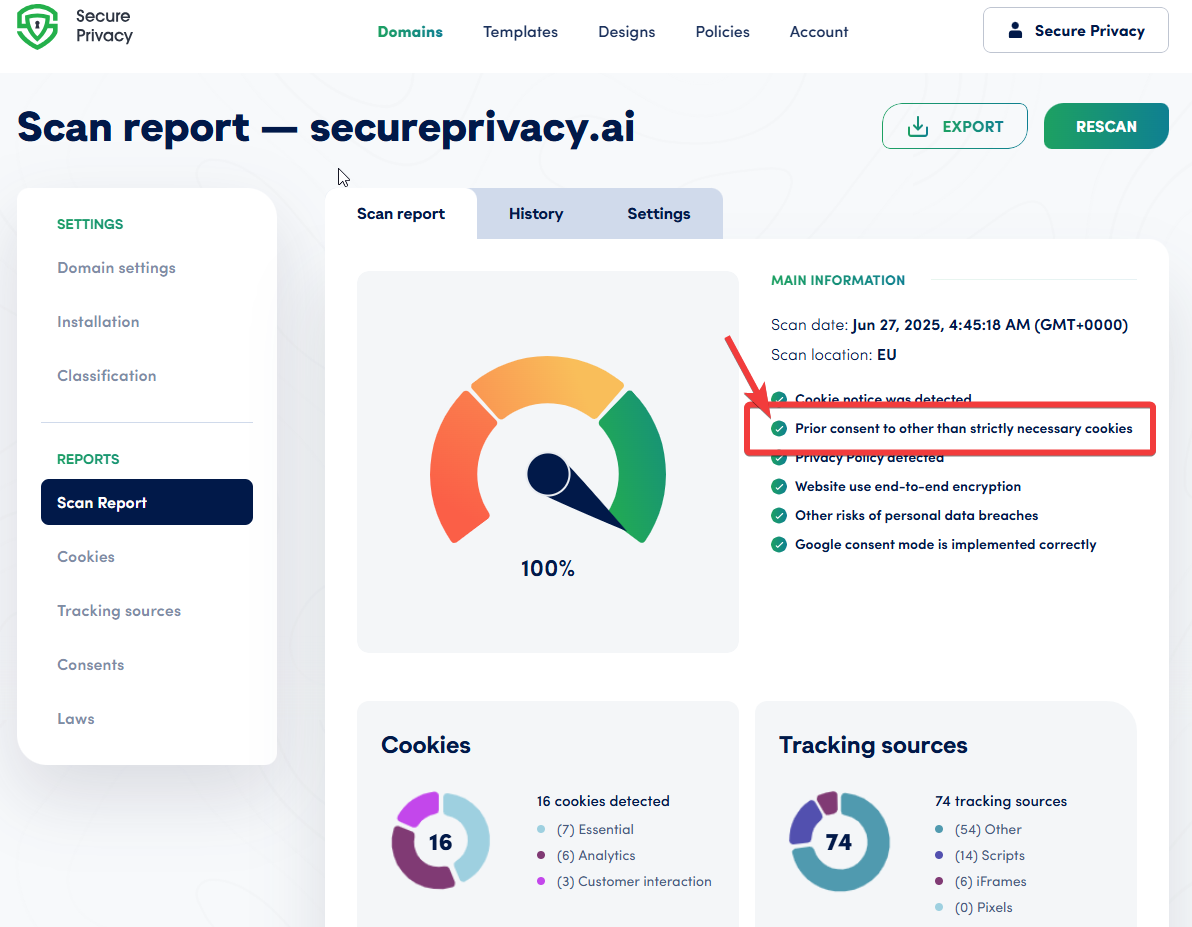
Confirm that the service is not using "async" / "defer" as it may start before Secure Privacy
Repeat the process for any remaining unblocked services
Examples of Cookies Requiring Prior Consent
| Cookie Name | Purpose | Consent Required |
|---|---|---|
_fbp |
Facebook Tracking | ✅ Yes |
_ga |
Google Analytics | ✅ Yes |
fr |
Facebook Ads | ✅ Yes |
IDE |
Google Ads | ✅ Yes |
Summary:
To comply with GDPR:
Do not load non-essential cookies until consent is given
Use automatic blocking
Apply manual configuration where required
Document all consent decisions
Regularly rescan your website to ensure compliance