
This guide explains how to apply custom CSS styling to both the inner banner and its outer wrapper to personalize the look and feel of your Secure Privacy banner.
Who Is This For?
- Website administrators and designers customizing banner appearance
- Developers applying CSS to fine-tune banner styles
- Marketers and compliance managers wishing to maintain brand consistency
Customizing Banner Appearance
1. Styling Within the Banner
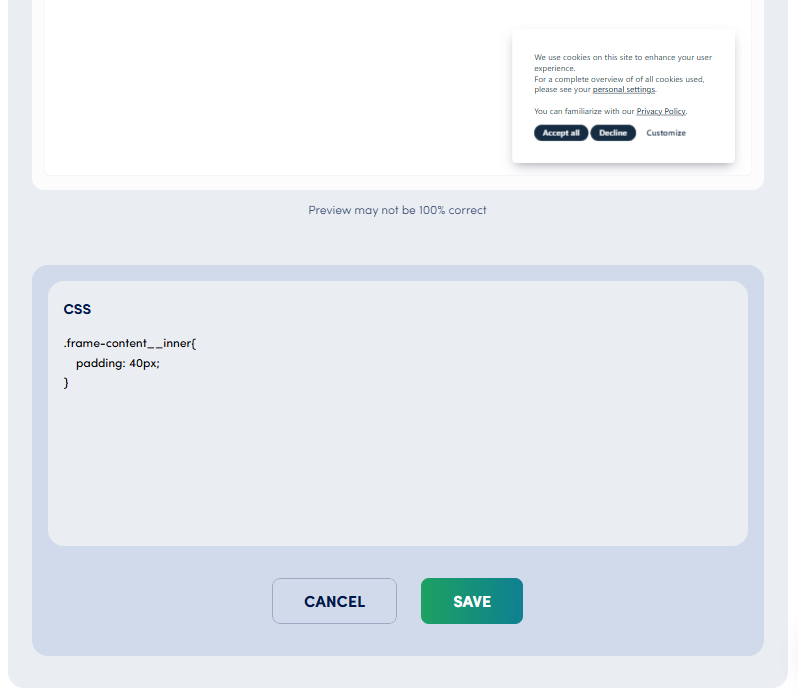
- You can add custom CSS in the field located under the banner preview on the design page.
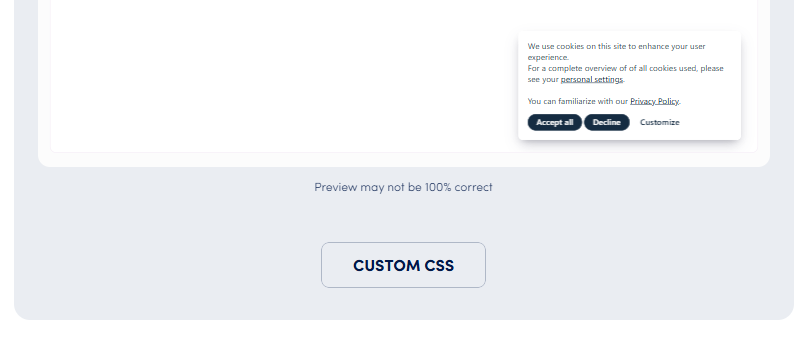
- This CSS is applied within the banner's iframe, allowing styling of banner elements such as padding, text colors, and button styles.
2. Styling the Banner Wrapper (Outer Container)
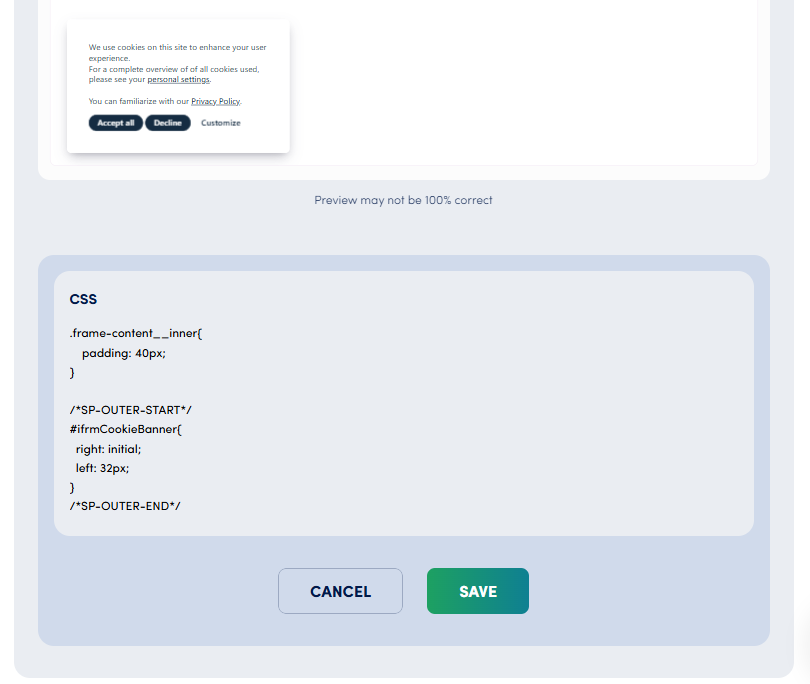
- To style the banner’s outer container (such as positioning, shadows, or margins), wrap your CSS code between the following tags:
`/SP-OUTER-START/
/ Your CSS code for the outer wrapper goes here /
/SP-OUTER-END/`
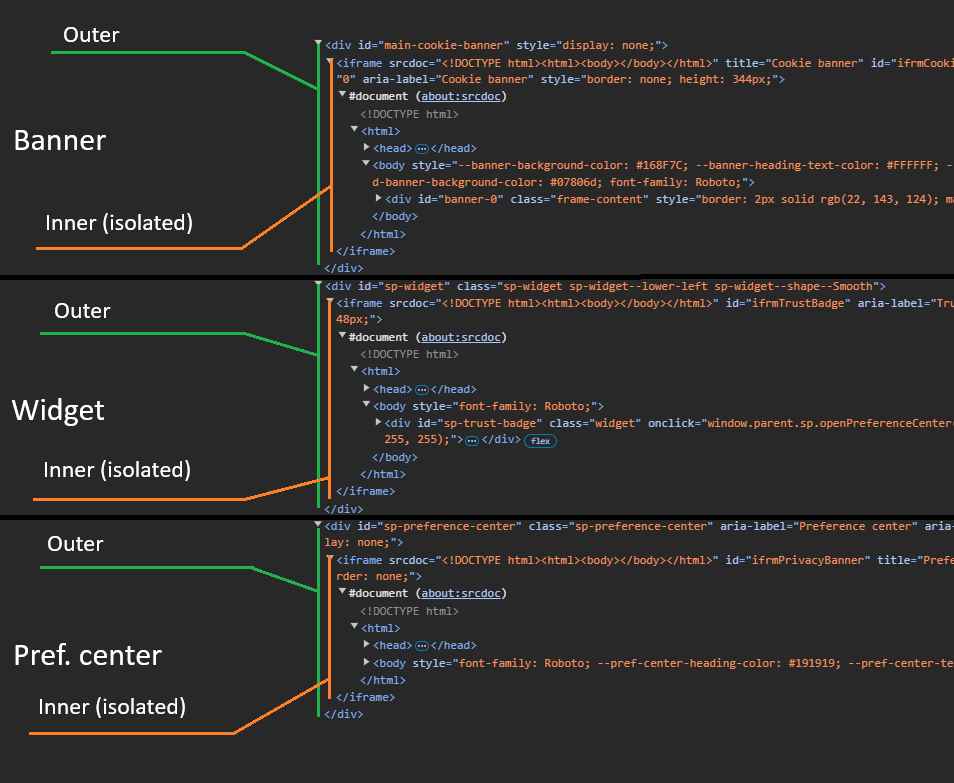
- This CSS code is injected directly into your website's HTML, affecting the outer banner container.
Important Note
- Exercise caution: CSS applied between
/SP-OUTER-START/and/SP-OUTER-END/can potentially impact styles of other elements on your website. - Always test thoroughly before publishing changes.
Need More Help?
If you have questions or need assistance with CSS customization, please contact our support team at [email protected].
Common Issues & Fixes
Why do changes inside the banner CSS not affect the outer wrapper?The inner banner CSS applies only within the iframe; to style the outer container, use the /SP-OUTER-START/ ... /SP-OUTER-END/ syntax.My outer wrapper styles are affecting other parts of my website, what can I do?Ensure your CSS selectors are specific and isolated to avoid unintended effects; always test on a staging site if possible.Are there any risks applying CSS between /SP-OUTER-START/ and /SP-OUTER-END/?Yes, because it injects CSS directly into your site’s HTML, careless styles can override other page elements. Use with caution.