To begin scanning your domains, click on the Domain on your navigation bar, then select the domain you would like to scan. From there, navigate to the left sidebar and select "Scan Reports" under the "Report" section.
You'll find three options within this window: Scan Reports, History, and Settings.
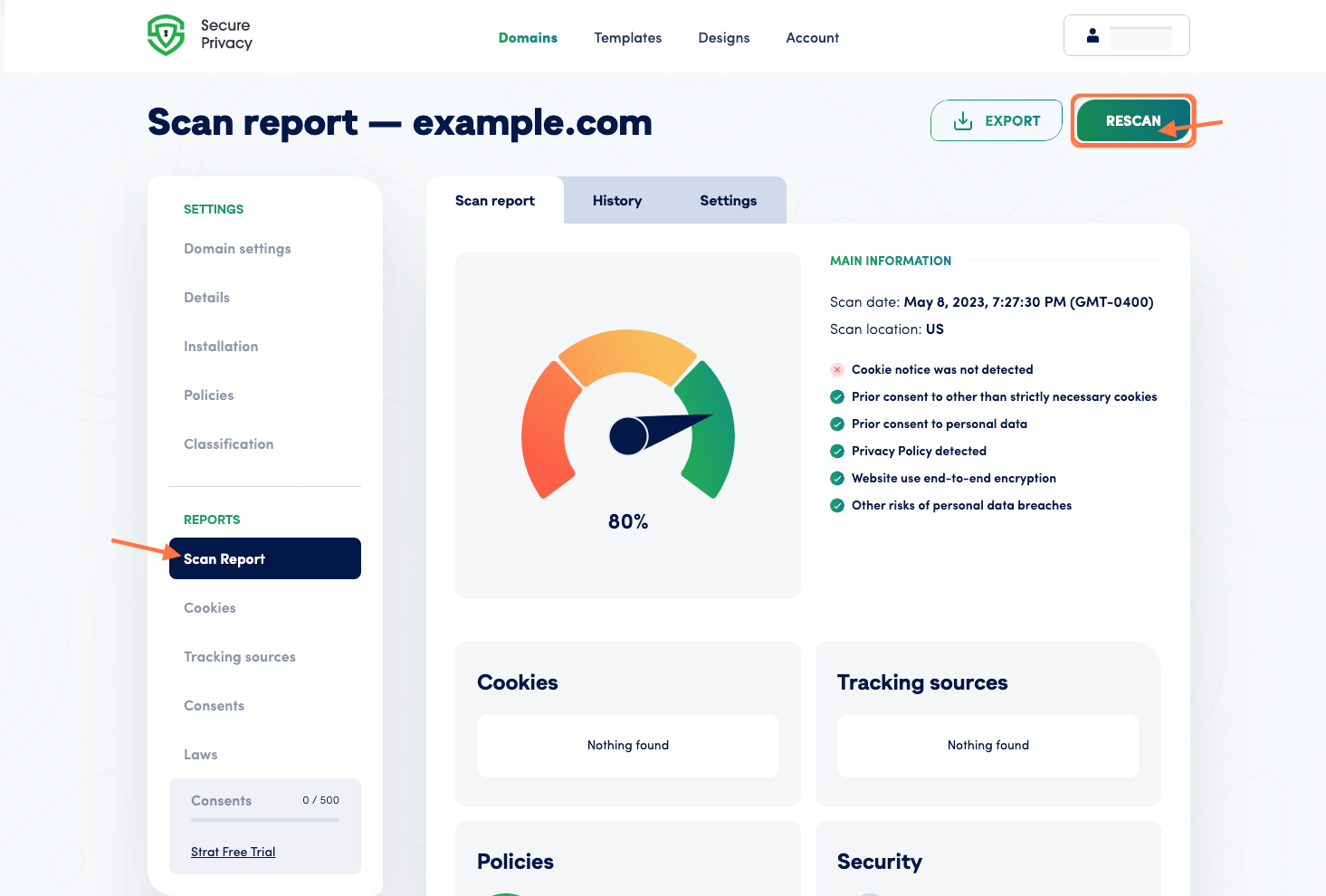
The Scan Reports tab provides the tools to scan and better understand what's happening on your page. The first thing you'll see is an intuitive graph that shows how well your site complies with relevant regulations. We aim to help you achieve a compliance score as close to 100% as possible by addressing any issues the tools have reported.
- Step 1: Scan Report
- Step 2: History
- Step 3: Settings
Step 1: Scan Report
Scanning your domain is a simple process that involves clicking the "Scan" or "Rescan" button. Once the scan is completed, the dashboard will provide you with a detailed breakdown of the areas on your site that require your attention in order to become compliant.
Our platform makes identifying and addressing any issues affecting your compliance score easy. With our transparent and concise breakdown of the scan results, you can prioritize the necessary fixes and achieve a more compliant website.
Step 2: History
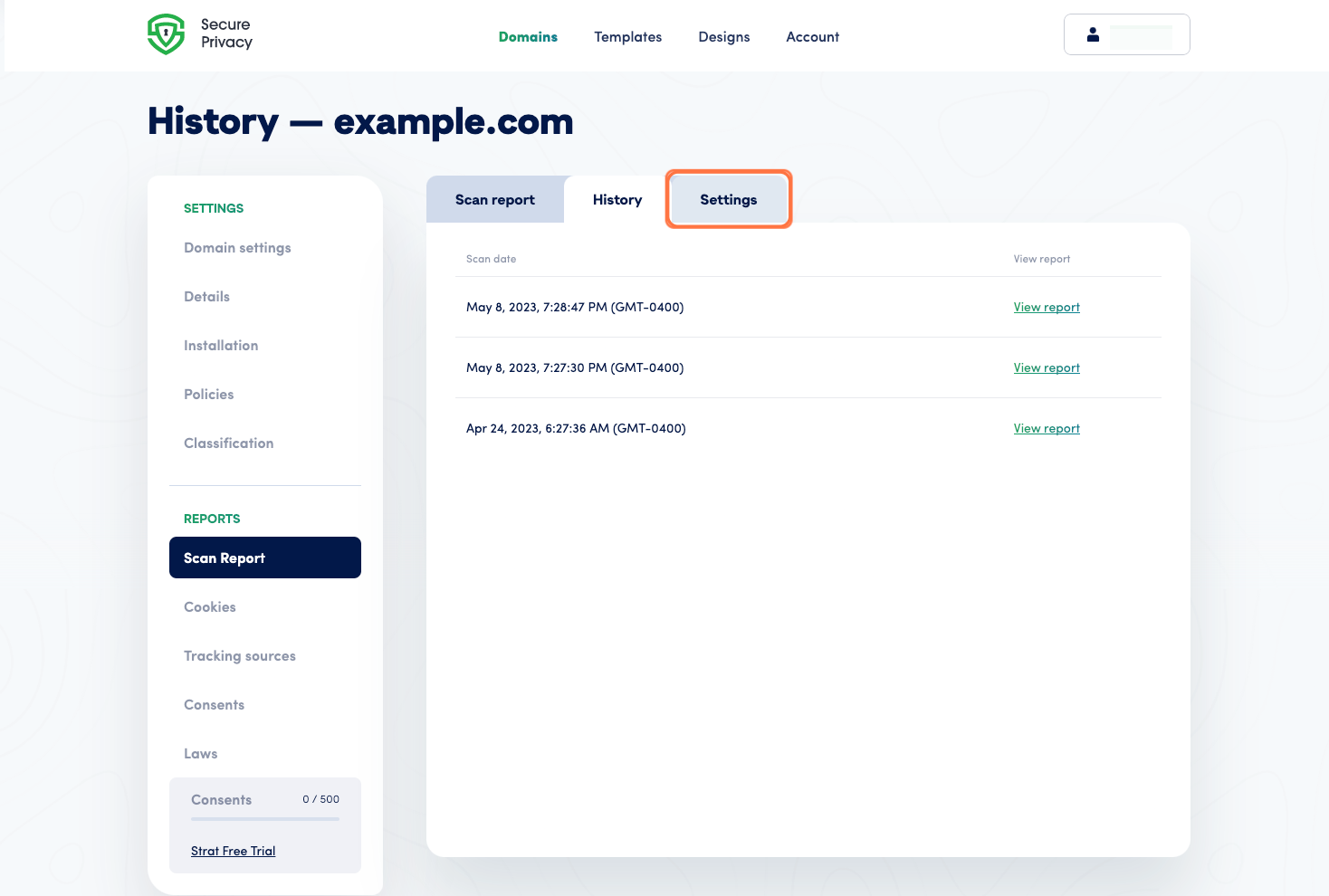
Our dashboard allows you to easily keep track of your most recent scans. To access them, click the "History" tab and open any saved scans.
This feature ensures a clear record of your site's compliance progress and makes it easy to identify any changes or issues over time.
Step 3: Settings
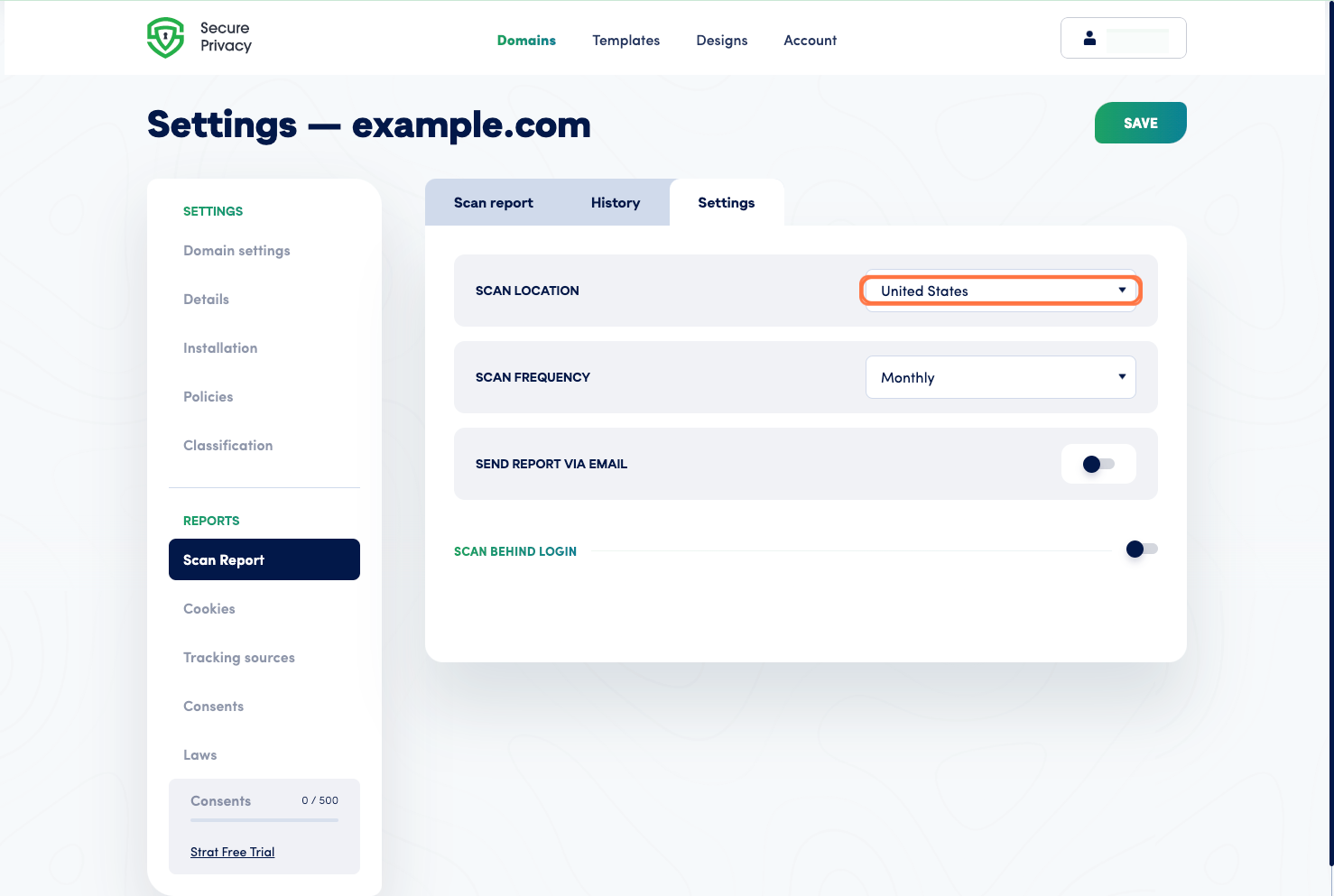
Our "Settings" tab allows you to choose whether you'd like to automatically scan your website every month or do it manually. You can also select whether you prefer to scan your site from our US or European location and choose to receive email notifications each time a scan is completed.
In addition, our platform also allows you to add settings to scan behind login by providing the field ID for a username and password, as well as the necessary login data.
These options allow you to tailor your scanning experience to best suit your needs and ensure that you have complete control over your compliance management.