
The Documents module in Secure Privacy's Governance Solution is a secure, centralized repository for all compliance-critical documentation — from privacy policies and regulatory procedures to vendor contracts and training materials. It ensures your compliance assets are organized, accessible, version-controlled, and properly access-managed, supporting GDPR accountability and audit readiness across your organization.
Who Is This For?
Data Protection Officers and privacy managers maintaining a centralized compliance document library
Legal and compliance teams storing and controlling access to privacy policies, DPAs, and regulatory procedures
IT and information security teams managing vendor contracts and technical security documentation
HR and training teams storing staff data protection training materials and completion records
Purpose and Functionality
The Documents module gives compliance teams a single, secure location to store and manage every document that supports their privacy program. By centralizing document storage alongside access controls and version tracking, it eliminates scattered file storage, ensures only authorized personnel can access sensitive compliance assets, and provides an audit-ready record of your organization's compliance documentation at any point in time.
How to Use the Documents Module
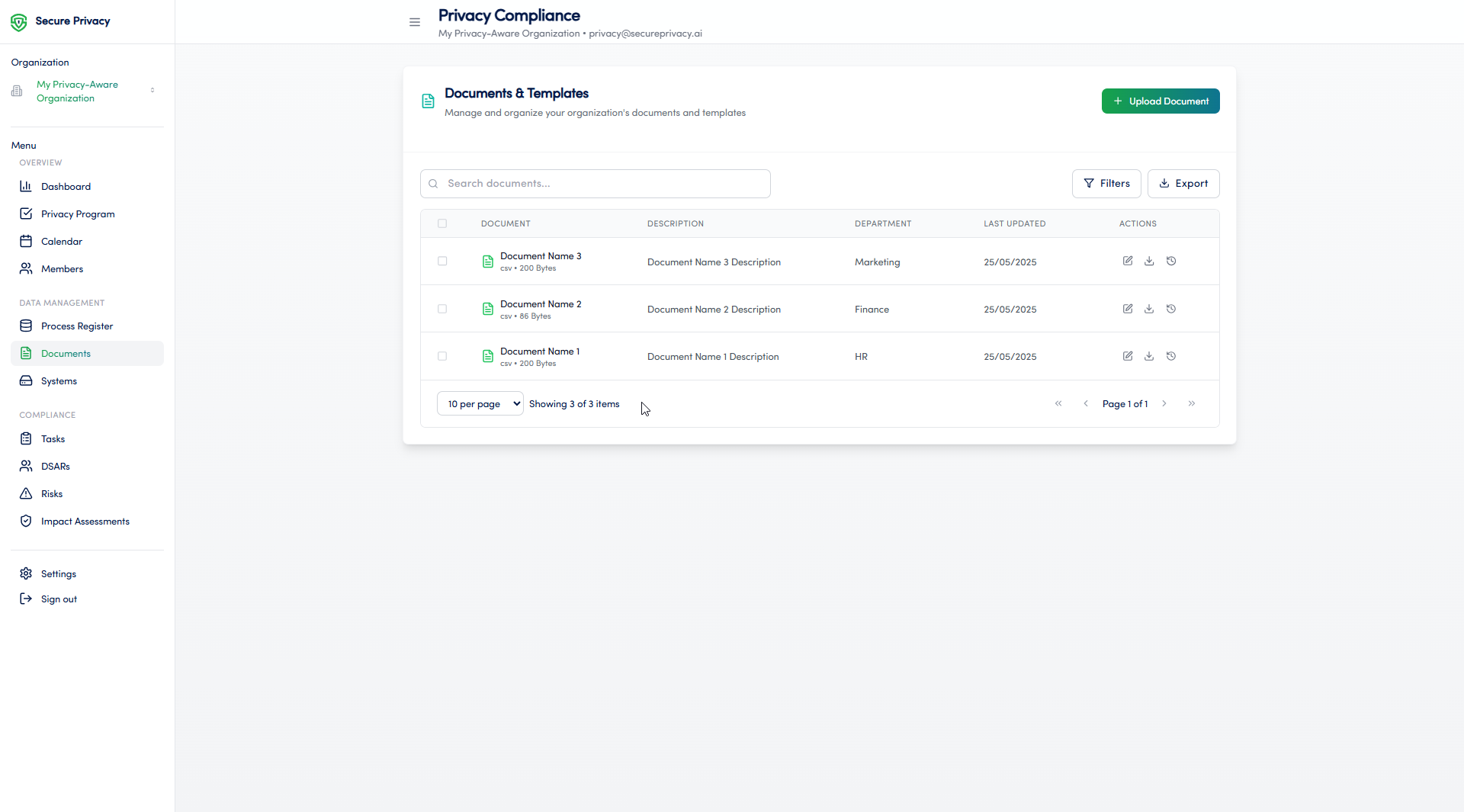
Navigate to the Documents page from the main navigation menu in the Governance Solution.
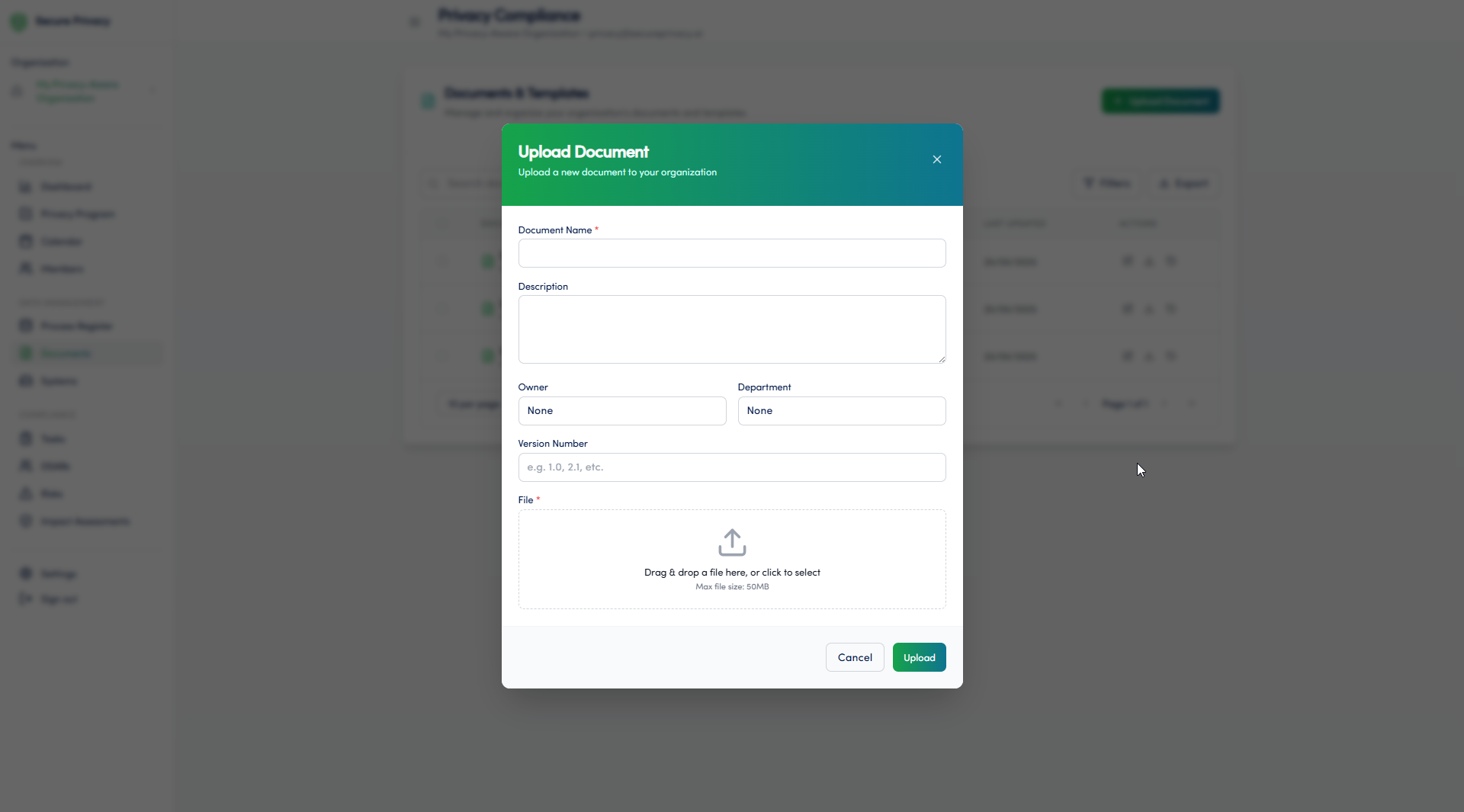
Click Upload Document to add a new compliance document.
Complete the required fields — including document name, description, owner, and department.
Upload the document file.
Configure permissions to control which team members can view, edit, or delete the document.
Available Features
Secure document storage: Store all compliance-critical documents in an enterprise-grade secure repository, accessible only to authorized team members.
Version control: Maintain a full version history for each document — ensuring the current version is always identifiable and previous versions are retained for audit purposes.
Access control and permissions management: Define granular permissions per document — controlling who can view, edit, or delete each file based on role and department.
Search and filtering: Quickly locate documents by name, owner, department, or document type — keeping your compliance library navigable as it grows.
Common Use Cases
Storing and managing privacy policies, internal procedures, Data Processing Agreements, and regulatory compliance documents in a single controlled location.
Tracking staff data protection training materials and maintaining completion records as evidence of GDPR accountability under Article 5(2).
Providing organized, readily accessible evidence of compliance to supervisory authorities, auditors, and customers on request.
Troubleshooting
Cannot upload a document
Check the file size and format — the Documents module supports standard document formats and enforces file size limits. If your file exceeds the limit or is in an unsupported format, convert or compress it before uploading. If the issue persists, contact Secure Privacy support.
Cannot manage permissions
Managing document permissions requires administrative rights within the Documents module. Verify your user role with your Secure Privacy account administrator and request an update if needed.
Frequently Asked Questions
Can the Documents module store Data Processing Agreements and vendor contracts?
Yes. The Documents module is designed to store any compliance-critical document — including Data Processing Agreements, vendor contracts, privacy policies, DPIAs, and internal procedures. Permissions controls ensure sensitive contracts are only accessible to authorized team members.
How does version control work in the Documents module?
When a document is updated, the previous version is retained in the version history rather than overwritten. This ensures you always have access to prior versions for audit purposes — and can clearly identify which version of a policy or procedure was in effect at any given time.
Can documents stored in this module be used as evidence during a supervisory authority inspection?
Yes. The Documents module is designed to support audit readiness — providing a centralized, organized, and access-controlled record of your compliance documentation. Documents stored here can be retrieved quickly and presented to supervisory authorities, internal auditors, or customers as evidence of your organization's GDPR compliance program.