
The Calendar module in Secure Privacy's Governance Solution is a centralized compliance task and deadline management tool — giving your privacy team a clear, visual overview of all upcoming compliance deadlines, recurring tasks, and regulatory requirements. It transforms complex compliance scheduling into an intuitive calendar experience that keeps your organization ahead of critical dates.
Who Is This For?
Data Protection Officers and privacy managers tracking compliance deadlines and recurring program tasks
Compliance teams scheduling privacy training sessions, audit reviews, and policy update cycles
Risk and governance teams monitoring the progress of ongoing compliance initiatives and mitigation deadlines
Team members assigned to time-sensitive compliance actions within the Governance Solution
Purpose and Functionality
The Calendar module consolidates all compliance-related tasks and deadlines from across the Governance Solution into a single, visual calendar interface. Whether you are tracking DSAR response deadlines, scheduling staff training, or monitoring risk mitigation target dates, the Calendar module ensures nothing is missed — providing a shared, organized view of your compliance program's time-sensitive obligations.
How to Use the Calendar Module
Navigate to the Calendar page from the main navigation menu in the Governance Solution.
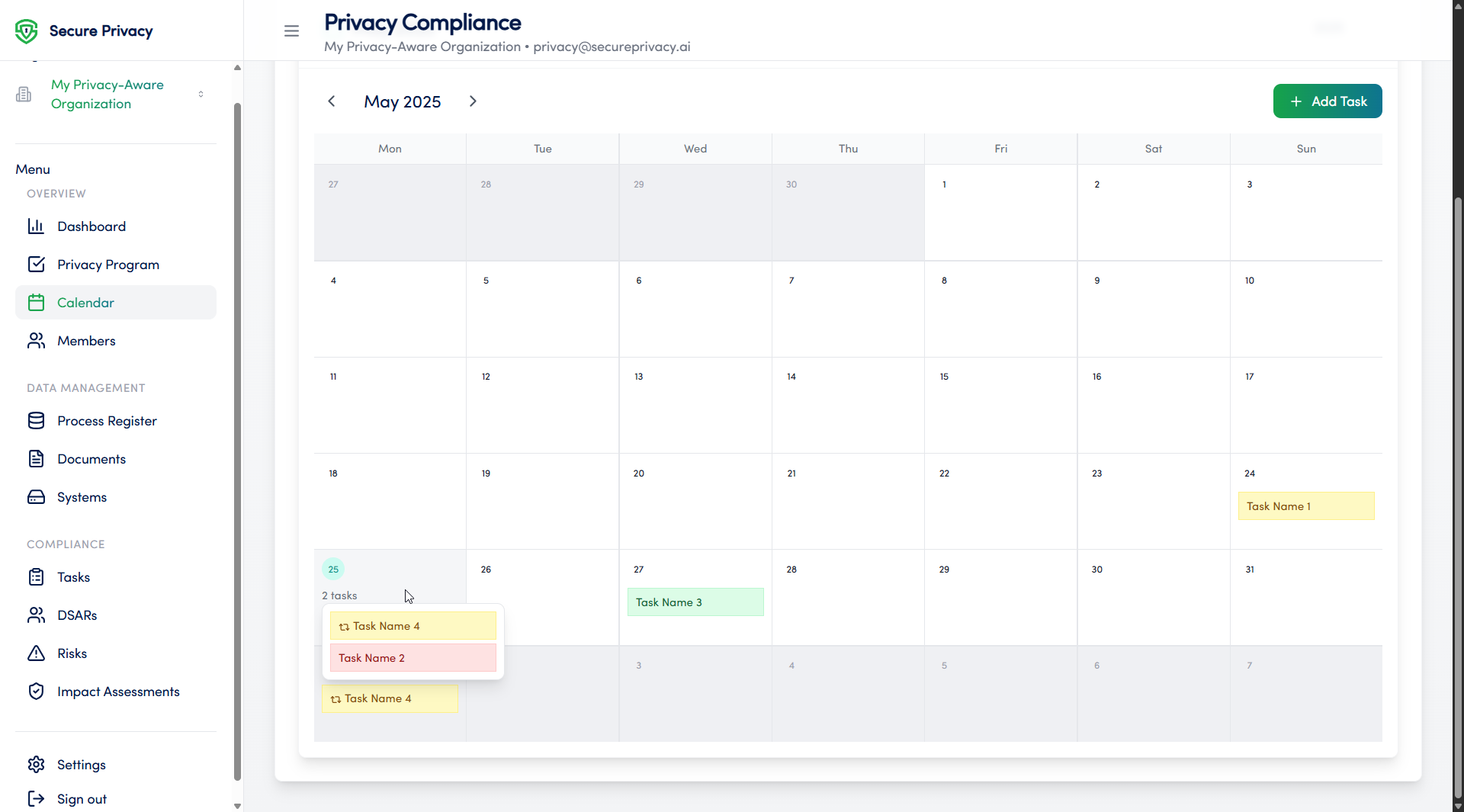
View all scheduled tasks and compliance deadlines in the monthly calendar format.
Click on a specific date to see the full list of tasks scheduled for that day.
Drag and drop tasks to reschedule them to a different date as priorities change.
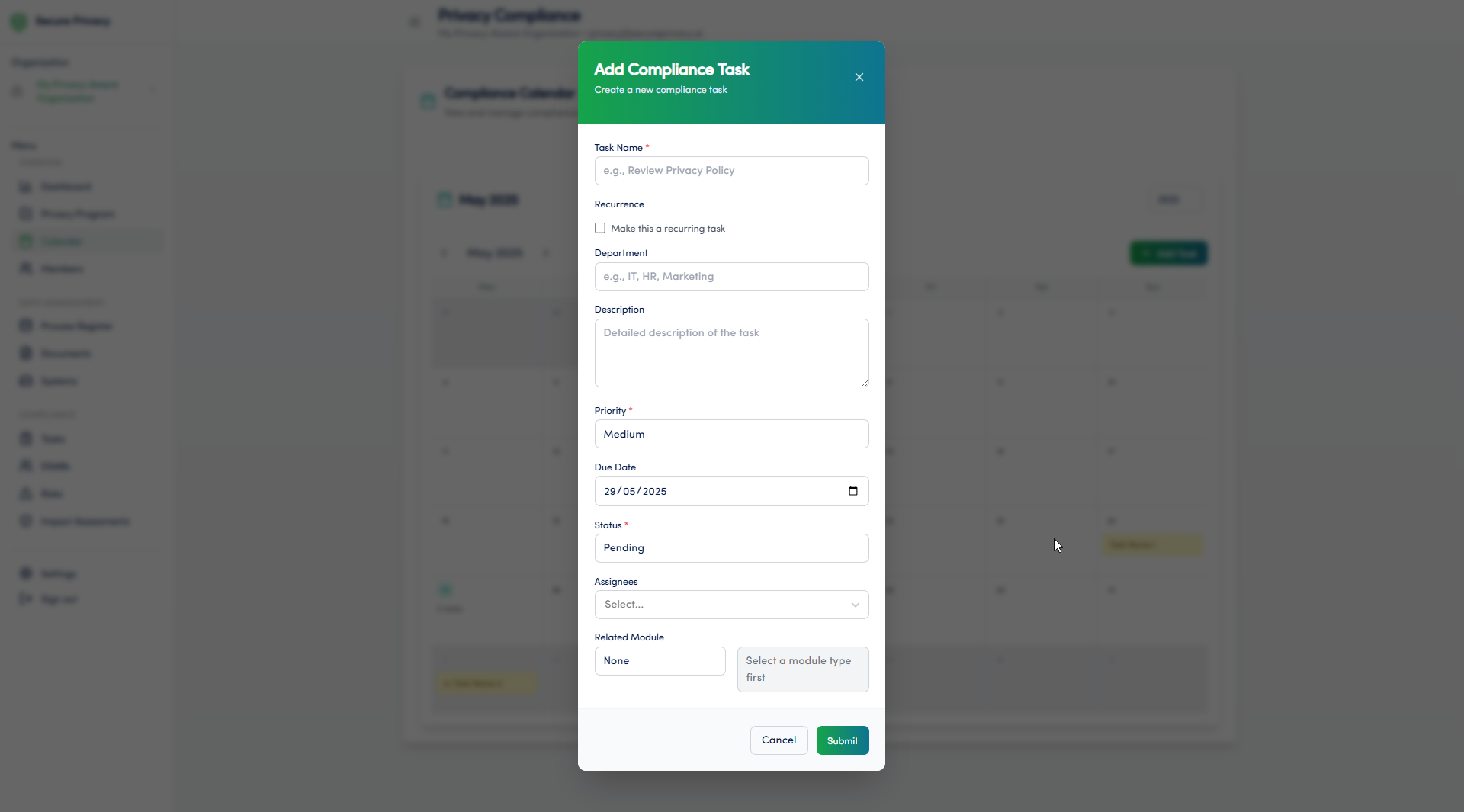
Add new compliance tasks directly from the calendar view without leaving the module.
Available Features
Monthly calendar view: A visual overview of all compliance tasks and deadlines organized by date — giving your team an immediate picture of what is coming up.
Task rescheduling via drag and drop: Easily move tasks to new dates by dragging and dropping them directly on the calendar — no need to open individual task records.
Task creation from calendar view: Add new compliance tasks directly from the calendar interface, with the selected date pre-populated as the due date.
Filtering by category or assignee: Filter the calendar view by task category or assigned team member to focus on the deadlines most relevant to your role or area of responsibility.
Common Use Cases
Tracking upcoming compliance deadlines — including DSAR response windows, breach notification timelines, and regulatory submission dates — to ensure nothing is missed.
Scheduling recurring privacy training sessions and annual compliance review cycles across the organization.
Monitoring the progress of ongoing compliance initiatives, risk mitigation target dates, and action plan deadlines from the Privacy Risk Management module.
Troubleshooting
Tasks are not displaying
Check that the correct filters are applied — if a category or assignee filter is active, tasks outside that filter will not appear. Clear all filters to see the full calendar view. If tasks are still missing, verify that they have been assigned a due date in the relevant module.
Cannot reschedule a task
Rescheduling tasks via drag and drop requires edit permissions for the task in question. Verify your user role with your Secure Privacy account administrator. If the task was created in another module — such as the Privacy Risk Management or Process Register module — it may need to be updated from its source record.
Frequently Asked Questions
Are tasks from other Governance Solution modules automatically visible in the Calendar?
Yes. Tasks and deadlines created across the Governance Solution — including mitigation deadlines from the Privacy Risk Management module and action items from compliance reviews — are surfaced in the Calendar module, providing a unified view of all time-sensitive compliance obligations in one place.
Can the Calendar be used to track GDPR-specific deadlines such as DSAR response windows?
Yes. Compliance deadlines — including DSAR response deadlines, breach notification timelines, and DPIA review dates — can be added and tracked in the Calendar module. Filtering by category allows your team to focus specifically on regulatory deadline types when needed.
Can tasks be assigned to specific team members from the Calendar view?
Tasks can be created from the Calendar view and assigned to team members with active accounts in the Governance Solution. For more detailed task configuration — including linking to process records or risk assessments — open the full task record in the relevant module after creation.