
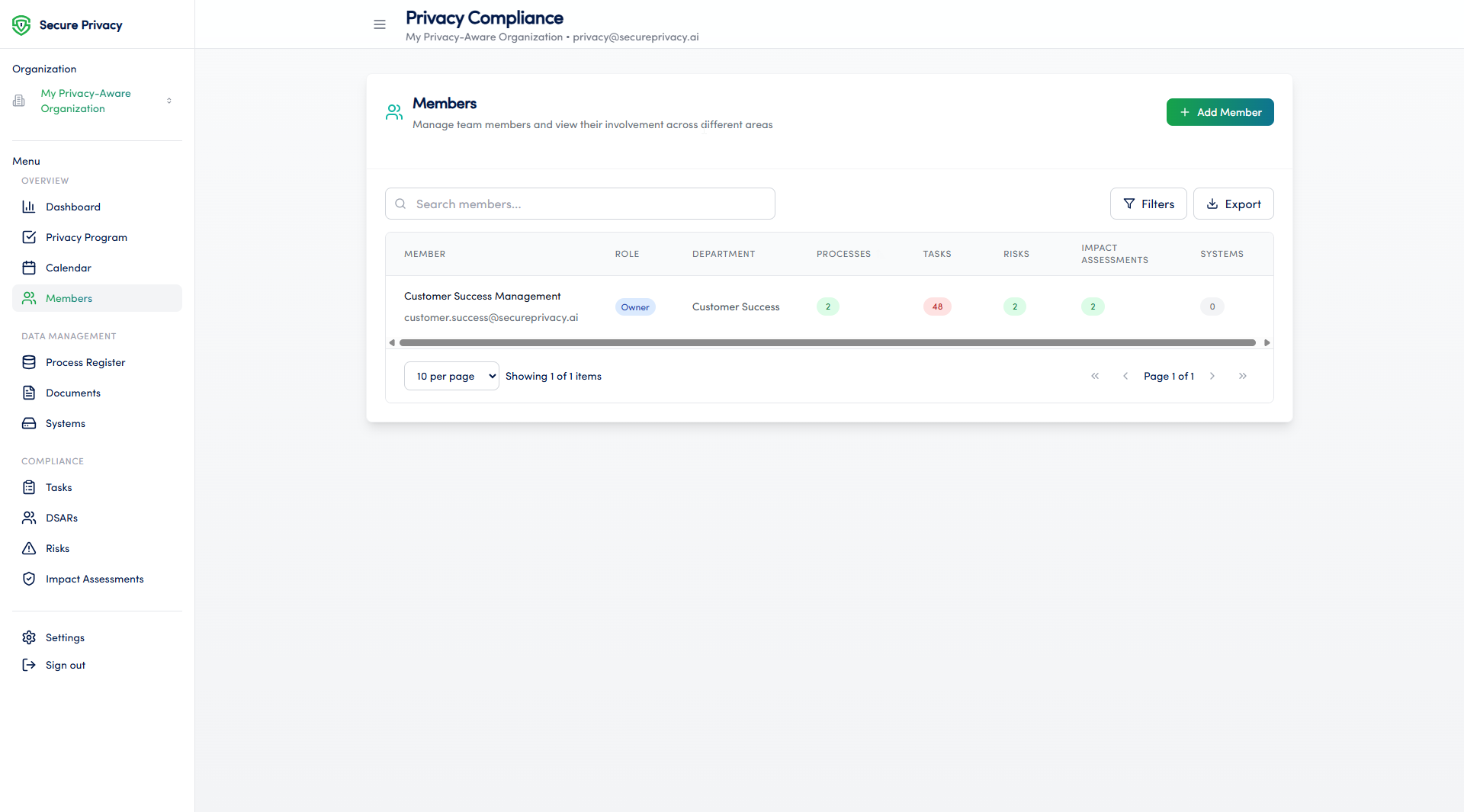
The Members module in Secure Privacy's Governance Solution provides a centralized view of all team members and their responsibilities within your privacy program. It streamlines team management through role-based access controls, contact management, and organizational hierarchy — ensuring privacy responsibilities are clearly defined, assigned, and visible across your organization.
Who Is This For?
Privacy program administrators managing team member access and responsibilities
Data Protection Officers overseeing the organizational structure of their privacy team
IT administrators configuring role-based access controls within the Secure Privacy platform
Compliance managers maintaining an accurate directory of privacy team contacts and roles
Purpose and Functionality
The Members module is essential for maintaining accountability within your privacy program. It gives administrators a single place to manage who is responsible for data protection tasks, control what each team member can access, and keep contact information current — supporting clear communication and audit-ready role documentation.
How to Use the Members Module
Navigate to the Members page from the main navigation menu.
View the full list of team members and their assigned roles within the privacy program.
Add new members to your organization as needed.
Edit member details — including department, role, and contact information — to keep records current.
Available Features
Team member directory: A centralized list of all individuals with roles in your privacy program, with contact details and role assignments visible at a glance.
Role-based access control: Define what each team member can view and edit within the Secure Privacy platform based on their role and responsibilities.
Contact information management: Keep team member contact details accurate and accessible for internal coordination and DPO communication.
Common Use Cases
Managing and documenting team member responsibilities within the privacy compliance program
Providing a clear, current overview of the organization's privacy team structure for audits and governance reviews
Facilitating communication and collaboration among team members working across different areas of the compliance program
Troubleshooting
Cannot add a new member
Verify that your account has administrative rights for the Members module. Only users with the appropriate admin role can add new team members. Contact your account administrator if you need your permissions updated.
Cannot edit member details
Check your user permissions — editing member details requires a role with write access to the Members module. If you believe your permissions are incorrect, contact your Secure Privacy account administrator.
Frequently Asked Questions
Who can add or remove members in the Members module?
Only users with administrative rights within the Secure Privacy platform can add, remove, or edit team members. If you need to make changes but do not have the required permissions, contact your organization's Secure Privacy account administrator.
Does the Members module control what each user can access across the platform?
Yes. The Members module includes role-based access control, which determines what each team member can view and edit across Secure Privacy's Governance Solution modules. Roles should be assigned based on each member's actual responsibilities within the privacy program.
Can the Members module be used to document DPO and privacy team roles for audit purposes?
Yes. Maintaining an accurate and current Members directory — with clearly assigned roles and contact information — supports GDPR accountability by providing documented evidence of who is responsible for privacy program functions. This is particularly relevant for demonstrating organizational accountability under GDPR Article 5(2).