
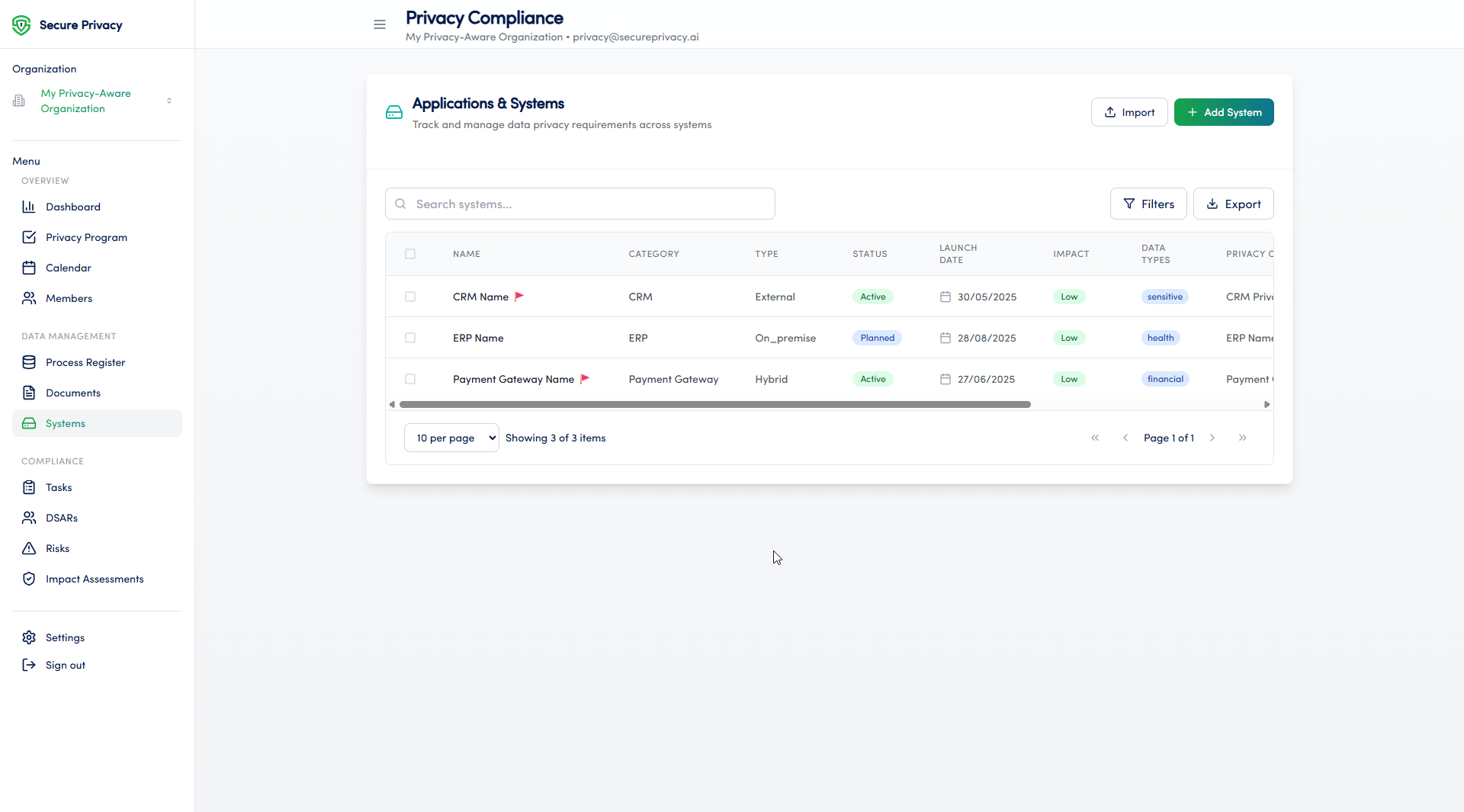
The Systems module in Secure Privacy's Governance Solution provides a centralized inventory of all systems, applications, and infrastructure components that process personal data within your organization. It supports systematic documentation of data processing systems, automated data flow mapping, and integrated risk assessment — helping privacy and compliance teams maintain GDPR compliance, manage their privacy program, and support cybersecurity governance.
Who Is This For?
Data Protection Officers and privacy managers building and maintaining a GDPR-compliant systems inventory
IT and information security teams documenting data flows and assessing system-level privacy risks
Compliance teams using system records to support ROPA maintenance and DPIA processes
System owners and technical leads responsible for registering and maintaining system documentation
Purpose and Functionality
The Systems module is a core component of Secure Privacy's Governance Solution, enabling organizations to maintain a complete and current record of every system that touches personal data. By centralizing system documentation alongside data flow mapping and risk assessment tools, it provides the foundation for an accurate Record of Processing Activities (ROPA) and supports proactive privacy risk management across the organization.
How to Use the Systems Module
Identify the system owner and technical lead responsible for the system being documented.
Navigate to the Systems page from the main navigation menu in the Governance Solution.
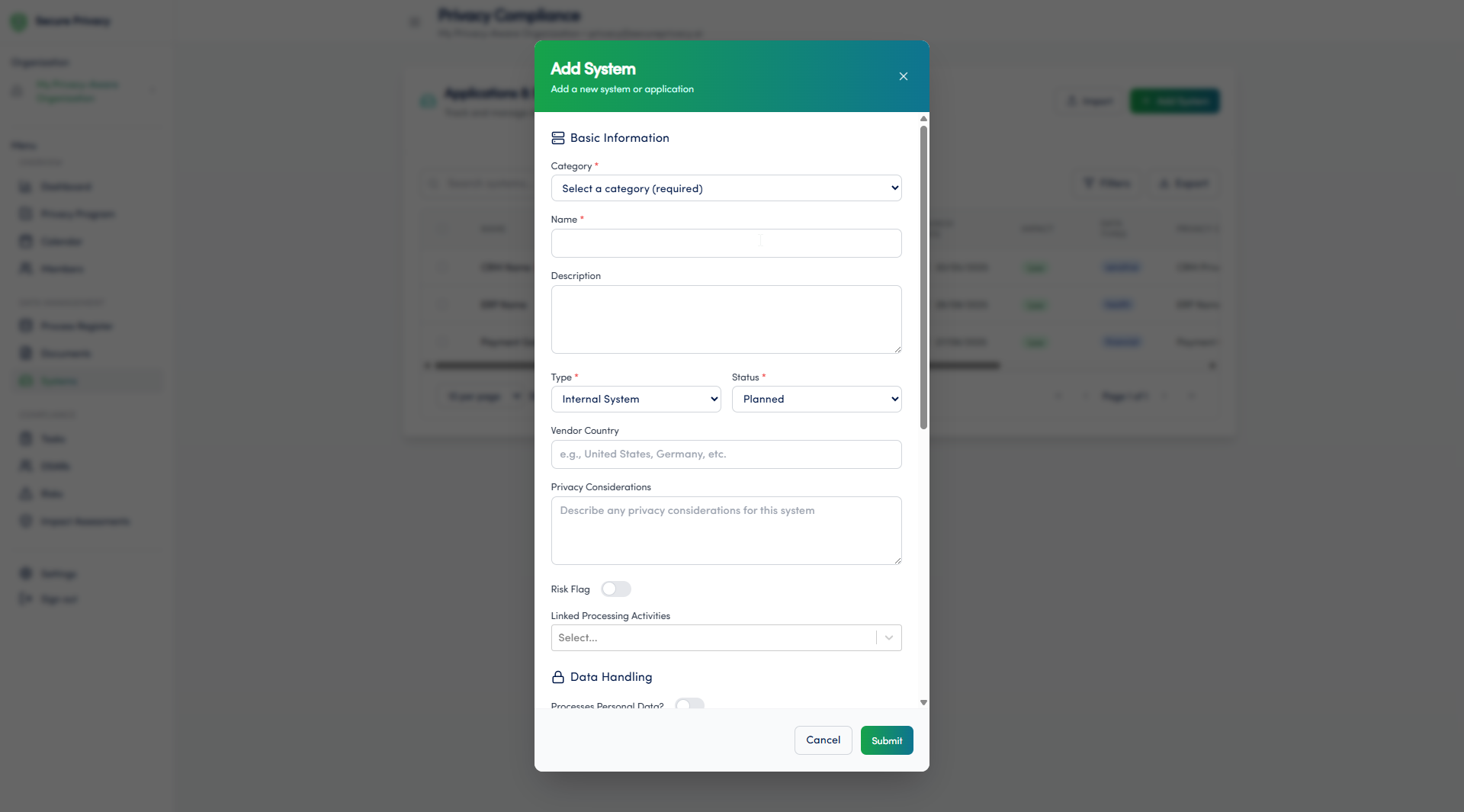
Add a new system entry and complete the required fields — including system name, owner, data categories processed, and storage location.
Map data flows associated with the system to document how personal data moves into, through, and out of the system.
Link the system to relevant risk assessments to capture and track any privacy or security risks identified.
Review and update system records whenever the system changes — including new integrations, data category changes, or vendor updates.
Available Features
System inventory: Maintain a complete, searchable register of all systems processing personal data across your organization.
Data flow mapping: Document and visualize how personal data flows between systems, departments, and third parties.
Risk assessment integration: Link system records directly to privacy and security risk assessments, enabling end-to-end traceability from system to risk to mitigation.
Common Use Cases
Maintaining a comprehensive record of all systems processing personal data — supporting ROPA accuracy under GDPR Article 30.
Identifying data flows and storage locations across the organization to support data mapping exercises and DPIA pre-screening.
Assessing the security and privacy risks associated with each system as part of an ongoing privacy risk management program.
Troubleshooting
Cannot add a new system
Verify that your account has the necessary permissions to create new entries in the Systems module. Only users with the appropriate admin or contributor role can add systems. Contact your Secure Privacy account administrator to review your access rights.
Data mapping feature is not working
Check your system settings and confirm that data mapping is enabled for your organization's Governance Solution instance. If the issue persists, contact Secure Privacy support with details of the system record you are working with.
Frequently Asked Questions
How does the Systems module support GDPR Article 30 ROPA requirements?
The Systems module provides the system-level detail that underpins an accurate Record of Processing Activities. By documenting which systems process personal data, what categories of data they handle, and how data flows between them, the module gives your DPO and compliance team the information needed to maintain a complete and current ROPA — a core GDPR Article 30 obligation.
Can the Systems module be used to support DPIA pre-screening?
Yes. System records — including data categories, processing purposes, and linked risk assessments — provide the factual foundation for DPIA pre-screening under GDPR Article 35. When a new system is added or an existing one significantly changed, the documented data flows and risk links support the DPO's assessment of whether a full DPIA is required.
Who should be responsible for maintaining system records?
System records should be maintained jointly by the system owner — who is accountable for the system's use of personal data — and the technical lead who understands the system's architecture and data flows. The privacy or compliance team should review records periodically to ensure they remain accurate and aligned with the organization's ROPA.