
IAB Transparency and Consent Framework 2.0 (TCF 2.0) is the latest version of the IAB Europe standard for managing user consent in programmatic advertising. It significantly expands publishers' options for collecting and signaling consent in the bidstream — requiring companies to disclose specific data uses and their role in ad campaigns. This guide explains how to enable IAB TCF 2.0 in your Secure Privacy account and what changes to expect in your consent banner and preference center.
Who Is This For?
Publishers and website owners running programmatic advertising
Ad operations and marketing teams managing consent for ad partners
Developers configuring IAB-compliant cookie consent banners
Compliance teams ensuring TCF 2.0 alignment across their CMP setup
How to Enable IAB TCF 2.0 in Secure Privacy
-
Navigate to your banner settings. Log in to your Secure Privacy account and open the cookie banner configuration for your domain.
-
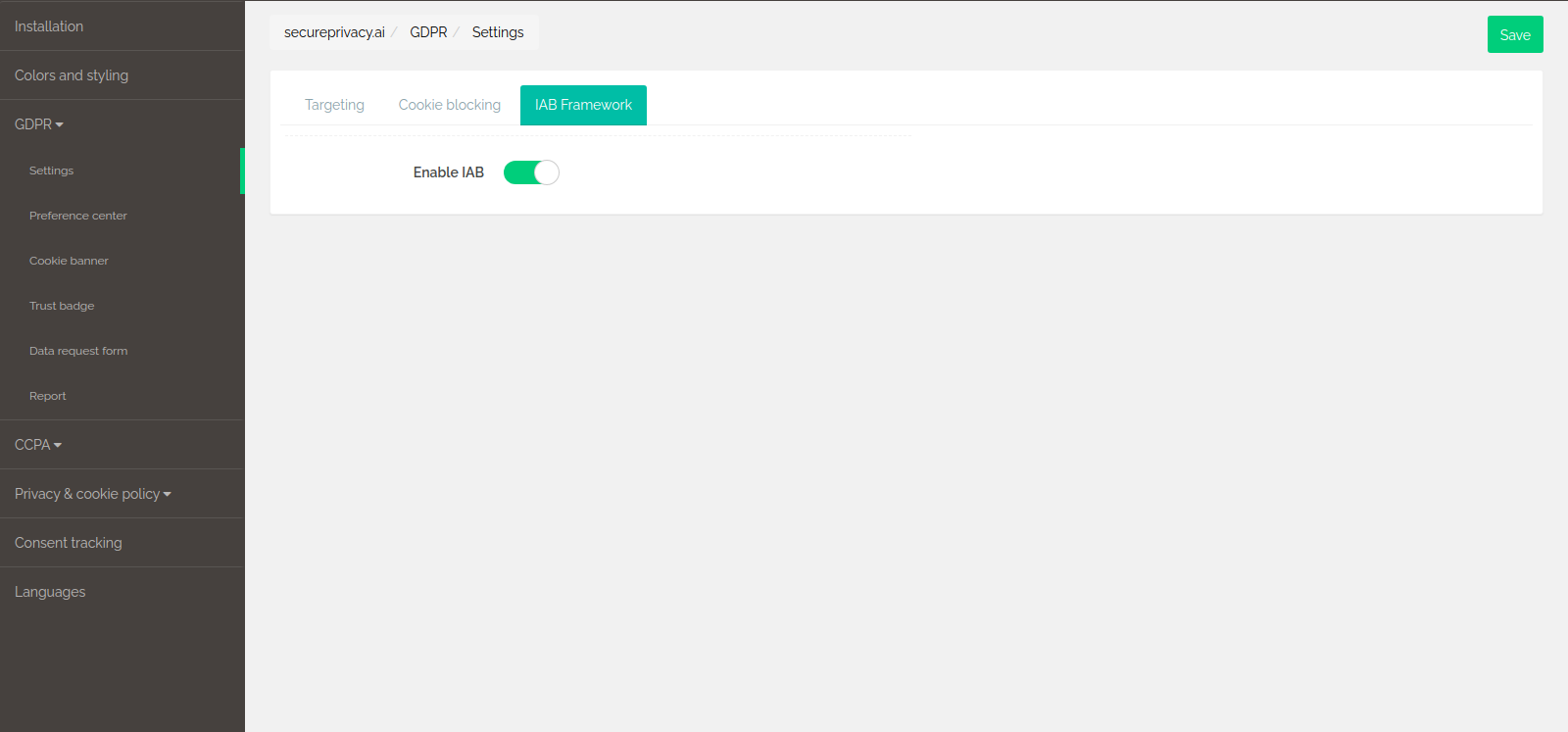
Enable the IAB toggle. Locate the Enable IAB switch and turn it on to activate IAB TCF 2.0 for your account.
Changes to the Preference Center After Enabling IAB TCF 2.0
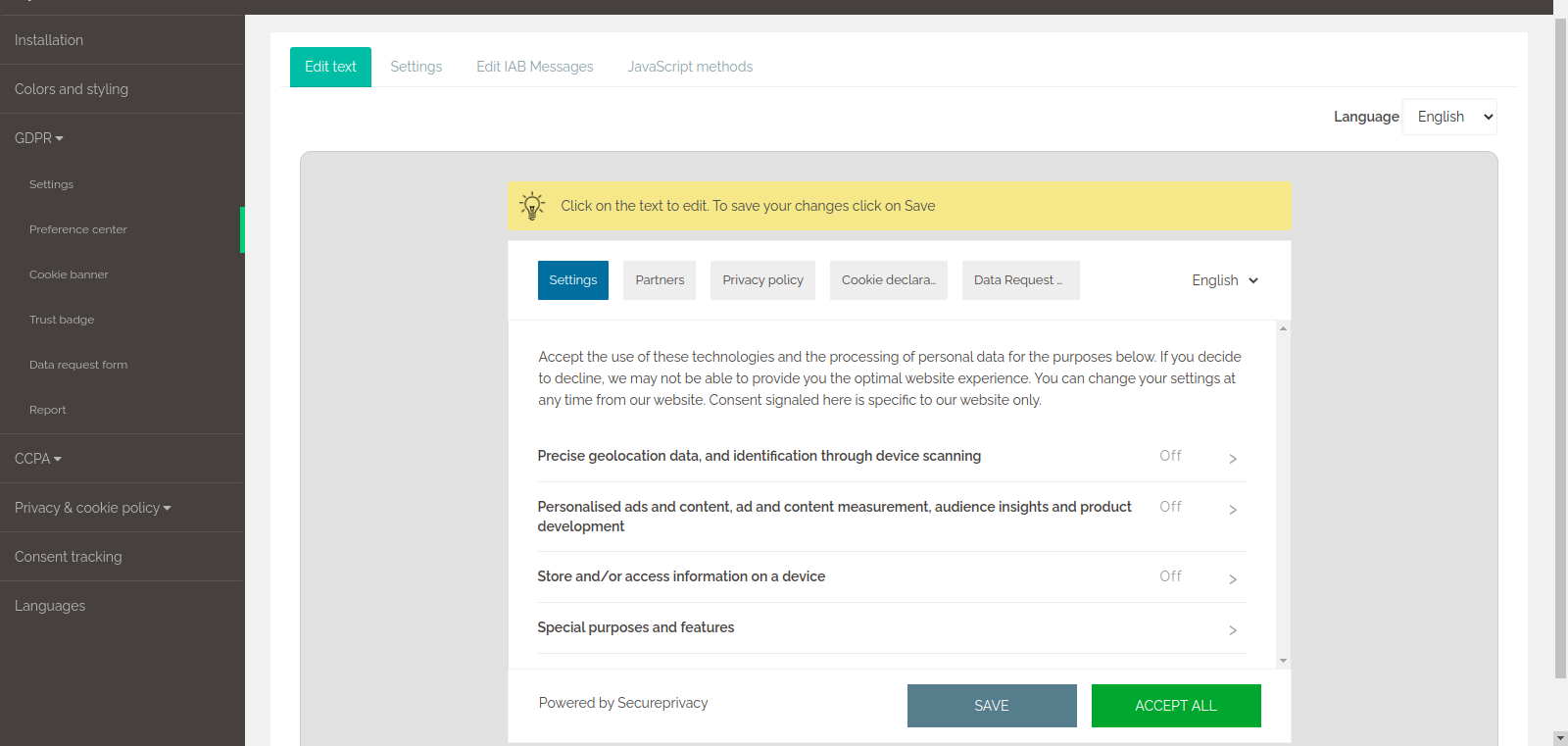
Once IAB TCF 2.0 is enabled, your preference center is automatically updated to reflect the new framework. You will see additional tabs, including a "Partners" tab listing IAB-registered vendors.
Note: All tabs in the preference center can be renamed by clicking on them. Make sure to select the correct language first before editing tab labels.
Editing IAB Messages in the Preference Center
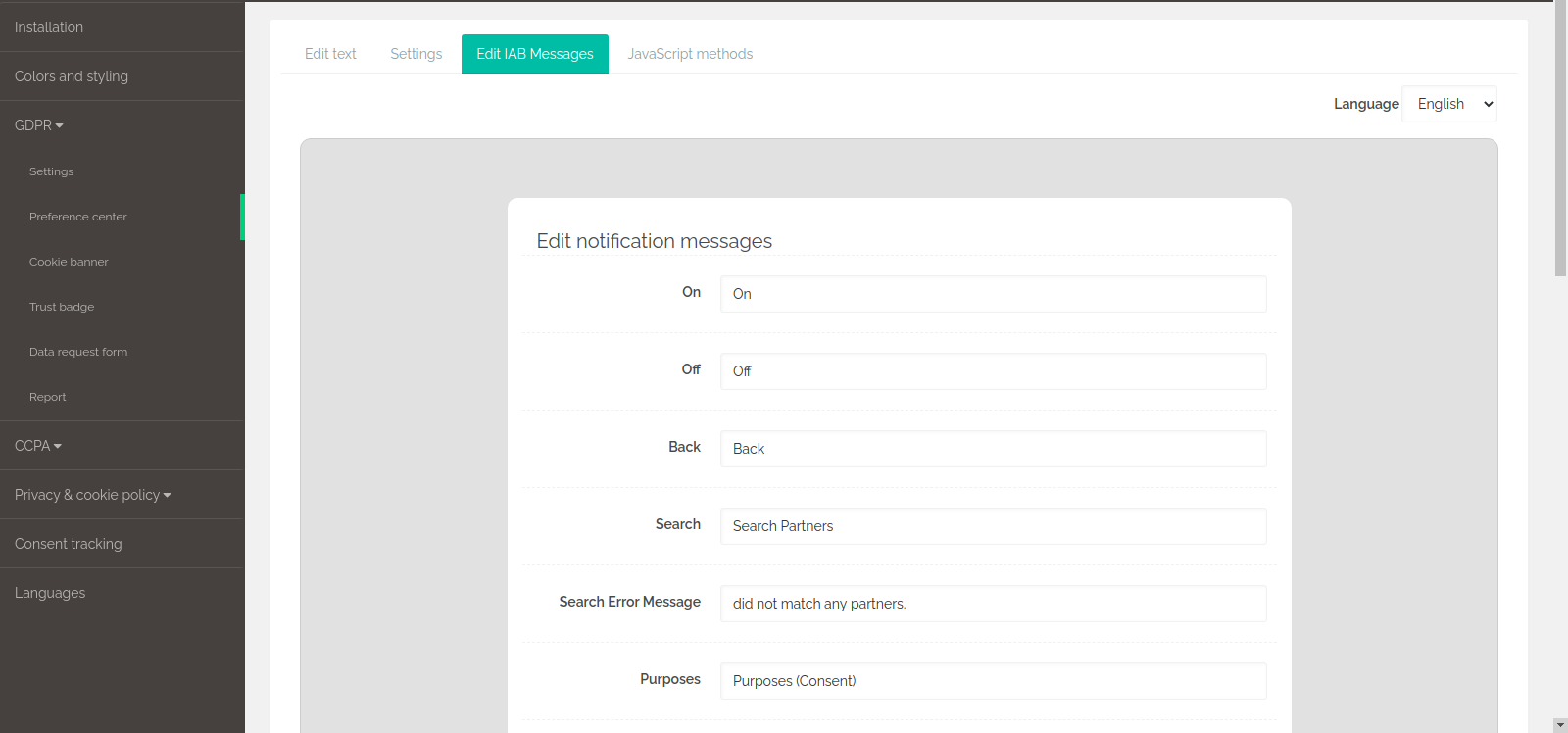
You can customize the IAB-specific text shown in your preference center under the "Edit IAB message" tab:
Changes to the Cookie Consent Banner After Enabling IAB TCF 2.0
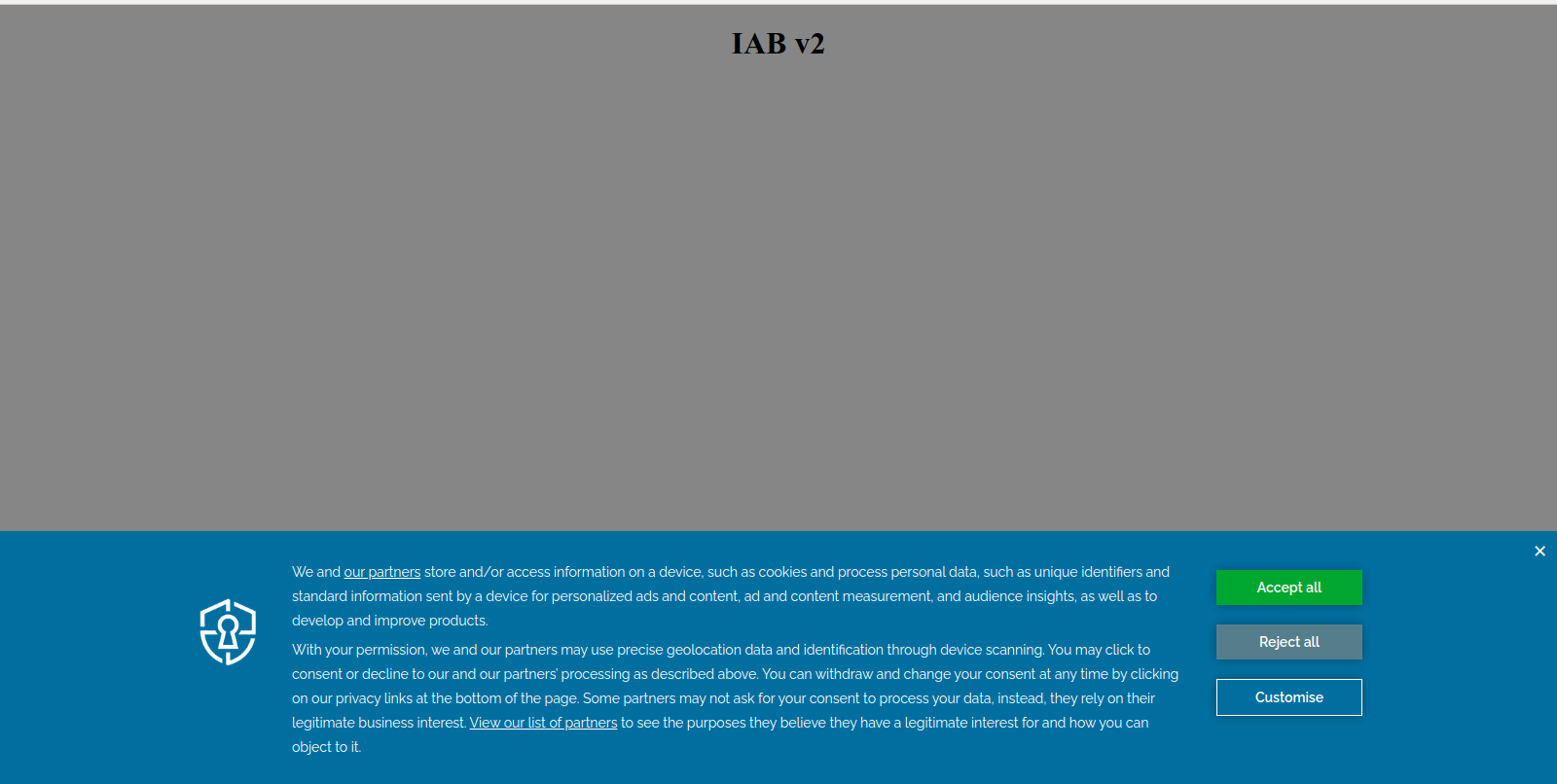
Enabling IAB TCF 2.0 also updates your cookie consent banner. The banner text is automatically aligned with IAB-approved messaging. While the text can be edited using the WYSIWYG editor, changes are not recommended — the default copy is pre-approved by IAB and editing it may affect your TCF compliance status.
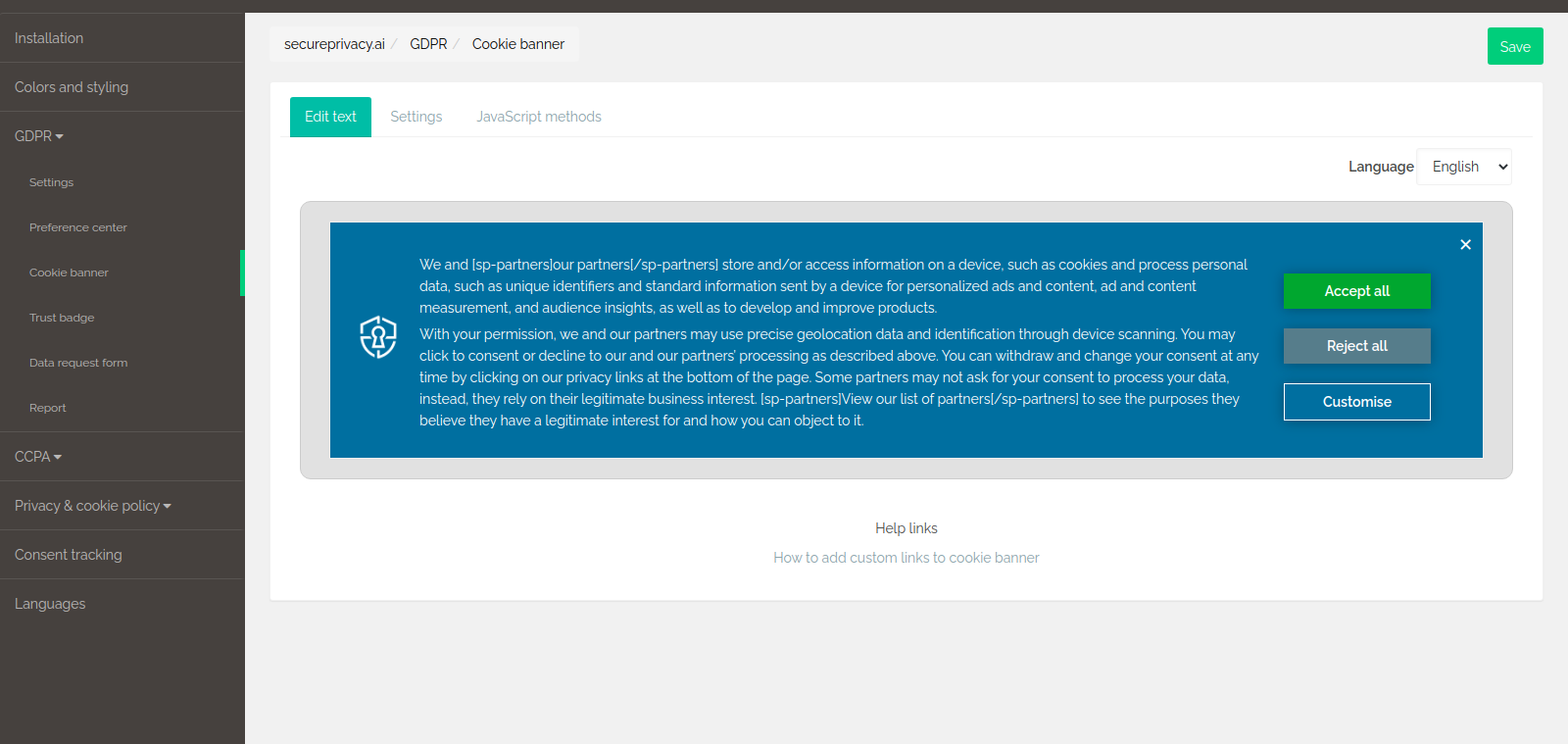
Below is an example of a standard IAB TCF 2.0 cookie consent banner. The design can be customized and restyled to match your corporate branding:
IAB TCF 2.0 Consent String
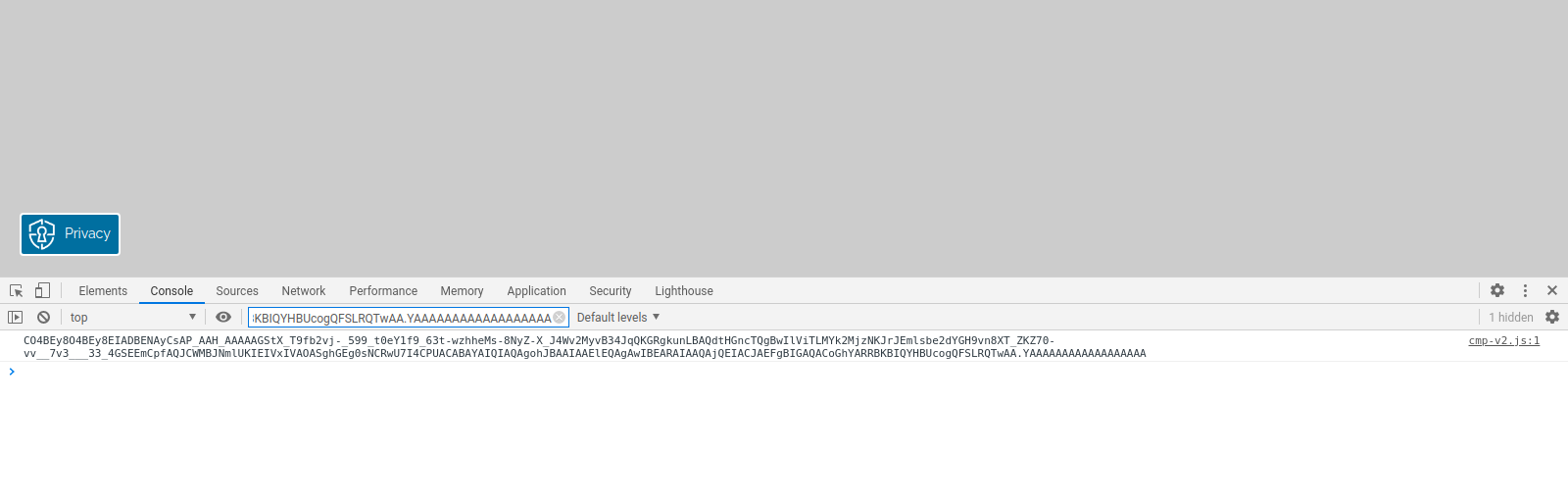
When a visitor clicks Accept or Reject on your cookie banner, an IAB TCF 2.0 consent string is generated and stored. This encoded string records the user's consent choices for all registered vendors and purposes.
You can view the consent string in your browser's developer console. To decode and inspect a consent string, use the official decode tool:
Decode IAB TCF 2.0 Consent String – Secure Privacy CMP Tool
An example of how the IAB TCF 2.0 consent string appears in the browser console:
Frequently Asked Questions
What is IAB TCF 2.0 and why does it matter?
IAB TCF 2.0 (Transparency and Consent Framework) is the industry standard for managing and signaling user consent in programmatic advertising. It requires publishers to disclose data uses and vendor roles, and gives users finer control over how their data is used — going beyond simple on/off consent toggles.
Will enabling IAB TCF 2.0 change my existing cookie banner?
Yes. Enabling IAB TCF 2.0 updates both your cookie consent banner text and your preference center. The banner text is replaced with IAB-pre-approved copy, and your preference center gains additional tabs such as "Partners." Your branding and styling remain customizable.
Can I edit the IAB-approved banner text?
Technically yes, using the WYSIWYG editor — but it is not recommended. The default text is pre-approved by IAB, and modifying it may affect your TCF 2.0 compliance status.
Where can I decode an IAB TCF 2.0 consent string?
Use the Secure Privacy IAB consent string decode tool to inspect and verify the consent data being recorded for your visitors.